
Logitech G F310 Wired Gamepad Controller Console – Blue/Black
4.4Editor score
Works with old standbys to titles
Profiler software for custom commands
Familiar Xbox 360 layout
This guide compares the top controllers for retro console gaming to help you find the best wireless or wired gamepad for your classic system setup.
Finding the right controller for retro console gaming can transform your nostalgic sessions into smooth, immersive experiences. Whether you are reliving classics on a modern PC or using a dedicated emulation machine, the right input device ensures precision and comfort during long play sessions.
We evaluated ten distinct controllers based on compatibility, build quality, and user feedback to compile this definitive list. Our analysis covers wired and wireless options, ranging from budget-friendly picks to premium models featuring advanced technologies like Hall Effect joysticks for superior accuracy.
Each selection highlights specific strengths tailored to different retro gaming needs and platform requirements. Please note that availability and pricing may fluctuate over time, so verify current details before making your final purchase decision to ensure you get the best value available.
4.4Editor score

4.6Editor score
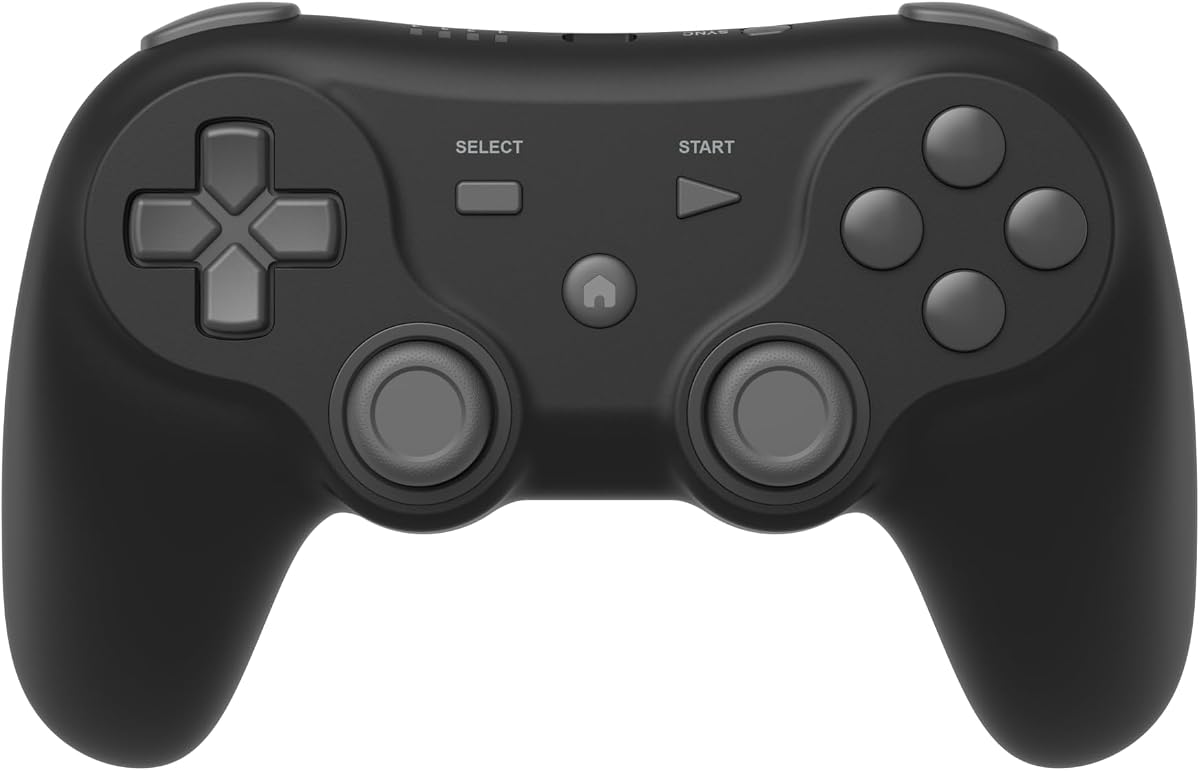
3.8Editor score
This side-by-side comparison outlines the key specifications and capabilities of each controller to help you make an informed decision for your specific retro gaming needs.


The Logitech G F310 Wired Gamepad stands out as a reliable budget-friendly option for retro gaming enthusiasts. With a rating of 4.4 stars, it offers broad game support that works with old standbys to today's biggest titles. Its standout quality lies in the familiar control layout that mimics the Xbox 360, ensuring ease of use.
We may earn a commission when you buy through this link, at no additional cost to you.
This controller features a unique floating D-pad that rests on four switches instead of a single pivot point. This design makes it highly responsive to quick changes in direction, which is crucial for precise retro gameplay. The six-foot cord allows you to lean back and play at a comfortable distance from your monitor.
While the Profiler software allows the gamepad to be programmed for keyboard and mouse commands, this requires software installation which might be a hurdle for some users. Additionally, the wired connection limits mobility compared to wireless options. However, these trade-offs are acceptable given the price point and reliability.
If you are looking for a straightforward plug-and-play USB connection that works with Windows XP Vista and 7, this controller is ideal. It is perfect for users who prioritize functionality and cost over wireless convenience. We recommend this for budget-conscious gamers wanting a solid experience.
The familiar Xbox 360 layout means you do not need a learning curve to use this controller effectively.
The four-switch design ensures quick directional changes during fast-paced retro arcade games.
We may earn a commission when you buy through this link, at no additional cost to you.
The 8Bitdo SN30 Pro Bluetooth Wireless Gamepad is our top pick for retro gaming due to its robust feature set and high reliability. With a rating of 4.6 stars, it is considered the world's first fully featured retro controller. It boasts a full button set with clickable joysticks, rumble vibration, and motion controls.
We may earn a commission when you buy through this link, at no additional cost to you.
Upgraded Hall Effect Joysticks provide higher precision and sensitivity which is essential for accurate movement in retro platforms and fighters. The controller includes a USB-C connector and a rechargeable battery that lasts up to 18 play hours. You can easily carry it in your pocket thanks to its compact dimensions.
While the price is higher than basic budget controllers, the wireless freedom and advanced features justify the investment. The firmware update capability ensures longevity and compatibility with future devices. The only minor drawback is the need to manage charging cycles for uninterrupted wireless play.
We recommend this controller for gamers who want a premium experience across multiple platforms like Switch PC and Android. Its wide compatibility makes it a versatile tool for any retro collection. This is the best choice for those valuing precision and convenience.
Hall Effect technology ensures long-lasting precision without the drift issues found in traditional potentiometers.
Officially supports iPhone iPad macOS and Apple TV expanding your retro gaming reach significantly.
We may earn a commission when you buy through this link, at no additional cost to you.
The Retro Fighters Defender Pro Wireless Controller offers a premium experience designed for serious gamers who need advanced features. Although it has a lower rating of 3.8 stars, it provides unique capabilities like Pressure-Sensitive Buttons which offer more precise control across all games. This feature is rare in budget retro controllers.
We may earn a commission when you buy through this link, at no additional cost to you.
It supports dual wireless modes allowing you to switch between 2.4GHz and Bluetooth for flexible connectivity depending on your setup. The Hall Effect Sticks eliminate drift and ensure high precision and long lifespan which is crucial for competitive retro gaming. Customizable Triggers let you toggle analog or digital stops to suit your playstyle.
The high price point reflects these advanced features but it may not suit casual gamers. The lower rating suggests some users might find compatibility issues or software quirks. However, for those seeking a high-end setup with specific control needs these trade-offs are acceptable.
We recommend this controller for professionals or enthusiasts who require pressure sensitivity and wireless flexibility. It is best suited for multi-system setups including PS1 PS2 and Switch. If you need top-tier customization this is the ideal choice.
Pressure-sensitive buttons allow for nuanced control in games that support dynamic input levels.
Toggle analog or digital trigger stops to match the mechanics of different retro game genres.
We may earn a commission when you buy through this link, at no additional cost to you.
The 2 Pack Wireless USB SNES Controller is perfect for users looking for a simple wireless solution for Windows PC and macOS. With a rating of 4.2 stars, it offers a stable 10m range with zero-lag performance ensuring smooth gameplay. It is ideal for retro emulators and supports multi-color keys for easy identification.
We may earn a commission when you buy through this link, at no additional cost to you.
This set includes two controllers so you can play with a friend using the included USB receivers. The plug and play design means no drivers are needed for compatible devices making setup incredibly easy. High-sensitivity buttons provide precise retro gaming controls that mimic the original experience.
However, it is incompatible with several platforms like Android TV Box Fire TV and Switch. This limits its utility if you switch between different devices frequently. The built-in rechargeable battery offers a 10-hour runtime which is sufficient for most sessions.
We recommend this controller for dedicated PC or macOS retro gaming setups where you do not need Switch support. The two-pack value is excellent for local multiplayer. If you need broad compatibility look elsewhere but for PC it is great.
Distinctive key colors help you identify buttons quickly during intense gaming sessions.
Stable 2.4GHz connection ensures no lag which is critical for fast-paced retro platformers.
We may earn a commission when you buy through this link, at no additional cost to you.
The happymaxplus Retro Classic Controller Design has an impressive 4.8 rating and is specifically built for AV 620 HD 621 and HD 821 retro consoles. It features a 9 Pin Port design that ensures seamless connection and compatibility with these specific systems. The controllers work well and are ready to plug and play immediately.
We may earn a commission when you buy through this link, at no additional cost to you.
This set includes two controllers allowing you to share classic gaming moments and build lasting memories with your kids. The 4-button controller features continuous fire giving you the edge you need for rapid-fire action and pinpoint precision in arcade games. This feature is essential for certain challenging titles.
While the controllers are high-quality alternatives they are not first-party manufactured items. It is important to confirm they work with your setup before buying to ensure full functionality. The wired design limits movement but guarantees stable performance.
We recommend this controller for owners of AV 620 HD 621 or HD 821 consoles looking for affordable replacement controls. The continuous fire button adds modern convenience to classic games. If you own these consoles this is a top-rated choice.
Continuous fire capability enhances gameplay in shooting and fighting games by automating rapid presses.
The 9 Pin DB9 plug design ensures a secure connection to compatible retro game consoles.
We may earn a commission when you buy through this link, at no additional cost to you.
The Retro-Bit Legacy 16 Wired USB Controller is designed to let you relive the golden era of gaming with an authentic 16-bit feel. With a rating of 4.3 stars it features a familiar ergonomic design with a responsive D-pad and precision buttons for retro and modern games. This controller offers enhanced functionality including dedicated Home and Screenshot buttons.
We may earn a commission when you buy through this link, at no additional cost to you.
It is compatible with Nintendo Switch PC MacOS RetroPie and Raspberry Pi making it perfect for retro emulation and indie games. The generous 10 ft cable allows for comfortable gameplay without being tethered too close to your device. It is designed for fighting games and arcade classics with durable construction.
While the wired connection limits mobility compared to Bluetooth options the long cable helps mitigate this issue. The lack of detachable cables might be a downside for portability and convenience. However the ergonomic design and platform support make it a strong contender.
We recommend this controller for users who want a classic feel with modern platform compatibility. It is particularly suitable for Switch owners looking for a retro experience. If you value authentic design this is a solid option.
Dedicated Home Screenshot and shoulder buttons provide expanded functionality for Nintendo Switch gaming.
The authentic styling captures the feel of the original 16-bit era for nostalgic immersion.
We may earn a commission when you buy through this link, at no additional cost to you.
The 8Bitdo 64 Bluetooth Controller is a versatile option for those using Analogue 3D or modern consoles like Switch. With a 4.6 rating it supports Bluetooth or wired USB connections offering flexibility based on your preference. It includes D-input and S-input modes to ensure wide compatibility across various systems.
We may earn a commission when you buy through this link, at no additional cost to you.
Vibration is supported on Analogue 3D and Switch 1/2 enhancing immersion during gameplay. The turbo function helps quickly defeat enemies and be a winner in fast-paced titles. It is compatible with Windows and Android making it a reliable choice for portable setups.
While Switch 2 compatibility requires the latest firmware update this might be a minor hurdle for immediate users. The price is higher than basic controllers but the build quality and feature set justify it. Ensure you update firmware for full functionality on Switch 2.
We recommend this controller for users of the Analogue 3D console or Switch owners wanting a 64 style feel. Its versatility and strong build make it a top pick. If you need dual connectivity modes this fits well.
D-input and S-input modes ensure compatibility across a wide range of gaming systems.
Turbo function allows for rapid button presses aiding in speed and quick victories.
We may earn a commission when you buy through this link, at no additional cost to you.
The GameSir Tegenaria Lite Wired Game Controller combines a retro 90s design with advanced technical specs for competitive play. It features a 1000Hz polling rate for instant response ensuring minimal lag during gameplay. The Hall Effect Sticks provide precision and anti-drift performance for longevity and reliability.
We may earn a commission when you buy through this link, at no additional cost to you.
You can customize your gameplay with two mappable back buttons allowing quicker actions and efficient execution. The controller includes dual asymmetric rumble motors for strong and subtle vibrations. It works with Switch Android iOS PC and Steam offering broad compatibility.
While the ultra-low latency wired connection is excellent for precision it limits mobility compared to wireless options. The membrane triggers and buttons are cushioned for comfort but might feel less tactile than mechanical ones. However the 1000Hz polling rate compensates for this trade-off.
We recommend this controller for PC and Switch users who prioritize speed and accuracy. The retro design and modern features make it unique. If you need low latency this is a strong contender.
A 1000Hz polling rate ensures your inputs are registered almost instantaneously for better performance.
Hall Effect sticks are immune to wear and tear ensuring a longer lifespan than traditional sticks.
We may earn a commission when you buy through this link, at no additional cost to you.
The ZAMPAM 2 Pack 2.4GHz Wireless USB Controllers offer a simple wireless solution for PC Mac and Linux users. With a 4.0 rating they provide a wireless range up to 10 meters ensuring flexibility during play. The built-in rechargeable battery allows for around 100 hours of play time on one charge.
We may earn a commission when you buy through this link, at no additional cost to you.
You can set your own rapid button as you want using the turbo function which enhances gameplay for repetitive actions. However please download software like joystick mapper to configure keys first if needed. It is not compatible with Super Nintendo or Mini NES which limits retro options.
The potential need for software configuration might be a hurdle for non-tech-savvy users. Also the incompatibility with certain classic consoles means you cannot use it there. Despite these limitations the battery life is impressive for casual sessions.
We recommend this controller for PC gaming setups using emulators where you need dual controllers. The long battery life reduces charging frequency. If you need a cheap wireless pair this fits the bill.
One charge lasts around 100 hours allowing for extended play sessions without interruption.
Configure your own rapid button settings for customized turbo functionality on specific keys.
We may earn a commission when you buy through this link, at no additional cost to you.
The Hyperkin Trooper 2 Premium USB Game Controller is ideal for emulation on Windows macOS Linux and Raspberry Pi. It features a premium build with ergonomic design and chamfered corners grips for increased comfort during long sessions. The durable construction and high-quality materials ensure a solid life.
We may earn a commission when you buy through this link, at no additional cost to you.
This controller offers quiet movement joystick and responsive buttons providing smooth inputs for computer and arcade games. The classic Atari feel is complemented by modern upgrades like a 10 foot USB cable and 6 mappable Buttons. These buttons allow you to play various consoles and escape menus easily.
While the joystick uses a plastic material it has a soft rubber grommet to ensure smooth operation. The wired connection limits movement but the long cable helps extend reach. The quiet operation ensures distraction-free gaming in shared spaces.
We recommend this controller for users seeking a retro feel with modern durability on PC. The ergonomic design reduces fatigue during long emulation sessions. If you prefer wired reliability with a retro touch this is a solid pick.
The classic Atari feel gamepad provides a nostalgic control experience for old-school gamers.
Six mappable buttons allow for versatile control mapping across various retro game systems.
We may earn a commission when you buy through this link, at no additional cost to you.
Choosing the right controller requires understanding your specific hardware and gaming habits. This guide outlines key factors to consider.
Ensure the controller works with your retro console PC or emulator. Some controllers support multiple systems like Switch while others are limited to PC or specific retro devices.
Always check compatibility lists before buying to avoid issues.
Decide between wired and wireless based on your needs. Wired controllers offer zero lag but limit mobility while wireless controllers offer freedom but require charging.
Wired is safer for competitive retro gaming.
The D-pad is critical for retro games. Look for responsive D-pads like floating ones or four-switch designs for better directional accuracy.
A poor D-pad ruins classic platformers.
Check materials like Hall Effect sticks which prevent drift and increase lifespan. Durable buttons and rubberized grips improve comfort.
Invest in durable construction for longevity.
For wireless controllers ensure the battery lasts through your typical sessions. Some offer 100 hours of playtime while others last only a few hours.
Long battery life reduces interruptions.
Some controllers need software for mapping keys or firmware updates. Ensure this is easy to use for your operating system.
Minimal software setup is preferred.
Features like turbo buttons and rumble add value but check if they work well. Turbo helps with repetitive inputs in shooters or fighters.
Useful features enhance gameplay.
Balance cost against features. Budget options are good for casual gaming but premium models offer better precision and durability.
Choose based on your usage level.
Connect your controller to your retro console or PC following the manufacturer instructions. For wireless controllers ensure they are paired before use.
Keep your controller clean by wiping it with a dry cloth after gaming. Avoid exposure to dust and moisture to maintain performance.
Store your controller in a safe place to prevent physical damage. For wireless models charge them fully before long gaming sessions to avoid interruptions.
The 2 Pack Wireless USB SNES Controller is a top pick for PC and macOS emulators due to its responsive buttons. For dedicated retro setups the happymaxplus 9 Pin controllers work well with specific retro game consoles.
Modern 2.4GHz wireless controllers typically offer zero-lag performance if within range. Bluetooth may have slight delays but works well for most casual retro gaming sessions.
Yes Hall Effect sticks prevent drift which is common in potentiometer sticks. They ensure precision and long lifespan making them ideal for retro games needing exact input.
Yes many retro controllers like the Retro-Bit or 8Bitdo models support modern PCs via USB. Some retro consoles require specific 9 Pin adapters for proper connection.
Gently wipe the surface with a dry cloth. Use compressed air to remove dust from crevices without disassembling the unit to avoid damage.
Yes turbo buttons automate rapid inputs which helps in fighting or shooting games. Ensure your emulation software supports turbo mapping for proper function.
Most controllers support Windows macOS and Linux via plug-and-play. Check specific compatibility notes for Android iOS or Raspberry Pi support before purchasing.
Many controllers like the 8Bitdo SN30 Pro and Retro-Bit Legacy 16 work with Nintendo Switch. Verify firmware updates to ensure full functionality with Switch 2.
In this guide we reviewed 10 controllers ranging from budget options to premium models with advanced features like Hall Effect sticks and wireless connectivity. Each option offers unique benefits tailored to different retro platforms and playstyles.
Prioritize compatibility with your specific retro system and input accuracy such as D-pad quality and stick precision. Consider wireless convenience versus the stability of a wired connection based on your setup.
Always check current prices and availability as deals may vary. This ensures you select the best option for your retro gaming needs at the right time.