
MAIWO 4 Bay Hard Drive Enclosure with USB-C
3.5Editor score
Cost-effective storage expansion option
Daisy chain support for scalability
Automatic fan activation at 48C
Finding reliable external storage is crucial for professionals managing large datasets. A 4 Bay Hard Drive Enclosure with Cooling Fans offers expandable capacity while keeping drives safe from overheating during intensive tasks.
We evaluated ten top-rated enclosures based on speed, build quality, cooling efficiency, and compatibility. Each model was assessed for its ability to handle multiple drives without performance throttling or hardware failure over time.
Each pick highlights specific strengths like USB speeds or hot-swap capabilities. Please note that availability and costs fluctuate frequently so verify current details before finalizing your purchase decision today.
3.5Editor score

4.3Editor score
4.1Editor score
As an Amazon Associate we earn from qualifying purchases.
This comparison table outlines key specifications across all ten selected models to help you quickly identify which enclosure meets your specific performance and connectivity requirements.


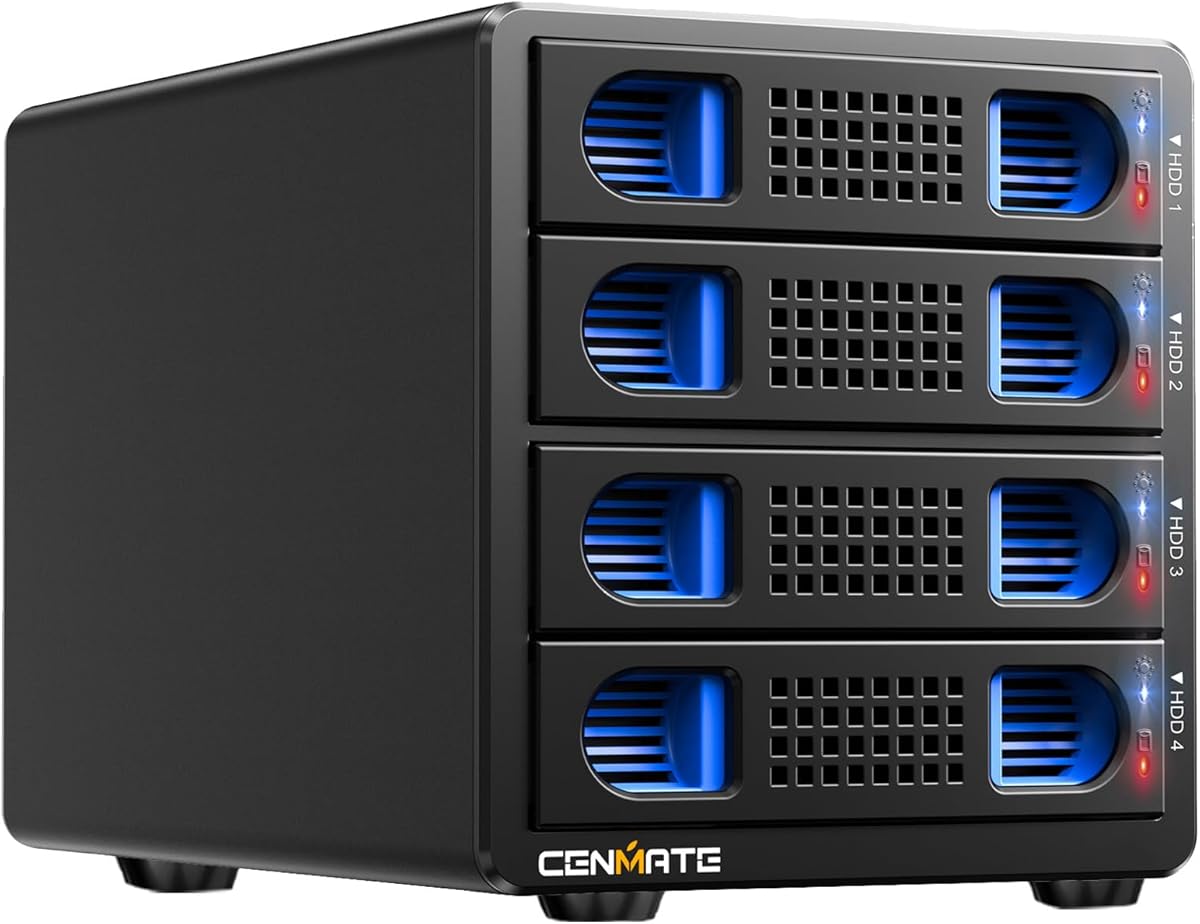
The CENMATE Aluminum 4 Bay Hard Drive Enclosure stands out as a reliable external storage system for individuals and businesses alike. With a strong user rating, this enclosure is designed to support up to 80TB of total capacity across four drive bays. It is built to maximize data security through efficient heat dissipation using aluminum-alloy materials and a dedicated cooling fan.
We may earn a commission when you buy through this link, at no additional cost to you.
Its standout quality lies in the seamless integration of USB 3.0 ports which enable data transfer speeds up to 5Gbps. This speed ensures that large files such as one gigabyte movies can be moved in just three to five seconds. The enclosure also supports both 2.5-inch and 3.5-inch drives making it versatile for various storage needs whether using HDDs or SSDs.
One trade-off to consider is the fan noise which is reported to be around 40 to 50 decibels during operation. While this is acceptable for most office environments users who are extremely sensitive to sound may find it distracting. Additionally the device does not support RAID which means users must manage data redundancy manually if needed.
This enclosure is best suited for users seeking a straightforward plug and play solution without complex configurations. If you need to save space on your desktop while ensuring your drives stay cool this model delivers stable performance. The 24-hour technical support further ensures peace of mind for long-term users.
The aluminum alloy body combined with a built-in fan ensures your hard drives remain within safe temperature limits during extended usage.
Supports Windows Mac and Linux systems making it a universal choice for diverse computing environments without requiring extra drivers.
We may earn a commission when you buy through this link, at no additional cost to you.
The CENMATE Aluminum 4 Bay 10Gbps Hard Drive Enclosure offers a significant speed boost compared to standard USB 3.0 models. It features advanced chips and a USB 3.2 output interface which allows for rapid data transfers. With a rating of 4.1 stars users appreciate its ability to handle high-volume data efficiently without requiring complex setup procedures.
We may earn a commission when you buy through this link, at no additional cost to you.
This enclosure excels in performance by offering total read-write speeds that can reach up to 1016MB/s when using multiple HDDs. It supports both 2.5-inch and 3.5-inch drives allowing for a maximum capacity of 80TB. The hot swappable feature is a key strength enabling users to replace drives without powering down the entire system.
A potential downside is that the fan noise remains around 40 to 50 decibels which might bother quiet workspace users. Also real-world speeds depend heavily on the quality of the hard drives and the host computer version. Users should ensure their system supports USB 3.2 to fully utilize these speeds.
Ideal for budget-conscious professionals needing fast storage this enclosure balances cost and performance effectively. It is a great choice for those who want to upgrade their transfer speeds without investing in expensive enterprise-grade NAS systems. The tool-free design adds to the convenience making daily usage smooth and hassle-free.
Experience 20 times faster transfers compared to USB 2.0 making large file handling significantly quicker for daily workflows.
Accommodates both small form factor and standard desktop drives providing versatility for mixed storage environments.
We may earn a commission when you buy through this link, at no additional cost to you.
The MAIWO 4 Bay Hard Drive Enclosure is designed for users who need cost-effective storage solutions with specific connectivity needs. It features a 4-bay DAS design that supports daisy chaining with other storage devices for extensive expansion. This model is particularly noted for its ability to handle large data volumes totaling up to 96TB capacity.
We may earn a commission when you buy through this link, at no additional cost to you.
A unique feature of this enclosure is the HD-TV port which allows direct connection to a TV for 4K video output. This makes it versatile for multimedia tasks beyond simple data storage. The two cooling fans automatically activate when temperatures exceed 48 degrees Celsius ensuring optimal protection for your drives without constant manual intervention.
However the lower rating compared to other models suggests some users may have experienced compatibility issues or inconsistent performance. The setup for daisy chaining can be complex for non-technical users. It is important to verify that your system supports the specific daisy chain protocols required for multiple device connections.
This enclosure is a great pick for those looking to expand storage cheaply without buying a full NAS. The intelligent cooling system helps maintain drive health which is critical for long-term data integrity. If you need a direct TV connection for media playback this model stands out as a unique value option.
The HD-TV port enhances your multimedia experience by allowing you to output high definition video directly from the storage device.
Fans activate only when necessary saving energy and reducing noise while keeping your drives within safe temperature ranges.
We may earn a commission when you buy through this link, at no additional cost to you.
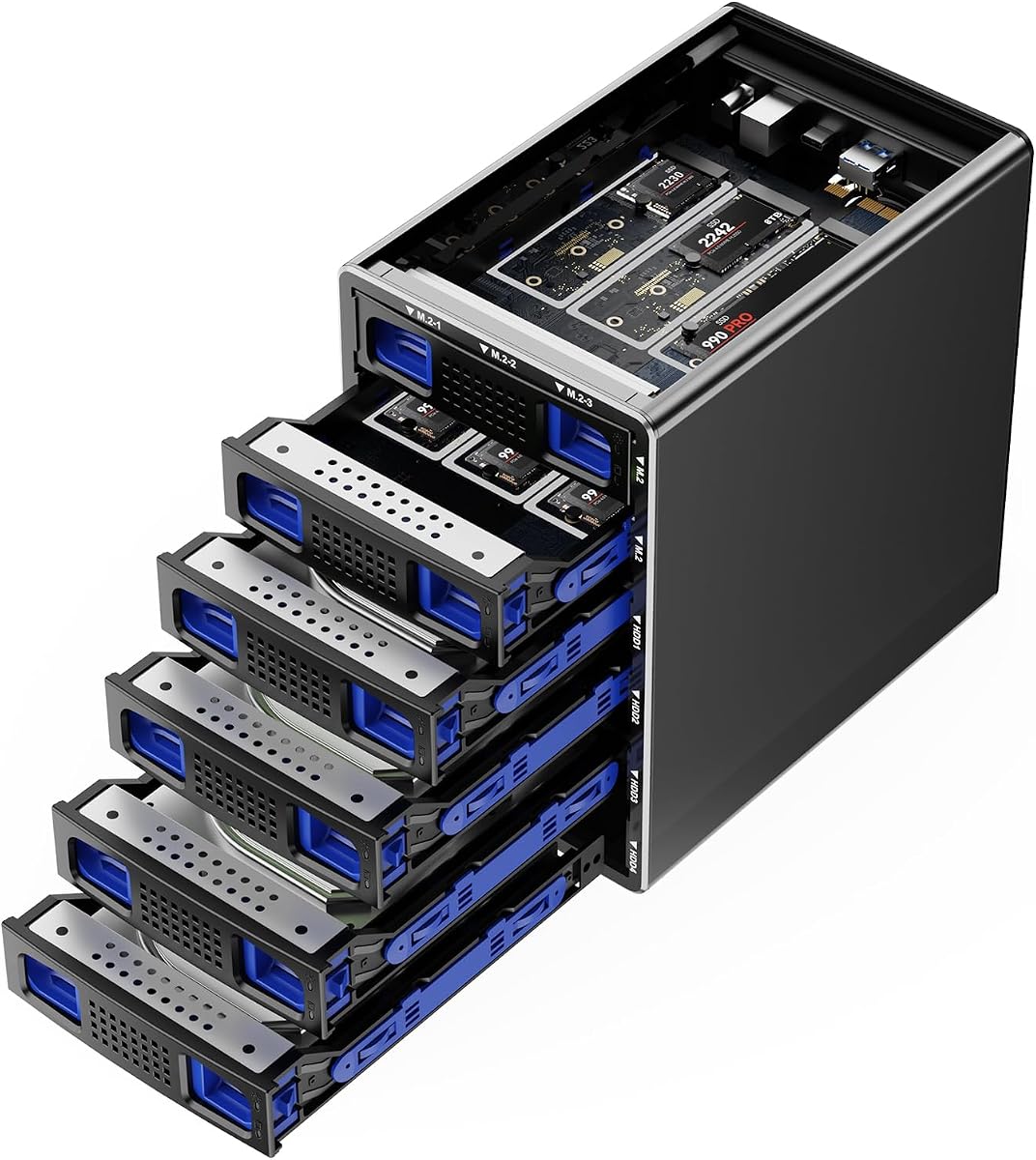
The CENMATE Hybrid enclosure is a groundbreaking product that allows users to combine massive HDD capacity with high-speed NVMe SSDs in one device. It supports up to 4 SATA drives and 6 M.2 NVMe drives offering a total capacity of 136TB. This innovative approach leverages the best of both storage types for optimized performance and space.
We may earn a commission when you buy through this link, at no additional cost to you.
Users benefit from the ability to store large archives on HDDs while using NVMe drives for active projects needing speed. The enclosure utilizes silent fan technology which continuously cools the drives without generating excessive noise. This is crucial for maintaining the longevity of both mechanical and solid-state drives during heavy use.
The primary trade-off is the higher price point compared to single-technology enclosures. Additionally managing two different drive types may require more technical knowledge to organize data efficiently. You must ensure your system supports the specific NVMe key types used in the enclosure for compatibility.
This model is perfect for creative professionals needing a unified storage platform for various media formats. It allows for a compact setup that reduces desk clutter while maximizing storage potential. The lifetime technical support provided by the manufacturer adds value for users investing in such a complex storage solution.
Combine the best of massive HDD capacity and fast NVMe performance in a single enclosure for a streamlined workflow.
Continuous cooling via silent fans protects sensitive electronics ensuring reliable performance over long periods of operation.
We may earn a commission when you buy through this link, at no additional cost to you.
The WAVLINK 4-Bay Hard Drive Enclosure stands out for its enhanced connectivity options particularly the 4K HDMI video output. This feature allows you to create a seamless workspace by connecting directly to a monitor or TV. The aluminum shell provides superior heat dissipation which is vital for maintaining stability during intensive data tasks.
We may earn a commission when you buy through this link, at no additional cost to you.
Users appreciate the blazing fast data transfer capabilities with USB 3.2 Type-C supporting up to 10Gbps. The enclosure supports up to 88TB of storage which is sufficient for most professional multimedia projects. Each bay comes with an independent power switch allowing you to swap drives without shutting down the entire system.
One limitation is that mounting brackets for 2.5-inch drives are not included which may be an inconvenience for some users. Also the HDMI output requires a host port that supports video output. If your computer does not meet this requirement the display feature will not function as intended.
This enclosure is ideal for users who want a docking station that doubles as a media hub. The durable build quality ensures longevity while the fast speeds keep your workflow efficient. It is a strong contender for those looking for a versatile all-in-one solution for data and display needs.
Beyond storage the HDMI port lets you use the drive directly for video playback enhancing entertainment and presentation options.
Power switches per bay give you precise control over each drive improving energy efficiency and convenience.
We may earn a commission when you buy through this link, at no additional cost to you.
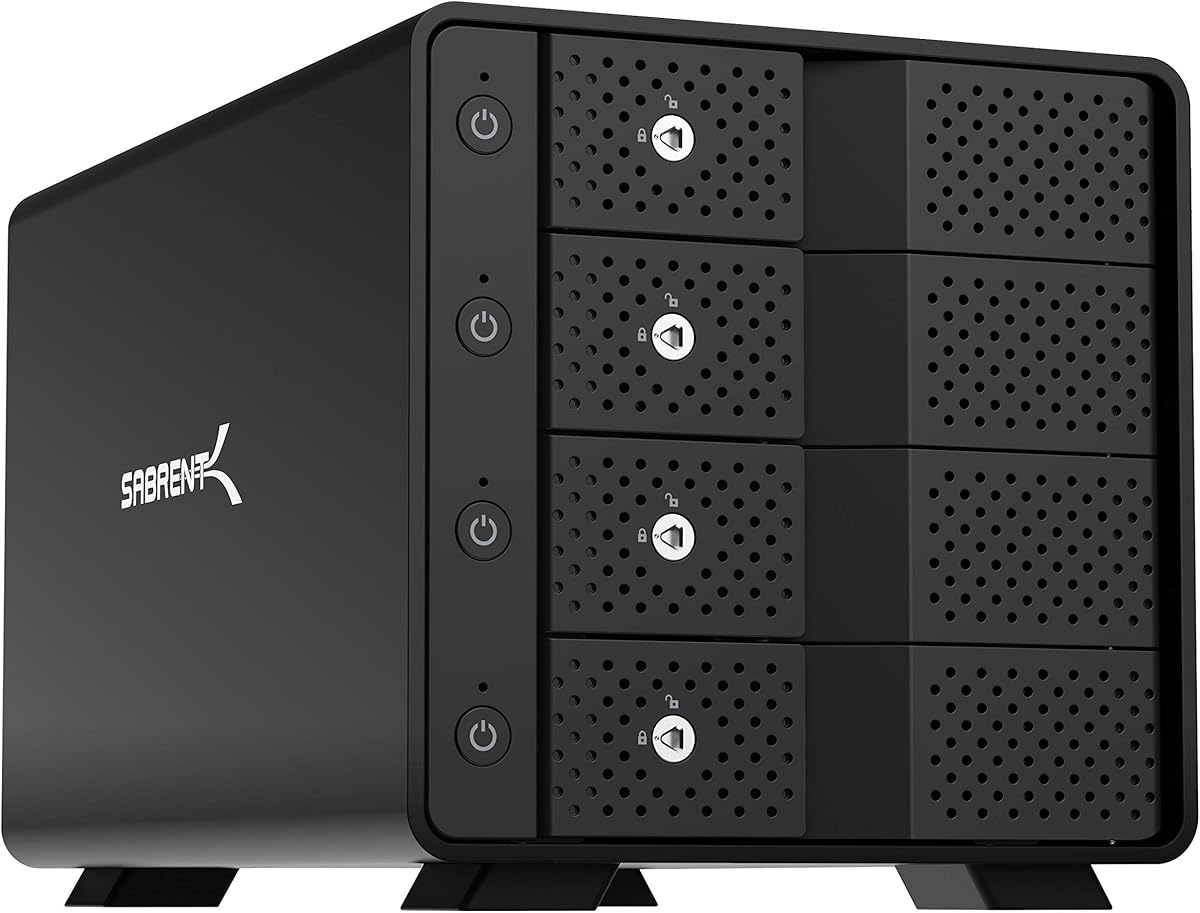
The SABRENT USB 3.0 4-Bay Docking Station is engineered specifically for users managing multiple 2.5-inch drives. It supports up to 64TB of storage making it a high-capacity option for laptops and portable SSDs. The magnetic cover design ensures fast access to your drives without needing screws or tools.
We may earn a commission when you buy through this link, at no additional cost to you.
A key strength is the whisper-quiet fan which keeps drives cool without disturbing your work environment. This makes it suitable for home offices or quiet studios where noise levels matter. The USB 3.0 interface delivers fast transfer speeds and is backward compatible with older USB standards.
The main limitation is that it does not support 3.5-inch drives so it is not suitable for desktop HDDs. Additionally the lack of a USB-C port might be a drawback for newer computers that prefer modern connectors. Users must ensure they have available USB 3.0 ports to connect this device.
This docking station is a solid choice for those who primarily use smaller form factor drives. Its plug and play nature means you can start using it immediately without installing drivers. The 24/7 operation capability ensures reliability for users who need constant access to their data.
Engineered for continuous use with a fan that remains quiet ensuring your focus remains on work rather than background noise.
The magnetic cover allows you to swap drives instantly without tools streamlining your daily data management tasks.
We may earn a commission when you buy through this link, at no additional cost to you.
The CENMATE 4 Bay Hard Drive Enclosure offers a unique dual interface solution with both USB 3.0 and eSATA ports. This makes it an excellent choice for users who need to connect to older systems that still rely on eSATA interfaces. It supports up to 80TB of total capacity making it versatile for large storage needs.
We may earn a commission when you buy through this link, at no additional cost to you.
The built-in cooling fan helps maintain drive health by dissipating heat effectively during use. Users benefit from the stable power supply provided by the included DC 12V adapter. The aluminum-alloy body adds durability ensuring the unit can withstand daily handling and usage.
A significant limitation is that hot-swapping is not supported which means you cannot remove drives without powering down. Additionally the eSATA port requires specific RAID functionality on the host computer to access multiple bays correctly. This adds a layer of complexity for less technical users.
This enclosure is ideal for environments with legacy hardware where USB-C or newer ports are not available. It provides a reliable bridge between modern storage drives and older computing systems. If you need a durable and compatible solution for mixed tech setups this model is worth considering.
eSATA support ensures compatibility with older computers providing flexibility for diverse hardware environments.
Aluminum alloy construction protects internal components ensuring long-term reliability for your valuable data storage.
We may earn a commission when you buy through this link, at no additional cost to you.
The WAVLINK 4-Bay 128TB Enclosure is designed for users with extensive data storage needs. It supports drives up to 32TB each allowing a total capacity of 128TB. The aluminum shell and dual temp-controlled fans ensure that even with such high capacity the drives stay cool and stable.
We may earn a commission when you buy through this link, at no additional cost to you.
Features like the 10Gbps USB-C port and 4K HDMI output make this a premium choice for professional workflows. It enables fast file transfers and direct media playback capabilities. The independent power switches for each bay add convenience allowing you to manage individual drives easily.
One trade-off is the power requirement which is significant for such a large array. Additionally if using 2.5-inch drives you need to provide your own mounting brackets. These factors can add to the overall setup cost and complexity for the average user.
This model is best suited for enterprise users or power users needing vast storage in a compact form. It handles large-scale backups and video editing tasks efficiently. The lifetime technical support adds a layer of security for businesses relying on this hardware for critical operations.
With support for 32TB drives per bay this unit offers one of the highest storage capacities in its class for professionals.
The HDMI output turns your storage into a media server allowing direct connection to TVs for entertainment or presentation.
We may earn a commission when you buy through this link, at no additional cost to you.
The CENMATE Aluminum 4 Bay RAID Enclosure is a rare find that offers hardware RAID modes at an affordable price point. It supports RAID 0 1 3 5 10 and more giving users flexibility in how they structure their data. This is beneficial for users who want redundancy without a full NAS system.
We may earn a commission when you buy through this link, at no additional cost to you.
The enclosure features dual cooling fans to manage the heat generated by multiple drives running at high speeds. It also includes both USB 3.0 and eSATA ports for versatile connectivity options. The aluminum body ensures durability and helps dissipate heat effectively during heavy workloads.
A significant consideration is that changing RAID modes can result in data loss requiring users to be cautious during setup. The process involves physical toggling and resetting which may be intimidating for less experienced users. It is crucial to backup data before making any configuration changes.
This device is suitable for tech-savvy users who need RAID capabilities but prefer a DAS form factor. It provides a middle ground between a simple enclosure and a complex NAS. If you understand RAID configurations and need data protection this model offers powerful functionality for the price.
Multiple RAID modes allow you to choose between speed and redundancy tailoring the system to your specific data needs.
Two fans ensure stable temperatures even under heavy RAID loads protecting your hardware from thermal throttling or failure.
We may earn a commission when you buy through this link, at no additional cost to you.
The SABRENT 4-Bay USB-C Enclosure stands out for its dedicated ASMedia ASM1351 controller for each drive bay. This ensures that each drive maintains its own stable independent connection which reduces the risk of data loss. It is a reliable choice for professionals who need consistent performance from every drive.
We may earn a commission when you buy through this link, at no additional cost to you.
Features like a Kensington slot and a locking key add a layer of physical security for your valuable data. The USB-C port supports up to 10Gbps transfer speeds and is backward compatible with USB 3.0. The aluminum and metal build provides durability while the active cooling fan keeps temperatures in check.
One trade-off is the higher price compared to simpler models. Additionally the unit does not support hot swapping so you must power down to remove drives. This limits its flexibility for users who frequently swap hardware on the fly.
This enclosure is perfect for users prioritizing reliability and security over convenience. The independent controllers mean that one drive failure does not affect the others significantly. It is a strong investment for those managing critical business data or large media libraries requiring robust hardware.
Each drive has its own controller ensuring stable connections and minimizing risks associated with shared bus architecture.
A locking key and Kensington slot help protect your storage from unauthorized physical access in public or shared spaces.
We may earn a commission when you buy through this link, at no additional cost to you.
Selecting the right enclosure depends on your specific storage needs and technical environment.
Consider whether you need USB 3.0 or the faster USB 3.2 Gen 2 speeds. Higher speeds are critical for large file transfers and video editing workflows.
Ensure your computer has the corresponding port to utilize these speeds fully.
Look for enclosures with active cooling fans that activate automatically based on temperature. This protects your drives from overheating during long sessions.
Aluminum bodies help dissipate heat better than plastic alternatives.
Check if the enclosure supports both 2.5-inch and 3.5-inch drives. Some models are limited to one form factor which may restrict your storage options.
Ensure compatibility with HDDs and SSDs based on your performance needs.
Decide if you need hardware RAID modes for data redundancy. Some enclosures offer multiple RAID options while others operate in JBOD mode.
Understand the risks of data loss during RAID configuration changes.
Durable materials like aluminum alloy provide better heat dissipation and structural integrity. This is important for units that will be moved frequently.
Check for additional features like locking mechanisms for physical security.
Evaluate if you need extra ports like HDMI for video output or eSATA for legacy systems. These features add versatility but may increase complexity.
Confirm that your host computer supports these advanced connectivity options.
Verify the maximum supported capacity per drive and total enclosure capacity. Some enclosures have limits that may not fit your future storage plans.
Choose a model that supports your current drives and potential upgrades.
Look for manufacturers offering reliable technical support and warranty periods. Access to help can save time if issues arise.
Check the duration of the warranty and what it covers to ensure peace of mind.
When first using your enclosure plug the power adapter into the unit and connect it to a power source. Then connect the USB or eSATA cable to your computer and insert the drives. Ensure you wait for the drives to spin up fully before accessing data to avoid corruption.
To maintain optimal performance keep the ventilation areas clear of dust. Regularly clean the exterior and fan vents using compressed air to prevent overheating. This simple maintenance step extends the lifespan of your hard drives and ensures consistent cooling.
Always safely eject the enclosure from your operating system before disconnecting it. This ensures all data transfers are complete and prevents file corruption. If you plan to transport the unit power it down completely and use a protective case to avoid physical shocks.
Yes most 4 bay enclosures require an external power adapter to ensure stable performance for multiple drives. Relying solely on USB power can lead to insufficient power and potential drive instability.
Many enclosures support both 2.5-inch and 3.5-inch drives but you may need mounting brackets for smaller drives. Always check the product specifications to ensure compatibility with your specific drive mix.
Hot swapping is supported on some models but you must verify this feature before attempting it. Always follow the manufacturer's instructions to avoid data loss or drive damage during the process.
Fan noise varies by model but typically ranges around 40 to 50 decibels. If you need a silent environment look for models with variable speed fans or silent cooling technology.
Yes models with USB 3.2 and fast transfer speeds are suitable for video editing workflows. Ensure your drives are fast enough to handle high-resolution footage without buffering issues.
Removing a drive while powered on without hot swap support can cause data corruption or hardware failure. Always use the safe remove function or power down the unit before removing drives.
Only specific models include hardware RAID support. Many standard enclosures operate in JBOD mode meaning each drive is treated individually without RAID features.
Most enclosures come with the necessary cables but check the product details. Some may include only USB-A cables requiring an adapter for USB-C connections.
The CENMATE Aluminum 4 Bay Hard Drive Enclosure remains a top choice for reliability and value. It balances performance with features like a dedicated cooling fan and wide compatibility for daily use.
If you need faster speeds look for the 10Gbps models to maximize transfer efficiency. For specific needs like RAID or video output consider the specialized models that offer these unique features.
Remember to verify your computer's ports and power requirements before purchasing. Prices and availability can change so check current listings to ensure you get the best deal for your storage setup.