
LG 27GX704A-B
4.6Editor score
OLED 240Hz display
0.03ms response time
TrueBlack 400 HDR
Finding the right gaming monitor with HDMI 2.1 for consoles is crucial for next-gen performance. These displays support high refresh rates and resolutions that modern systems demand. You need a screen that handles fast-paced action without blur or tearing during intense sessions.
We evaluated ten top-rated models based on resolution, refresh rate, panel type, and connectivity. Our analysis focuses on how well each unit supports PS5 and Xbox Series X capabilities. We prioritize features like variable refresh rate and low latency for competitive play.
Each pick highlights specific strengths for different budgets and gaming styles. Prices fluctuate often so verify current deals before purchasing. This list helps you choose the perfect display to maximize your console gaming experience effectively.
4.6Editor score

4.2Editor score

4.2Editor score
As an Amazon Associate we earn from qualifying purchases.
The following table provides a side-by-side comparison of all ten monitors analyzed in this guide. It highlights key specifications such as resolution, refresh rate, and panel technology to help you make an informed decision quickly.




The ASUS TUF Gaming VG27UQ1A stands out as a top contender for console gamers seeking high fidelity. Its 4K resolution combined with a 160Hz refresh rate ensures crisp visuals and smooth motion. This monitor supports HDMI 2.1 which is essential for next-gen consoles.
We may earn a commission when you buy through this link, at no additional cost to you.
Key strengths include its Fast IPS panel which delivers wide viewing angles and accurate colors. The ELMB Sync technology helps reduce motion blur without sacrificing refresh rate. It also supports both NVIDIA G-SYNC and AMD FreeSync for versatile compatibility across different hardware setups.
While it lacks built-in speakers, the trade-off is acceptable for the visual performance provided. The price is higher than some competitors but justified by the build quality and features. You get a reliable 3-year warranty with advanced replacement options included.
This monitor is ideal for gamers who prioritize image quality and refresh rate above all else. If you want a console experience that rivals high-end PC gaming, this model delivers. We recommend it for anyone serious about immersive gameplay.
The 3840 x 2160 resolution provides incredible detail for open-world games and cinematic titles. You can see every texture clearly without compromising on refresh rate.
Support for both G-SYNC and FreeSync ensures tear-free gaming regardless of your console or PC setup. This flexibility is rare at this price point.
We may earn a commission when you buy through this link, at no additional cost to you.
The LG 27GX704A-B offers premium OLED technology that delivers unmatched contrast and color. With a 240Hz refresh rate and 0.03ms response time, it handles competitive gaming effortlessly. The OLED panel produces true blacks that make dark scenes pop with detail.
We may earn a commission when you buy through this link, at no additional cost to you.
Its dual HDMI 2.1 ports allow for flexible connectivity with multiple consoles. The VESA DisplayHDR TrueBlack 400 certification ensures consistent brightness and contrast performance. You also get UL certifications for eye comfort which helps during long sessions.
Burn-in risk is a consideration but LG includes protection features to mitigate this. The glossy finish looks great but might reflect light in bright rooms. Overall the visual experience is superior to standard LED or IPS panels.
This monitor is perfect for gamers who want the best possible image quality and speed. It combines OLED beauty with high refresh rates for a complete package. We recommend it for those willing to invest in top-tier performance.
Each pixel lights up independently providing infinite contrast and vibrant colors. This creates a cinematic feel that enhances every game genre significantly.
The 240Hz refresh rate and 0.03ms response time eliminate blur effectively. You get immediate input feedback which is crucial for competitive gaming.
We may earn a commission when you buy through this link, at no additional cost to you.
The Hikers 27 Inch Curved monitor offers impressive value for gamers on a budget. It supports 2K resolution with a 170Hz refresh rate which is great for fast games. The curved design helps create an immersive experience without breaking the bank.
We may earn a commission when you buy through this link, at no additional cost to you.
It includes dual HDMI 2.1 ports ensuring you can connect multiple devices. The Fast VA panel provides good contrast and color performance for the price. AI features like Crosshair and Blue Light assist gameplay and comfort.
While the contrast does not match OLED, it is still solid for a VA panel. The stand is basic compared to premium models but functional for most setups. This makes it a great entry point for console gamers.
We recommend this for those seeking high performance without a high price tag. It delivers most features found in expensive models at a fraction of the cost. Ideal for students or budget-conscious gamers.
Despite the lower price, you still get essential HDMI 2.1 support and high refresh rates. This ensures next-gen console compatibility without overspending.
The curved screen wraps around your vision enhancing focus and immersion. It is a nice touch that adds depth to your gaming setup.
We may earn a commission when you buy through this link, at no additional cost to you.
The MSI MAG 274QP QD-OLED X24 blends Quantum Dot technology with OLED for stunning visuals. It supports 240Hz refresh rates and 0.03ms response times for smooth gameplay. The color accuracy is exceptional making it great for creative work too.
We may earn a commission when you buy through this link, at no additional cost to you.
MSI includes OLED Care 2.0 to help manage burn-in risks during long sessions. Connectivity includes HDMI 2.1 and DP 1.4a ensuring broad compatibility. The adjustable stand allows you to customize your viewing angle easily.
The QHD resolution is slightly lower than 4K but sufficient for most console games. It is a premium price compared to IPS monitors but offers better contrast and color. You get a robust set of gaming features out of the box.
This monitor is for users wanting high-end visuals and speed combined. It balances gaming performance with color fidelity perfectly. We recommend it for enthusiasts seeking a premium experience.
Quantum Dot conversion expands the color gamut significantly. This results in vivid and lifelike images that stand out on the screen.
Tools like AI Crosshair and Game Assistance enhance the overall experience. These features help you stay competitive without external setups.
We may earn a commission when you buy through this link, at no additional cost to you.
The SANSUI 34 Inch Curved offers an ultrawide experience with high refresh rates. Its 3440×1440 resolution provides plenty of screen space for multitasking and gaming. The 240Hz refresh rate ensures smooth action in competitive titles.
We may earn a commission when you buy through this link, at no additional cost to you.
AI features like Picture Enhance and Crosshair optimize visuals and gameplay. The stand is durable and offers tilt adjustments for comfort. Dual HDMI 2.1 ports make it easy to switch between console and PC.
The HDR range is not as strong as premium models but still functional. It might require some tweaking to support 4K consoles fully. However it delivers a unique ultrawide experience for the price.
This monitor is ideal for gamers who love wide fields of view. It suits open-world games and simulations best. We recommend it for those seeking a distinct gaming perspective.
The 21:9 aspect ratio creates a more engaging gameplay experience. You see more of the game world which adds to immersion.
Built-in AI improves color and sharpness automatically. This reduces the need for manual tweaking during play.
We may earn a commission when you buy through this link, at no additional cost to you.
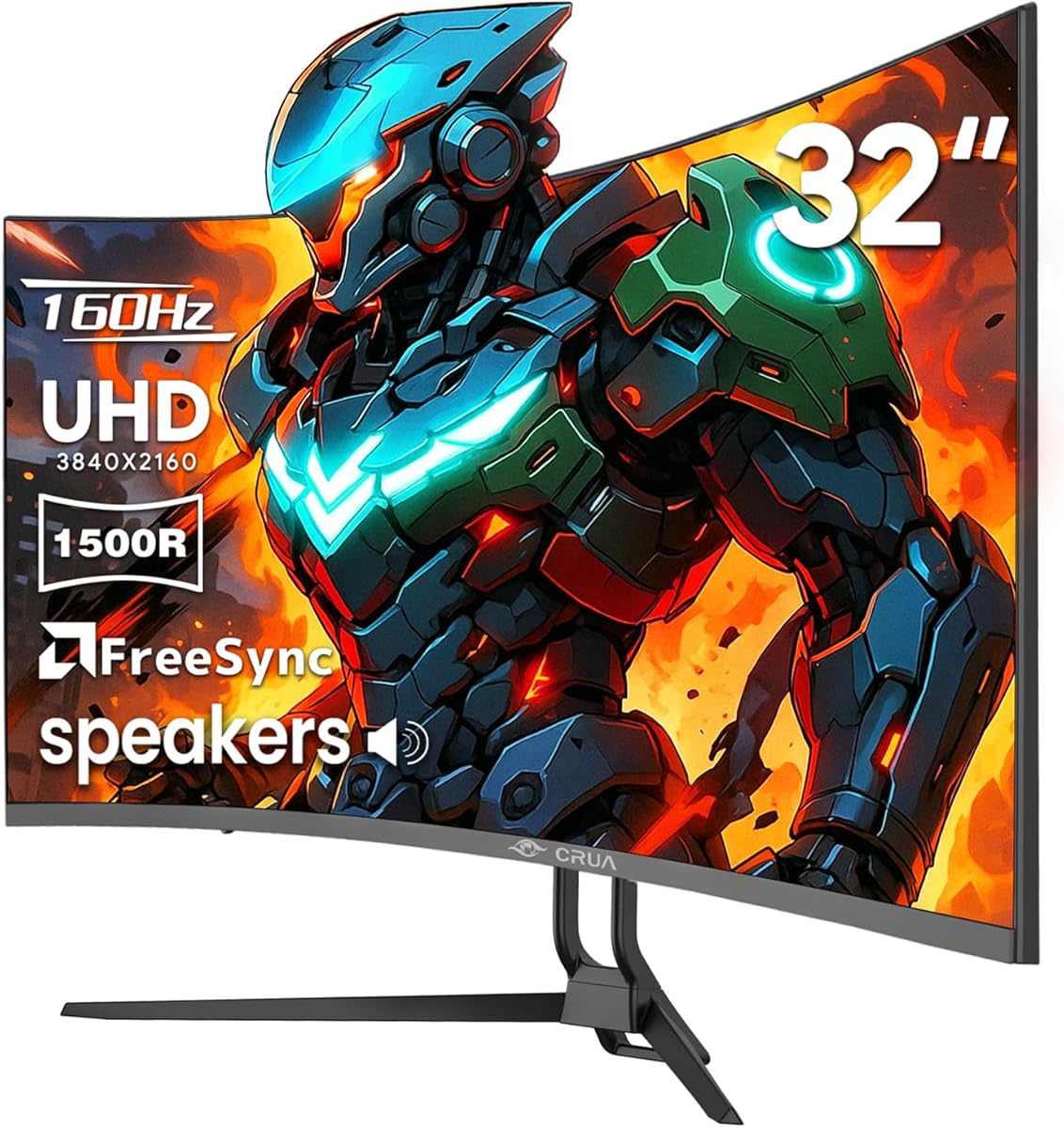
The CRUA 32 Inch 4K Curved monitor provides large-screen immersion at a reasonable cost. Its 4K resolution offers crisp visuals and the 160Hz rate ensures smooth motion. The built-in speakers add convenience for a clean setup.
We may earn a commission when you buy through this link, at no additional cost to you.
Color accuracy is strong with 120% sRGB coverage making it versatile. The 1500R curvature wraps around your field of view well. It supports AMD FreeSync to reduce screen tearing during play.
The stand options are somewhat limited compared to higher-end models. Some users may prefer a flat screen for desk use. But the visual experience is compelling for gaming specifically.
This monitor suits users wanting a large 4K screen without spending a fortune. It balances size and performance well. We recommend it for casual to mid-tier gamers.
The curve helps focus attention on the screen center. This reduces eye strain and increases immersion during play.
Integrated speakers reduce cable clutter on your desk. They provide decent sound quality for general gaming needs.
We may earn a commission when you buy through this link, at no additional cost to you.
The Amzfast 32 Inch 4K Curved monitor brings utility to gaming with PIP/PBP support. It allows multitasking by displaying two sources simultaneously. The 4K resolution provides sharp visuals ideal for detail-oriented games.
We may earn a commission when you buy through this link, at no additional cost to you.
Eye care features like Anti-flicker and Low Blue Light help comfort. Dual HDMI 2.1 ports with VRR ensure smooth console performance. Built-in speakers add convenience for a clutter-free desk.
The 120Hz refresh rate is lower than many competitive options but sufficient for casual play. Brightness levels are decent but not as bright as premium HDR displays. Still it offers strong value for its feature set.
This monitor is perfect for gamers who also multitask frequently. The split screen functionality is rare in this price range. We recommend it for users needing both work and play flexibility.
You can run a console and a PC on one screen. This flexibility is useful for streamers and content creators.
Built-in tech reduces strain during long sessions. This keeps you comfortable without compromising visual quality.
We may earn a commission when you buy through this link, at no additional cost to you.
The Acer Nitro VG270K V4 offers Dynamic Refresh Rate technology for flexibility. It can switch between 160Hz and higher rates depending on resolution. This balances visual fidelity with performance based on your needs.
We may earn a commission when you buy through this link, at no additional cost to you.
The ZeroFrame design maximizes screen space for a clean look. 4K resolution ensures detailed images and HDR support enhances contrast. Two HDMI 2.1 ports help with multiple console connections.
It lacks a height-adjustable stand which might impact ergonomics for some users. Audio output requires external speakers due to no built-in ones. However the display quality is strong for the price.
This monitor is great for those who prioritize refresh rate flexibility. It suits competitive gamers who want high resolutions without compromise. We recommend it for versatile desktop setups.
DFR adjusts performance based on your resolution choice. This keeps gameplay smooth without losing image clarity.
The thin bezels reduce distractions during play. This allows you to focus entirely on your game content.
We may earn a commission when you buy through this link, at no additional cost to you.
The AOC Q27GAZDV combines QD-OLED tech with high-speed gaming performance. Its 240Hz refresh rate ensures blur-free action in fast-paced titles. G-SYNC compatibility reduces tearing for smoother visual feedback.
We may earn a commission when you buy through this link, at no additional cost to you.
An ergonomic stand with USB hub adds utility to the setup. You can connect peripherals without extra cables cluttering the desk. QD-OLED delivers vibrant colors and deep blacks for immersive visuals.
The price is on the higher side due to OLED technology. HDR performance is solid but not the brightest on the market. Still the experience justifies the cost for many enthusiasts.
This monitor fits those seeking top-tier visuals and connectivity. It works well with PC and consoles alike. We recommend it for high-end gamers wanting premium features.
This panel type offers wider color ranges than standard OLED. Images look rich and vibrant across all game scenes.
The USB hub simplifies peripheral connections. You save space and keep your setup tidy while gaming.
We may earn a commission when you buy through this link, at no additional cost to you.
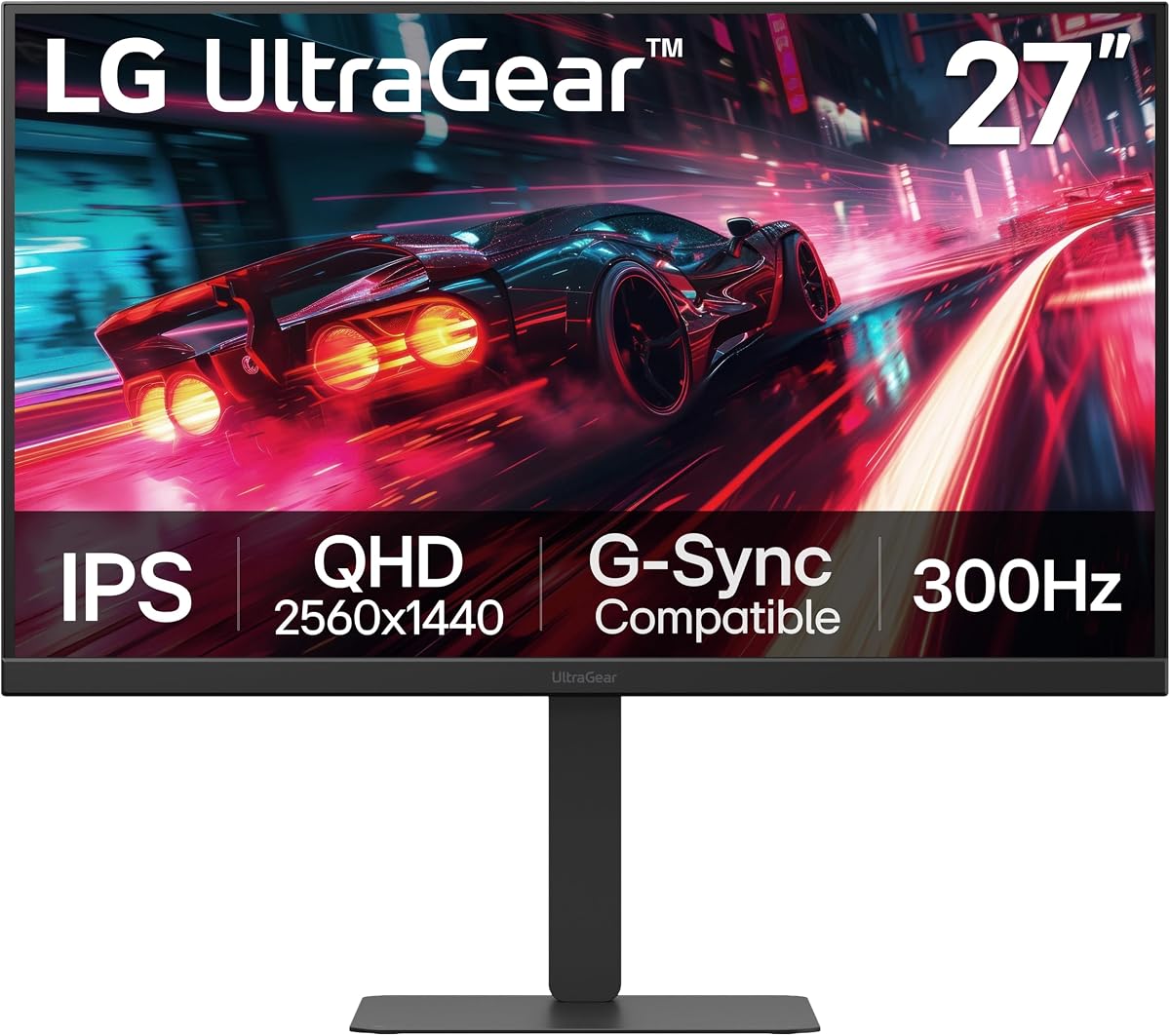
The LG 27G640A-B offers incredible speed with a 300Hz refresh rate. It ensures buttery smooth visuals in competitive games. The IPS panel provides wide angles and consistent color across the screen.
We may earn a commission when you buy through this link, at no additional cost to you.
USB Type-C connectivity simplifies laptop connections. The stand supports height tilt swivel and pivot adjustments. This makes it easy to find a comfortable viewing position.
It is not 4K which some may miss but QHD is crisp. The price is high for IPS but the performance is unmatched. You get premium build quality with reliable sync tech.
This monitor is best for competitive gamers needing high refresh rates. It delivers fluid motion and sharp detail effectively. We recommend it for players who prioritize speed.
High refresh rates reduce motion blur significantly. This helps you react faster in fast-paced scenarios.
Adjustable stand positions keep your posture healthy. You can align the screen with eye level easily.
We may earn a commission when you buy through this link, at no additional cost to you.
Selecting the right monitor requires understanding key specs and how they impact your console gaming. This guide breaks down what to look for to ensure a great experience.
Resolution determines image clarity while refresh rate affects motion smoothness. Look for 4K with 120Hz or higher for best console results. This combination ensures crisp visuals without blur during fast action.
Prioritize at least 120Hz to match next-gen console output. Higher refresh rates enhance responsiveness in competitive games.
HDMI 2.1 is essential for next-gen consoles to support 4K at 120Hz. Ensure the monitor has at least one HDMI 2.1 port with VRR. This guarantees you unlock full console capabilities.
Check that the HDMI 2.1 port supports full bandwidth. Without it, you may lose features like VRR or high refresh rates.
Panel type influences color vibrancy and viewing angles. IPS offers good angles while OLED provides deeper contrast. Choose based on whether you value accuracy or contrast more.
Select a panel that fits your gaming environment. IPS suits well-lit rooms while OLED excels in darker spaces.
Adaptive Sync like G-SYNC or FreeSync reduces screen tearing. This creates smoother gameplay by matching monitor refresh to output. Ensure your console supports the sync type offered.
Look for monitors compatible with your console features. Adaptive Sync eliminates tearing and improves visual flow.
Response time measures how fast pixels change color. Lower values mean less ghosting and blur in motion. Aim for 1ms or lower for competitive gaming.
Keep response time under 5ms to avoid motion blur. Faster response ensures clear visuals in rapid scenes.
Size affects immersion and desk fit. 27 to 32 inches is ideal for most setups. Adjustable stands help reduce strain during long sessions.
Pick a size that fits your space comfortably. Adjustable stands are vital for posture and comfort.
Multiple ports allow easy switching between devices. HDMI 2.1 and USB-C are useful for consoles and PCs. Extra inputs prevent cable swapping when changing systems.
Ensure enough HDMI ports for all your devices. Versatile connectivity simplifies your desktop setup.
HDR improves contrast and color range significantly. True HDR requires high brightness and wide color gamut. Check HDR certification to ensure quality.
Look for VESA DisplayHDR 400 or better. Good HDR enhances visual depth and detail.
Connect your console using a certified HDMI 2.1 cable to enable full bandwidth. This ensures you get the highest refresh rates and resolutions possible.
Adjust monitor settings to match console output. Enable VRR and HDR in the console menus to enhance visual performance.
Clean the screen regularly with a soft microfiber cloth. Avoid harsh chemicals to protect panel coatings and extend lifespan.
Not all HDMI 2.1 monitors support 4K at 120Hz equally. Some may have limitations on resolution or refresh rates. Always check the spec sheet to confirm full console compatibility before buying.
HDMI 2.1 is required for features like 4K at 120Hz on next-gen consoles. Without it you may be limited to 60Hz or lower resolutions. For full performance ensure the monitor has true HDMI 2.1 support.
Variable Refresh Rate synchronizes monitor refresh with console frame rates. It reduces screen tearing and improves smoothness. Most PS5 and Xbox Series X models support VRR with compatible monitors.
Older HDMI cables may not support the bandwidth needed for 4K 120Hz. You will need a certified Ultra High Speed HDMI cable to utilize HDMI 2.1 features effectively.
OLED offers the best contrast and speed but IPS is great for color and brightness. Choose OLED for dark room gaming or IPS for well-lit environments. Both work well with HDMI 2.1 consoles.
Yes you may need to enable Game Mode or specific input settings. This reduces input lag and improves performance. Consult the monitor manual for console-specific configuration guides.
We highlighted top models offering diverse features from OLED to IPS. Each brings unique advantages for console gamers seeking high performance. Your choice depends on budget and visual preferences.
Prioritize HDMI 2.1 support and refresh rates when shopping. These factors most impact console compatibility and gameplay smoothness. Balance them with resolution based on your needs.
Always check current pricing as deals change frequently. Prices fluctuate often so verify current deals before purchasing.