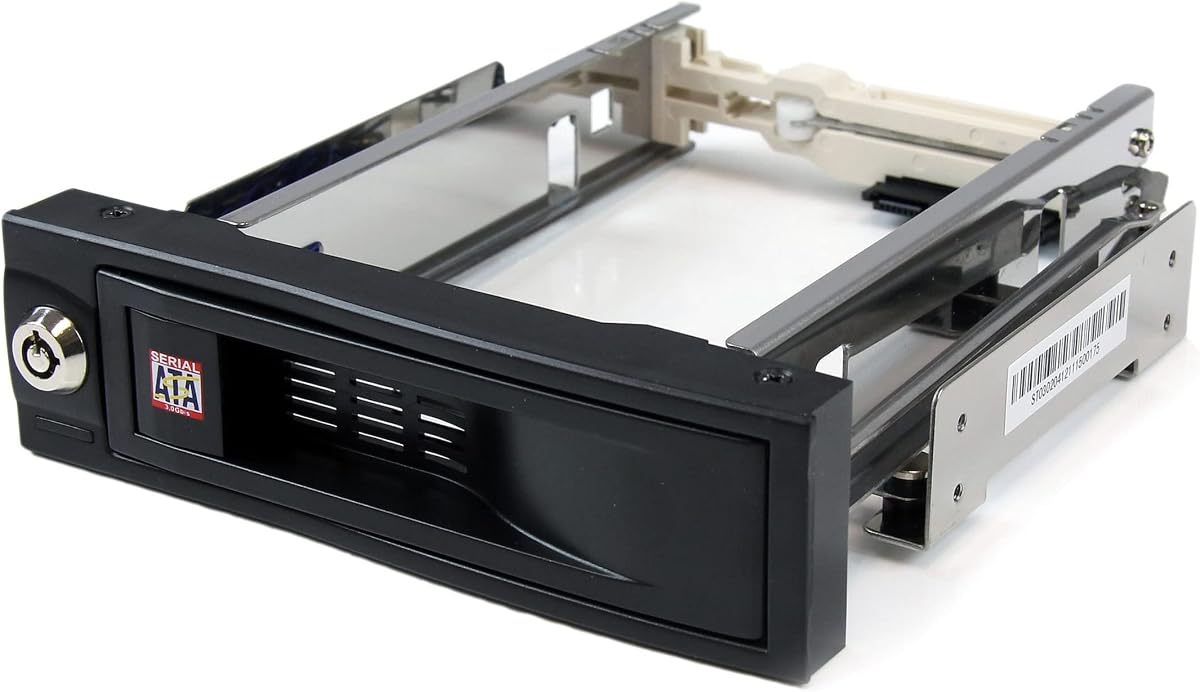
StarTech 3.5in Trayless Mobile Rack
4.4Editor score
Holds 3.5 inch SATA drive
Lockable drive bay design
Internal rubber shock absorbers
Hot swap drive bays allow you to replace hard drives without shutting down your system. This feature is essential for servers and workstations that require constant uptime and quick maintenance. Selecting the right cage ensures your drives stay cool and connected securely.
We compared ten highly rated models from trusted brands like Rosewill StarTech and ICY DOCK. Our analysis focused on build quality thermal management and compatibility with various drive types. Each product was reviewed for its ability to simplify storage upgrades effectively.
Every pick in this list highlights specific strengths for different use cases. You will find options for budget builds professional servers and dense storage arrays. Remember that availability and pricing can change so verify details before purchasing today.
4.4Editor score

5.0Editor score
4.5Editor score
As an Amazon Associate we earn from qualifying purchases.
The following table provides a side-by-side comparison of all ten models. It highlights key specifications like drive capacity connectivity options and unique features to help you decide quickly.




The ICY DOCK MB326SP-1B stands out as a top-tier solution for dense storage needs. It offers a perfect 5.0 rating thanks to its robust build and smart features. This model fits six 2.5 inch drives into a single 5.25 inch bay.
We may earn a commission when you buy through this link, at no additional cost to you.
Its ExpressTray system makes installing drives incredibly easy without tools. The Active Power Technology ensures only installed drives receive power which reduces heat and energy use. Dual fans keep temperatures low even under heavy loads.
While the price is higher than simpler models the added functionality justifies the cost. The fan control offers three speeds but some users might find the highest setting noisy. These are minor trade-offs for such a capable enclosure.
This drive bay is ideal for professionals needing high capacity in limited space. If you value convenience and reliability the MB326SP-1B is the best choice available today.
This enclosure allows you to fit six drives into one optical bay slot.
Active Power Technology only powers installed drives to save energy.
We may earn a commission when you buy through this link, at no additional cost to you.
The StarTech 3.5in Trayless Mobile Rack is a fantastic budget-friendly option for simple storage expansion. It holds one 3.5 inch SATA drive and allows quick access from the front. Its solid aluminum construction and shock absorbers provide good protection.
We may earn a commission when you buy through this link, at no additional cost to you.
Installation is straightforward since the drive slides directly into the bay without a tray. The lockable feature adds a layer of security for valuable data. It is rated for over 50000 insertions which means it will last long in busy environments.
Because it supports only one drive it is not suitable for large arrays. It also lacks an active cooling fan so it works best in cases with good airflow. These limitations are acceptable for its low cost and simplicity.
Choose this model if you need a single hot swap bay on a tight budget. It delivers reliable performance and security without unnecessary complexity or high expense.
Drives are inserted directly without separate trays for faster access.
A lockable drive bay prevents unauthorized removal of your storage.
We may earn a commission when you buy through this link, at no additional cost to you.
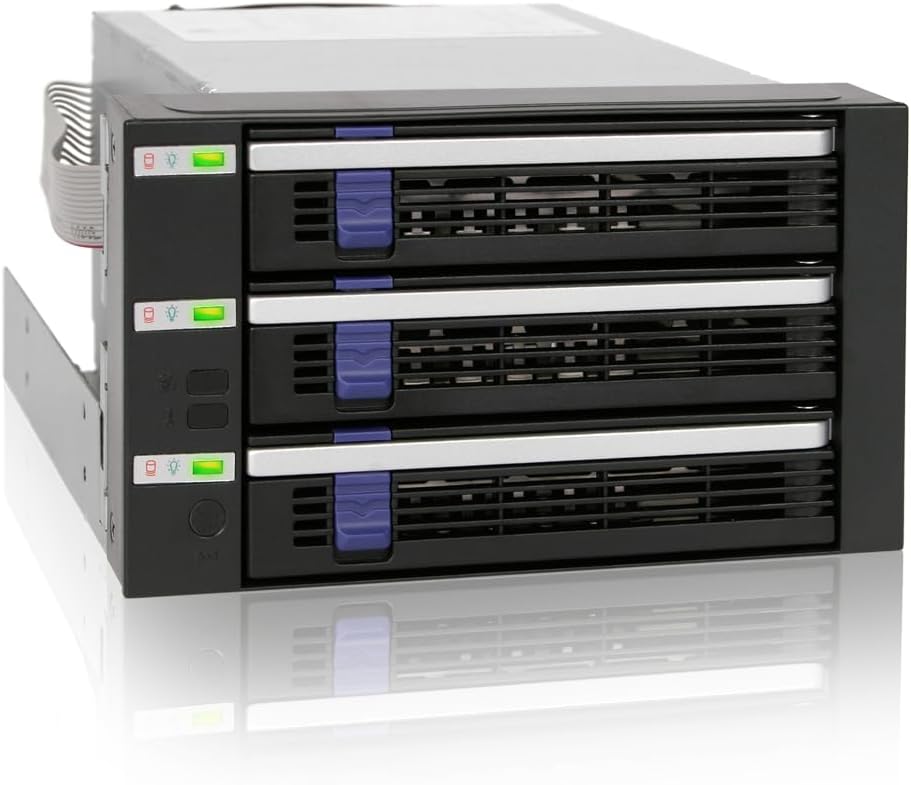
The ICY DOCK FatCage MB153SP-B is a premium choice for users requiring robust storage expansion. It accommodates three 3.5 inch drives across two 5.25 inch bays. The full metal body ensures excellent heat dissipation for high-performance workloads.
We may earn a commission when you buy through this link, at no additional cost to you.
Its large 92mm cooling fan keeps drives cool even during intense applications. The enclosure supports hot-swap functionality so you can replace drives without downtime. It also works with both 2.5 and 3.5 inch SATA and SAS drives.
The main drawback is that it uses two drive bays which limits flexibility in smaller cases. It is also heavier than plastic alternatives making shipping and handling slightly more difficult. These factors are manageable for a premium build.
This model is perfect for professional workstations or servers needing reliable multi-drive capacity. The build quality and cooling make it a top premium option for demanding users.
Full metal body ensures durability and superior heat management.
Large 92mm fan keeps drives at safe temperatures under load.
We may earn a commission when you buy through this link, at no additional cost to you.
The ICY DOCK MB324SP-1B offers a solid middle ground with four 2.5 inch bays. It fits into a single 5.25 inch slot and supports various drive heights. The ExpressTray system allows tool-less mounting for quick swaps.
We may earn a commission when you buy through this link, at no additional cost to you.
Its metal enclosure is durable and provides good protection. Each bay has its own LED indicator so you can monitor status easily. The fan control lets you balance noise and cooling based on your needs.
The cost is higher than basic trays but you get four hot swap slots. At high fan speeds noise can be noticeable in quiet environments. This is a reasonable compromise for the capacity offered.
Buy this if you need four drives in a compact space without complexity. It balances performance durability and ease of use effectively for most users.
Accommodates drives from 5mm to 12.5mm thickness.
Each bay has a blue LED to show power and activity.
We may earn a commission when you buy through this link, at no additional cost to you.
The Rosewill RSV-SATA-Cage-34 is designed to expand storage with four 3.5 inch drives. It converts three optical bays into a hot swap cage. This design allows you to add significant capacity without opening the chassis.
We may earn a commission when you buy through this link, at no additional cost to you.
Its cooling system uses a single rear 120mm fan for effective airflow. The cage is made from steel and ABS ensuring long-term reliability. It supports SATA and SAS drives for flexible storage options.
One limitation is it needs three 5.25 inch slots which most modern cases lack. Compatibility is also best with Rosewill L4000U series cases. If your system fits these requirements it is a great option.
This model is ideal for older workstations needing 3.5 inch drive capacity. It provides stable hot swap functionality with solid build quality for long use.
Converts space to hold four full-size hard drives.
Rear 120mm fan ensures drives stay cool during operation.
We may earn a commission when you buy through this link, at no additional cost to you.
The StarTech HSB3SATSASBA is a professional-grade backplane for three 3.5 inch drives. It transforms two optical bays into a hot swap interface. The aluminum enclosure helps dissipate heat efficiently.
We may earn a commission when you buy through this link, at no additional cost to you.
Trayless design means drives connect directly to the backplane for easy swapping. A key-lock feature adds security for shared environments. It includes status LEDs and a fan with speed control for thermal management.
The price is higher than basic trays but the build quality and features justify it. Fan control adds complexity for casual users but benefits pros. This model is designed for IT environments.
Choose this if you need a secure and durable three-bay solution for business use. It meets enterprise standards with reliability and ease of maintenance.
Includes key-lock design to prevent unauthorized drive removal.
Built-in fan with speed control optimizes cooling and noise.
We may earn a commission when you buy through this link, at no additional cost to you.
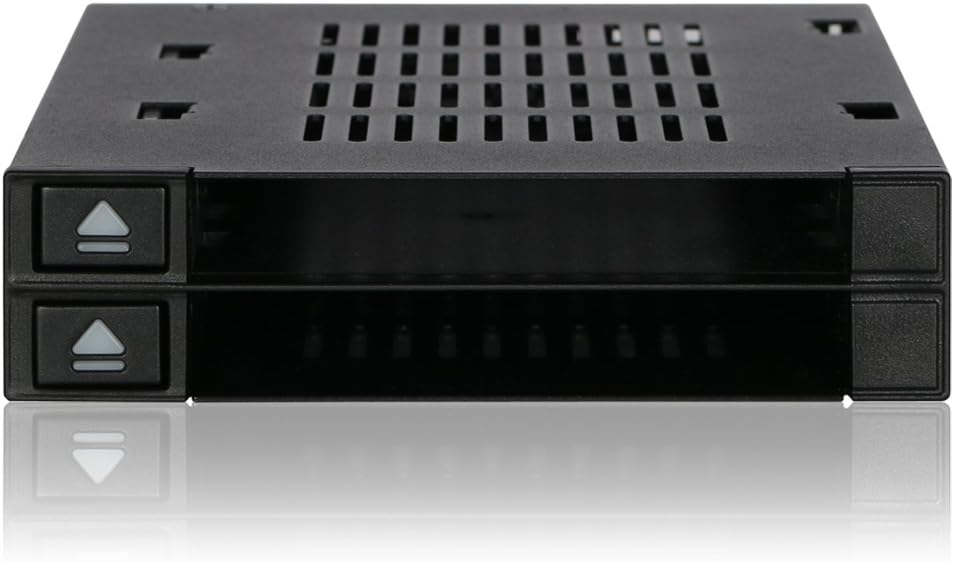
The ICY DOCK MB522SP-B is a flexible dock for two 2.5 inch drives. It fits into a standard 3.5 inch bay. The door-less design makes swapping drives extremely quick without obstructions.
We may earn a commission when you buy through this link, at no additional cost to you.
It is tray-less so you can insert bare drives directly. Each drive has its own LED indicator for status monitoring. The Active Power Technology saves energy by powering only installed drives.
This model lacks an active fan so it relies on case airflow. It is limited to two drives making it not for large storage needs. But it is excellent for occasional access or portable work.
Buy this for easy access to SSDs or small HDDs in a server. The flexible design and ease of use make it a great dock option.
Door-less design allows instant drive insertion and removal.
Only powers installed drives to save energy.
We may earn a commission when you buy through this link, at no additional cost to you.
The Silverstone SST-FS304B-V converts three 5.25 bays into four 3.5 hot swap slots. It supports high-speed SAS 12G SATA 6G drives. Each bay has independent LEDs for easy monitoring of status.
We may earn a commission when you buy through this link, at no additional cost to you.
It includes a built-in cooling fan for heat dissipation. The design also allows for a slim optical drive to fit alongside drives. This adds flexibility for systems needing optical media.
The three-bay footprint is significant and not all cases support it. Fan noise can be an issue in quiet spaces. These factors are worth considering before purchase.
This cage is best for systems requiring four 3.5 bays with speed. It balances capacity and cooling effectively for many users.
Supports SAS 12G and SATA 6G for maximum performance.
Converts three optical bays into four drive bays.
We may earn a commission when you buy through this link, at no additional cost to you.
The Kingwin Dual 2.5 Mobile Rack is a compact dual drive solution. It fits into one 3.5 inch bay. The tray-less design makes installing bare drives very quick and easy.
We may earn a commission when you buy through this link, at no additional cost to you.
It uses a patented non-scratch SATA connector to protect drive contacts. A key lock feature adds security to your data. LED indicators show power and activity status for both drives.
It does not include a fan so rely on case airflow for cooling. Limited to two drives it is best for light use. But it is very affordable and reliable.
Choose this for small servers needing simple hot swap access. Its secure and durable design makes it a great choice for enterprise use.
Non-scratch SATA connector protects your drive contacts.
Fits into a single 3.5 inch bay easily.
We may earn a commission when you buy through this link, at no additional cost to you.
This 5 Bay HDD Hot Swap Cage allows five drives in three bays. It supports both 3.5 and 2.5 inch SATA and SAS drives. The tool-free design makes adding drives simple without extra hardware.
We may earn a commission when you buy through this link, at no additional cost to you.
It includes a high-performance cooling fan to manage heat. Redundant power ports enhance stability during operation. The aluminum alloy chassis ensures durability for long-term use.
Three bays is a large requirement so check your case first. The fan noise might be noticeable depending on placement. These factors are acceptable for such high capacity.
This model is perfect for users needing maximum drive density. It balances capacity cooling and easy installation well.
Converts three bays into five hot swap positions.
Dual power ports ensure stable uninterrupted operation.
We may earn a commission when you buy through this link, at no additional cost to you.
Choosing the right hot swap drive bay depends on your specific storage needs and system compatibility. This section outlines key factors to consider before making a purchase.
Check that the cage supports the size and type of drives you plan to use. Some bays only take 3.5 inch drives while others fit both 2.5 and 3.5 inch. Also confirm SATA and SAS compatibility since not all models support both standards.
Ensure the enclosure lists the exact drive dimensions and interface types to avoid fit issues.
Determine how many drives you need to store in a single slot. Options range from one to six drives per enclosure. More drives mean higher capacity but often require more physical space in your case.
Select a model that matches your capacity needs without exceeding your available drive bays.
Look for tool-less designs that allow drives to slide in without screws. This simplifies maintenance and saves time during upgrades. Some models use trays while others support bare drive insertion directly.
Tool-less mounting increases efficiency and reduces hardware assembly steps significantly.
Hot swap bays concentrate heat so cooling is essential to prevent drive failures. Models often include built-in fans or vented enclosures. Check fan size and speed control options to manage noise levels.
Choose a cage with adequate airflow to keep drives running at safe temperatures.
For shared or public environments consider bays with locking mechanisms. Key locks or secure latches prevent unauthorized removal of drives. This adds a layer of physical protection to your data.
Prioritize security features if your drives contain sensitive or critical information.
High quality enclosures use steel or aluminum for durability and heat dissipation. Plastic models are lighter but may not last as long under frequent use. Check the materials to ensure robust construction.
Metal bodies provide better protection for drives and long-term reliability.
Some cages require specific power connectors or have active power technology. Ensure your power supply matches the required connectors like SATA power ports. Active power saves energy by only powering installed drives.
Verify power compatibility before buying to avoid connection issues during setup.
Look for models with generous warranties like two or three years. Good technical support can be valuable if you encounter installation issues. Reputable brands often offer better reliability and customer service.
A solid warranty indicates manufacturer confidence and protects your investment.
First install the enclosure into your available 5.25 or 3.5 inch bay. Use provided screws or brackets to secure it firmly to the case. Connect the power and data cables from your motherboard to the backplane.
Insert drives by sliding them gently into the bays until you hear a click. Never force drives as this can damage connectors. Use LED indicators to confirm drives are detected by the system.
Clean the enclosure periodically with compressed air to remove dust buildup. Ensure fans run smoothly and vents are unobstructed. Proper care extends drive life and maintains performance over time.
A hot swap drive bay allows you to install remove hard drives without shutting down the computer. This feature is vital for servers needing constant uptime. It simplifies storage maintenance and upgrades significantly.
Compatibility depends on available drive slots like 5.25 or 3.5 inch bays. Most modern cases lack optical bays so check your case before buying. Some bays also require specific mounting hardware.
Most hot swap bays support both SSDs and HDDs of compatible sizes. Always verify the manufacturer specs for height and interface support. Some models favor one drive type over another.
Built-in fans are common but extra case airflow helps manage heat. High density bays with multiple drives benefit from extra cooling. Ensure vents are clear to avoid overheating issues.
Many models support both SATA and SAS interfaces. But some only support one standard. Check the product description carefully to confirm compatibility with your drives.
Some bays have locking levers or key locks. Others rely on friction fit without screws. Always follow the manual to ensure drives are seated properly and secure.
We reviewed ten top hot swap drive bays ranging from budget to premium models. Each offers unique features like capacity options and cooling designs to fit different needs.
Prioritize compatibility with your existing case and drive types when making your choice. Also consider how much capacity and airflow you need for long-term performance.
Always check current availability and details before purchasing since prices vary. These enclosures provide convenient reliable storage expansion for any modern system.