
2×2 4k Video Wall Controller
4.6Editor score
Supports HDMI and DVI input
Multiple splicing mode options
Memory function for settings
This guide compares the top HDMI Video Wall Controllers for 2026 focusing on resolution support, bezel correction, audio extraction, and control options.
Selecting the right HDMI Video Wall Controller is essential for creating seamless multi-screen displays in retail, corporate, or entertainment environments. A high-quality processor ensures smooth signal distribution across multiple monitors without lag or distortion.
We analyzed ten leading models based on input compatibility, output resolution, and advanced features like edge masking and rotation. Each product was evaluated for reliability, ease of setup, and overall performance in real-world configurations.
Every pick below highlights specific strengths such as budget-friendly pricing, premium matrix capabilities, or robust support. Note that availability and pricing may change over time, so verify details before purchasing your final setup.
4.6Editor score

4.8Editor score

4.2Editor score
The following table provides a side-by-side comparison of all ten featured HDMI Video Wall Controllers to help you quickly identify the model that best fits your technical requirements and budget constraints.



The J-Tech Digital HDMI Video Wall Controller 4K 2×2 stands out as the top recommendation for users seeking reliable performance. With a rating of 4.8, this model combines versatile input options with seamless output distribution across four screens.
We may earn a commission when you buy through this link, at no additional cost to you.
Its key strength lies in supporting 4K inputs while delivering 1080P outputs, making it ideal for modern digital signage setups. The inclusion of SPDIF optical audio extraction ensures high-quality sound routing without additional hardware requirements.
Trade-offs include limited HDR support and a basic remote interface, which may require more manual configuration. These are acceptable for most commercial applications where reliability matters more than advanced color handling.
This controller is perfect for retailers or offices needing a stable multi-screen display. Its free lifetime technical support adds significant value, ensuring long-term usability without costly maintenance.
Supports 4K@30Hz inputs to maintain crisp visuals across all connected displays.
Adjusts display edges by up to 8 pixels to minimize bezel gaps and improve visual continuity.
We may earn a commission when you buy through this link, at no additional cost to you.
This budget-friendly controller offers incredible value for small-scale video wall setups. Supporting both HDMI and DVI inputs, it provides flexibility for legacy and modern devices while keeping costs low.
We may earn a commission when you buy through this link, at no additional cost to you.
Its 11 splicing modes and memory function ensure versatile configurations that persist after power cycles. The inclusion of IR remote, RS232, and button controls makes operation accessible for various skill levels.
The limitation that DVI does not support 4K means users should verify source compatibility. Basic analog audio output may also require external amplification for larger venues.
Ideal for startups or small businesses needing a straightforward video wall solution. The plug-and-play design ensures easy installation without needing technical expertise.
DVI input support allows connection to older graphics cards or industrial equipment.
Remembers the last settings when plugged in again, ensuring seamless experience after power loss.
We may earn a commission when you buy through this link, at no additional cost to you.
This premium model brings advanced matrix switching and web control capabilities to the video wall controller category. With support for 4K60Hz inputs and robust upscaling, it caters to high-end installations requiring seamless signal routing.
We may earn a commission when you buy through this link, at no additional cost to you.
Its multiviewer presets allow viewing multiple source signals on a single screen, enhancing monitoring capabilities. The inclusion of LAN web control enables remote management, ideal for large facility deployments.
The high cost and complex setup may deter casual users, but these trade-offs justify the extensive feature set. Advanced users will appreciate the flexibility in resolution handling and remote control options.
Best suited for large-scale corporate or broadcast environments needing maximum control. The one-year manufacturer replacement warranty provides peace of mind for critical installations.
LAN web control allows operators to manage settings remotely without physical access to the unit.
Supports downscale and upscale to match output resolutions like 1080P or 1440P efficiently.
We may earn a commission when you buy through this link, at no additional cost to you.
The OREI 4K 2×2 processor supports both HDMI and USB-C inputs, allowing direct connection to modern laptops or media players. With 4K 60Hz input and comprehensive audio format support, it suits media-rich applications.
We may earn a commission when you buy through this link, at no additional cost to you.
Its audio extraction handles multiple formats including Dolby Digital and DTS, ensuring high-fidelity sound routing. RS-232 control offers integration with building automation systems for automated scheduling.
Users should note lack of HDR support, which may limit use for content requiring advanced color gamuts. Bezel adjustments must be done manually, adding time to setup.
This controller is ideal for offices using USB-C sources for presentations. Its dual voltage supply ensures international use without needing separate adapters.
USB-C input allows direct connection to laptops without additional dongles.
Dual voltage power supply with international adapter ensures worldwide deployment.
We may earn a commission when you buy through this link, at no additional cost to you.
This model supports 4K@60Hz input while delivering 1080p output, balancing performance with cost. HDMI and USB-C inputs provide broad device compatibility, making it easy to connect various sources.
We may earn a commission when you buy through this link, at no additional cost to you.
Optical audio output ensures clean signal transmission to external sound systems. RS-232 control allows integration into larger control setups for automated operations.
The fixed 1080p output may not utilize full potential of 4K source displays, which limits visual fidelity. Remote features are basic, requiring manual adjustments for some tasks.
Well-suited for offices prioritizing cost-effective performance. The 1-year warranty provides confidence in its reliability for daily use.
HDMI and USB-C inputs ensure compatibility with most modern devices.
RS-232 control port enables integration into larger control environments.
We may earn a commission when you buy through this link, at no additional cost to you.
The OREI 4×4 matrix adds routing flexibility, allowing any source to connect to any display. With web control and 4K@60Hz support, it offers advanced capabilities for multi-source environments.
We may earn a commission when you buy through this link, at no additional cost to you.
HDCP 2.2 compliance ensures compatibility with protected content sources, while audio support includes Dolby TrueHD. This makes it ideal for entertainment systems needing high fidelity.
Complex configuration may require technical expertise, and the higher cost limits accessibility. Users seeking simple split-only functions may find matrix features unnecessary.
Best for environments needing flexible signal routing. Its dual voltage power supply and robust build support professional installations.
4×4 matrix allows routing any source to any display for versatile setups.
HDCP 2.2 compliance ensures protected content sources work without issues.
We may earn a commission when you buy through this link, at no additional cost to you.
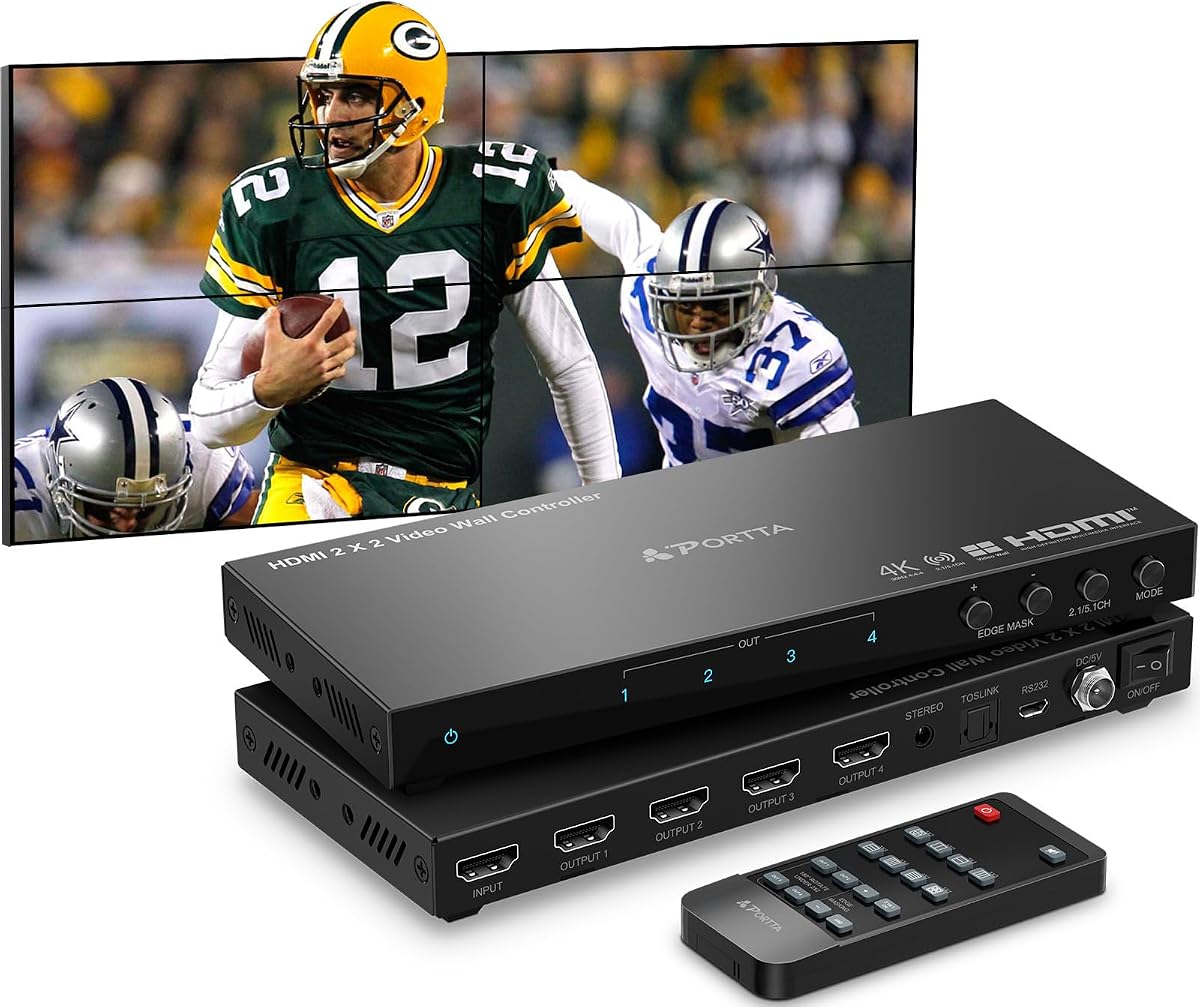
This controller offers 11 display modes and edge masking for precise alignment. Its Toslink audio support and 180° rotation enhance flexibility for various installation orientations.
We may earn a commission when you buy through this link, at no additional cost to you.
The ability to split content across four displays supports multiple advertising or informational layouts. Portrait mode settings on PCs enable vertical arrangements for tall screens.
Fixed output resolution limits use in setups requiring different screen resolutions. Setting up portrait displays requires PC configuration, adding steps before deployment.
Ideal for advertising setups needing frequent layout changes. The 2-year warranty provides long-term confidence in product reliability.
11 splicing modes support diverse configurations for retail or event displays.
Edge masking prevents distortion by adjusting output picture edges.
We may earn a commission when you buy through this link, at no additional cost to you.
This controller delivers true 4K60 outputs across all ports, maximizing visual fidelity for high-end displays. HDMI and USB-C inputs ensure connection to modern laptops and media players.
We may earn a commission when you buy through this link, at no additional cost to you.
Designed for 24×7 stability, it suits continuous-run environments like airports or large venues. The straightforward plug-and-play setup minimizes downtime during installation.
High price may deter budget users, and lack of advanced edge masking may limit fine-tuning options. However, raw performance ensures consistent display quality.
Best for premium installations prioritizing resolution stability. Its simple control interface ensures quick adaptation by staff.
Supports 3840*2160@60Hz inputs and outputs for maximum visual clarity.
Professional design supports stable 24×7 operation without overheating.
We may earn a commission when you buy through this link, at no additional cost to you.
This controller stands out by allowing direct USB playback without needing a connected computer. It supports max 4096×2160@60Hz resolution, ensuring high-quality media display.
We may earn a commission when you buy through this link, at no additional cost to you.
USB auto display and support for formats like MP4 and MKV make content management easy. IR extension port enables remote operation even from long distances.
Manual color temperature and brightness adjustments may require repeated testing for optimal setup. However, the flexibility in visual tuning ensures precise presentation.
Ideal for standalone digital signage where PC connectivity is inconvenient. Its auto display feature simplifies content updates for staff.
USB auto display allows playing content directly from connected flash drives.
IR extension port supports remote control up to 10 meters for ease of use.
We may earn a commission when you buy through this link, at no additional cost to you.
Designed for larger walls, this controller supports up to six screens with 4K60 resolution. HDMI and USB-C inputs ensure broad source compatibility for diverse content needs.
We may earn a commission when you buy through this link, at no additional cost to you.
Multiple splice modes like 2X3 and 3X2 allow creative layouts for complex installations. Plug-and-play design and 24×7 stability ensure reliable continuous use.
Larger size may require more rack space, and higher power needs could impact energy budgets. Users planning for expansion will value its scalable output options.
Best for large exhibition halls needing extensive multi-screen setups. Its stable design ensures consistent operation in demanding environments.
6 HDMI outputs allow creating large-scale video walls for extensive displays.
Multiple splice modes support varied configurations for different venue sizes.
We may earn a commission when you buy through this link, at no additional cost to you.
Selecting the right HDMI Video Wall Controller requires evaluating resolution support, input types, and control options to match your specific installation needs.
Ensure the controller supports the input resolution of your source devices, such as 4K60Hz for modern PCs or media players. Check if HDMI and USB-C inputs are available to connect diverse hardware seamlessly.
Prioritize controllers that match your source output to avoid signal degradation or downscaling issues.
Choose a controller offering multiple display modes like 2×2, 1×4, or 4×1 to fit your screen arrangement. Look for bezel adjustment and edge masking to minimize gaps between displays.
Verify output resolution stability to ensure all screens display content consistently without flickering.
Opt for models with SPDIF or analog audio outputs if you need to route sound to external speakers. Verify format support such as Dolby Digital or PCM for compatible sound systems.
Audio extraction allows separating sound from video for better control in public venues.
Consider controllers offering RS-232 or LAN web control for remote management in large deployments. IR remotes work well for simple setups where staff access the unit regularly.
Advanced control options reduce manual intervention and enable automated scheduling.
Confirm HDCP and HDMI version compliance to ensure protected content plays without issues. Check if the device supports your specific input hardware such as DVI for legacy systems.
Compatibility prevents unexpected connection failures and ensures smooth video playback.
Look for warranties and technical support offerings from reputable manufacturers. Controllers rated for 24×7 operation are essential for continuous signage or monitoring environments.
Strong support networks ensure quick resolution of technical issues during critical setups.
Assess power requirements and whether dual voltage support is needed for international use. Mounting options should suit your rack or wall setup without requiring custom brackets.
Ease of installation reduces setup time and minimizes potential hardware errors.
If you plan to expand your video wall, select a controller with extra outputs or matrix switching. Ensure firmware supports future updates to maintain compatibility with new devices.
Scalable solutions save costs by avoiding replacement when additional screens are added.
Connect your source device to the HDMI or USB-C input using high-quality cables. Ensure all output displays are powered and properly connected to the controller's HDMI ports before turning on the main unit.
Use the provided remote or RS-232 connection to select your desired display mode. Adjust bezel settings and edge masking to align content across screens for a seamless viewing experience.
Keep the controller in a well-ventilated area to avoid overheating during extended operation. Periodically update firmware if available and check cable connections to maintain signal stability.
An HDMI Video Wall Controller is a device that splits a single video source across multiple displays to create a unified screen. It manages signal distribution, resolution scaling, and often includes features like audio extraction and bezel adjustment for professional multi-screen setups.
Most featured controllers support 4K input, but output resolution varies. Some provide true 4K outputs, while others downscale to 1080p. Always verify output specifications based on your screen capabilities before purchase.
Yes, many models include RS-232, IR remote, or LAN web control options. Remote control enables easier management for large installations or automated setups without physical access to the hardware.
Edge masking and bezel adjustment tools trim or align display edges to minimize visible gaps between screens. These features create a more seamless visual experience by reducing the impact of physical screen borders.
Controllers with SPDIF optical or analog audio outputs allow routing sound to external speakers. This separation ensures video displays focus on visuals while sound is directed to a dedicated audio system.
Several models support USB-C inputs, allowing direct connection from modern laptops without adapters. This feature simplifies setup and ensures compatibility with newer devices that lack traditional HDMI ports.
Yes, many professional models are designed for continuous 24×7 operation. However, ensure adequate ventilation and follow manufacturer guidelines to prevent overheating during extended use.
Warranty periods range from one to two years depending on the brand. Some manufacturers offer lifetime technical support to assist with setup and troubleshooting, ensuring long-term reliability.
We highlighted top picks like the J-Tech Digital HDMI Video Wall Controller for overall performance, budget-friendly options, and premium models with advanced matrix features. Each selection addresses specific needs from small offices to large venues.
Prioritize resolution support and control options that align with your installation requirements. Consider audio extraction and bezel adjustment features to ensure a seamless visual presentation for your audience.
Prices and availability may change, so verify current details before finalizing your purchase. Checking product specs ensures the chosen controller meets your technical expectations for reliable performance.