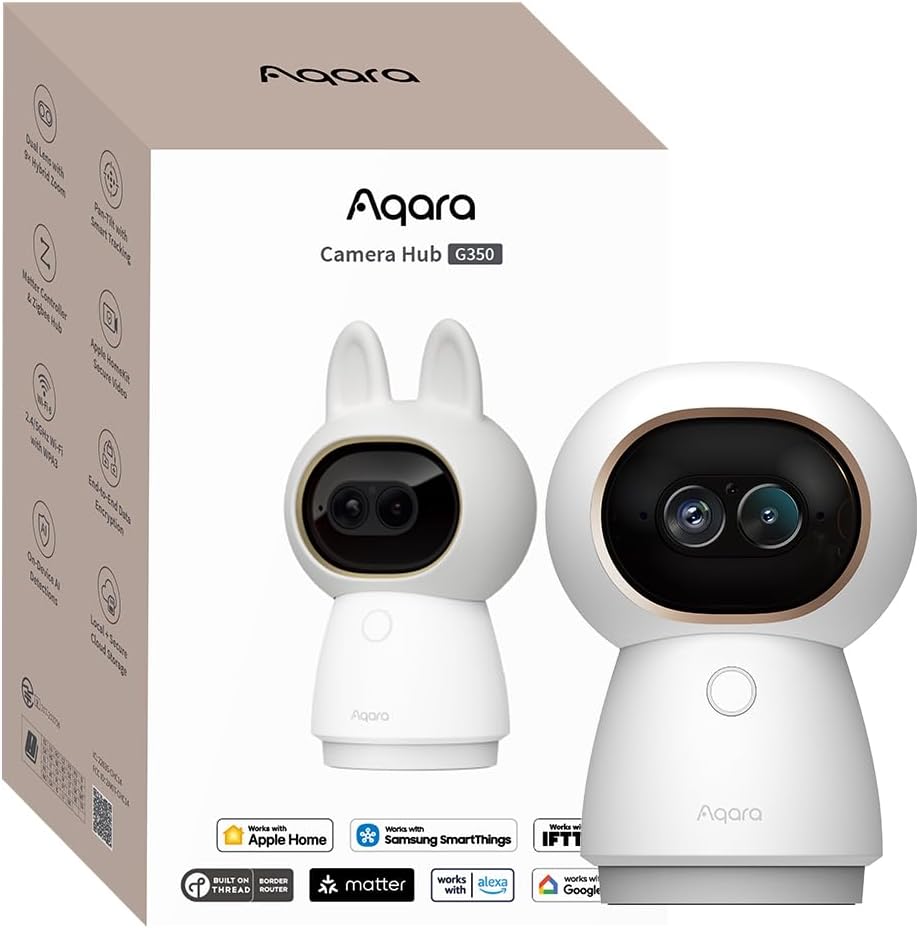
Aqara Indoor Security Camera G350
4.3Editor score
4K Ultra HD Dual-Lens Camera
Matter Bridge & Zigbee Hub
AI Auto & Close-Up Tracking
This guide compares the top Apple Homekit Security Cameras for 2026, analyzing resolution, privacy features, and smart home integration to help you choose the
Finding the right security camera for your Apple ecosystem can be challenging. You need devices that integrate seamlessly with HomeKit Secure Video while offering high resolution and reliable performance to protect your home effectively.
We compared ten top models based on video quality, privacy features, and smart home compatibility. Our analysis focuses on how each camera handles encryption, storage options, and integration with your existing Apple devices for maximum peace of mind.
Each pick highlights specific strengths like night vision, AI detection, or hub capabilities. Prices and availability change frequently, so check current listings before purchasing to ensure you get the best value for your specific security needs.
4.3Editor score
4.2Editor score
4.5Editor score
The following table provides a side-by-side comparison of all ten cameras evaluated in this guide, highlighting key specifications and features to help you make an informed decision quickly.



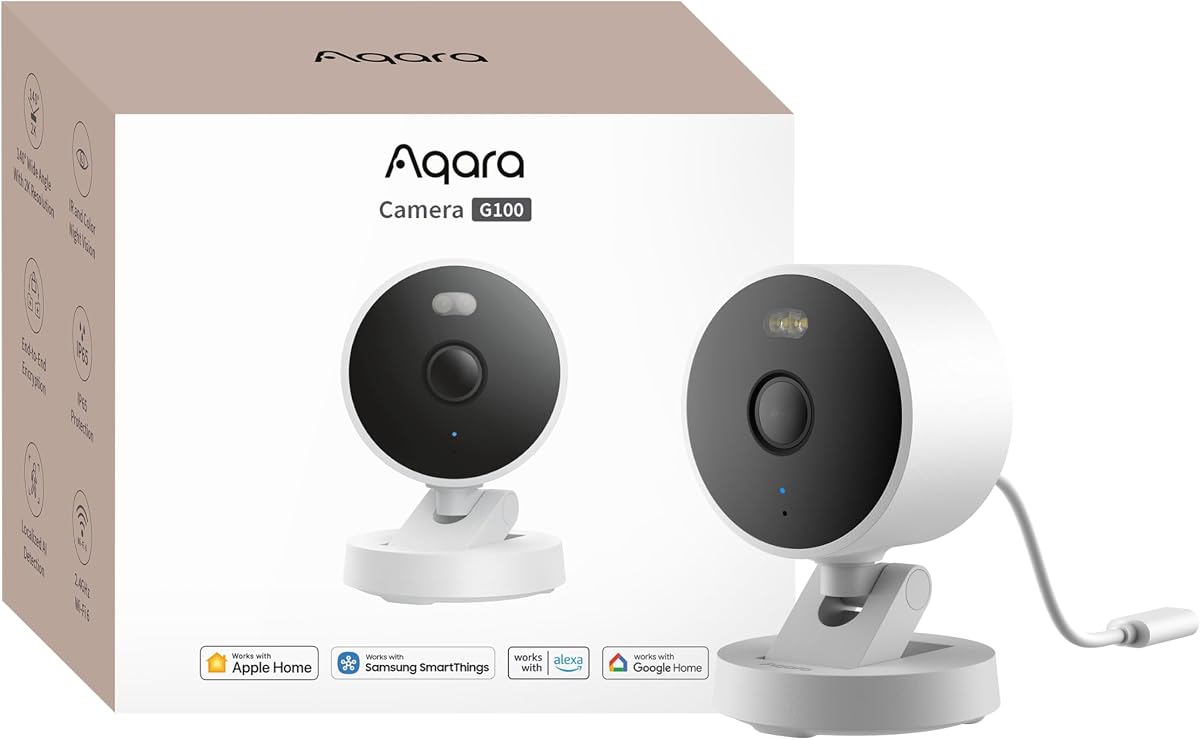
The Aqara G100 stands out as a top contender for Apple HomeKit users seeking versatile security. It delivers impressive 2K resolution footage that captures fine details clearly, whether inside your home or outside under the night sky. Its integration with HomeKit Secure Video ensures your data remains private through end-to-end encryption.
We may earn a commission when you buy through this link, at no additional cost to you.
Its dual-use design allows for flexible placement, handling rain and dust with an IP65 rating. The camera features local motion and person detection, reducing unnecessary alerts. When paired with a HomeGuardian Plan, it offers cloud recognition for pets, vehicles, and packages, making monitoring significantly easier.
While the video quality is superb, users must manually enable night vision modes for optimal results. Additionally, the power adapter is sold separately, which is a minor inconvenience. These trade-offs are acceptable given the robust feature set and strong compatibility with smart home ecosystems.
If you need a reliable camera that works well with Apple devices and offers high-quality imaging, this model is an excellent choice. It balances performance with privacy, making it ideal for households prioritizing security and integration without sacrificing user convenience or clarity.
Choose between spotlight color vision or covert IR mode for flexible night monitoring tailored to your security needs.
Stream live feeds to Apple Home and access recorded clips securely through the Home app with full encryption.
We may earn a commission when you buy through this link, at no additional cost to you.
The Eve Cam is designed exclusively for Apple HomeKit Secure Video, prioritizing privacy above all else. It processes video analysis locally within your home, ensuring personal data stays under your control without being uploaded to external servers. This approach resonates well with privacy-conscious users.
We may earn a commission when you buy through this link, at no additional cost to you.
Notifications are sent instantly to your iPhone or Apple Watch, allowing real-time awareness of activity around your home. You can distinguish between people and pets to reduce false alarms. Its seamless integration with the Apple ecosystem makes setup and daily use straightforward for existing users.
However, this focus on privacy comes at a premium price. Additionally, an iCloud+ subscription is required for full functionality, which adds to ongoing costs. These factors might deter budget shoppers, but the peace of mind regarding data security is worth the investment for many.
For those who prioritize data security and want a camera that truly respects privacy, the Eve Cam is a standout option. It offers reliable performance without compromising on the ethical handling of your home data, making it a strong choice for secure environments.
Video processing happens securely on device, ensuring your footage remains private and under your exclusive control.
Built for Apple devices, it integrates flawlessly with Home app and Apple Watch for quick access.
We may earn a commission when you buy through this link, at no additional cost to you.
The Aqara G350 brings professional-grade indoor surveillance with its 4K dual-lens system. It combines a wide-angle view with a telephoto lens, delivering both sweeping panoramas and detailed zooms. This camera is not just for watching; it actively learns and adapts to your home environment using local AI.
We may earn a commission when you buy through this link, at no additional cost to you.
Beyond video, it serves as a hub for Matter and Zigbee devices, connecting up to eighty sub-devices. This dual role reduces the need for multiple hubs, simplifying your smart home setup. Gesture recognition allows you to trigger scenes with simple hand movements, adding convenience to daily routines.
The requirement for a Matter Controller and some features being limited to the Aqara Home app can be slightly restrictive for pure HomeKit users. However, the versatility offered by this hub capability makes it a powerful asset for complex smart home configurations.
If you want a premium indoor camera that doubles as a smart home hub, the G350 is unmatched. Its high resolution and AI features make it perfect for monitoring children, pets, or valuable items with unmatched clarity and control.
Capture both wide angles and zoomed details simultaneously without losing quality or clarity.
Integrate Zigbee and Thread devices easily while maintaining full local processing and privacy.
We may earn a commission when you buy through this link, at no additional cost to you.
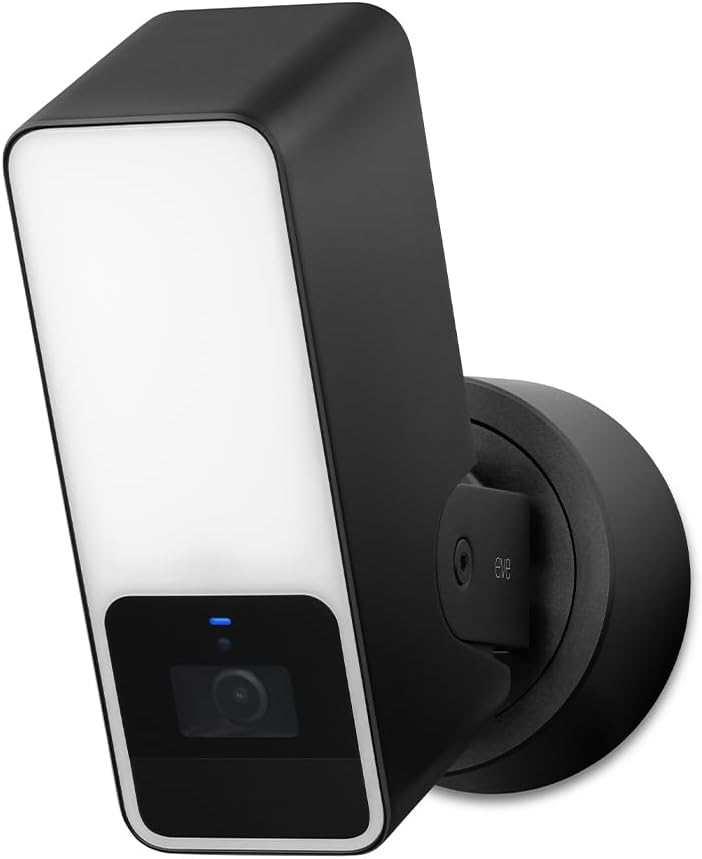
The Eve Outdoor Cam combines a security camera with a bright floodlight to deter intruders effectively. It is built exclusively for HomeKit Secure Video, ensuring end-to-end encryption for all recorded footage. Its local intelligence means no cloud processing is needed for video analysis, enhancing privacy.
We may earn a commission when you buy through this link, at no additional cost to you.
The camera supports two-way communication, allowing you to speak through it using a built-in microphone and speaker. It distinguishes between people, pets, and vehicles to reduce false alarms. However, installation requires both a neutral wire and a ground wire connection, which may complicate setup for older homes.
While the privacy features are top-notch, the requirement for a neutral wire and an iCloud+ subscription adds complexity and cost. These constraints might make it less accessible for renters or those without advanced electrical access, but security enthusiasts will appreciate its robust design.
For homeowners seeking a secure, privacy-focused outdoor solution with integrated lighting, this camera is a strong candidate. It offers peace of mind with its high-standard security and clear communication features, making it ideal for driveway or porch monitoring.
The floodlight illuminates areas instantly, discouraging potential threats before they approach your property.
No registration or tracking ensures your video data remains private and stored securely within your ecosystem.
We may earn a commission when you buy through this link, at no additional cost to you.
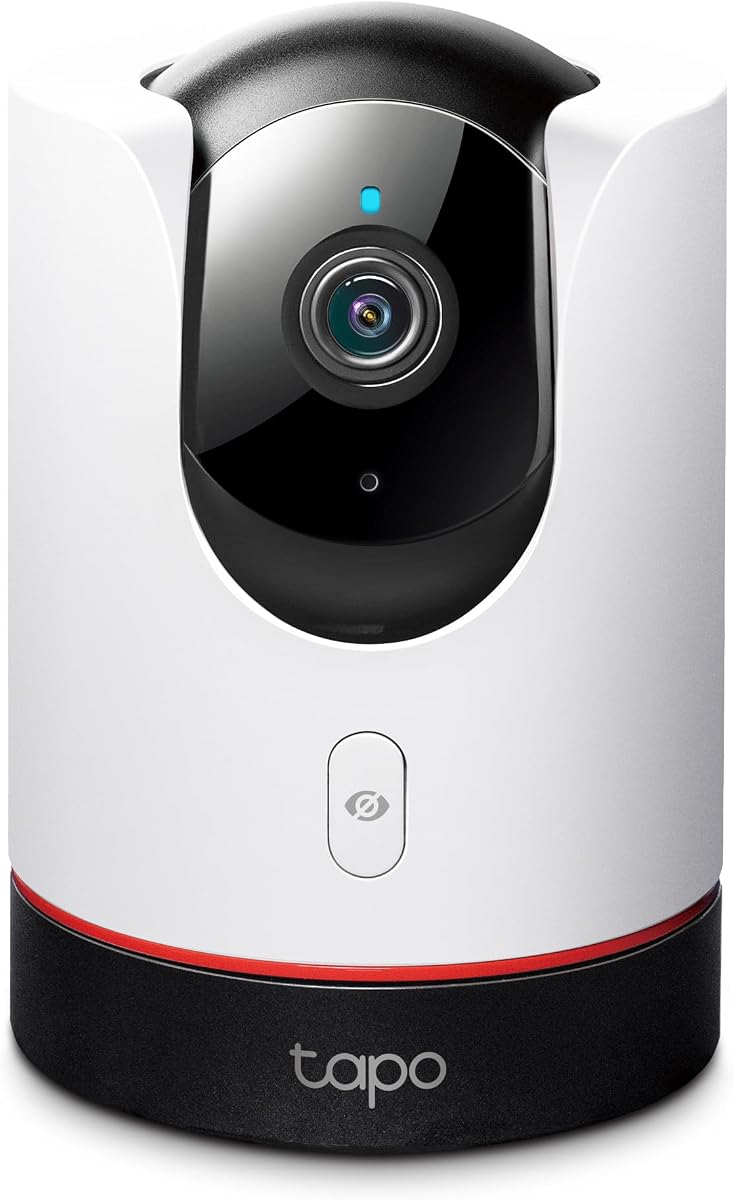
The TP-Link Tapo C225 offers impressive features at a budget-friendly price point. It delivers 2K QHD live views and covers a full 360-degree horizontal field, ensuring no corner of the room is left blind. The physical privacy mode blocks the lens physically, adding a layer of assurance beyond software settings.
We may earn a commission when you buy through this link, at no additional cost to you.
Its starlight sensor captures bright images in low light, making night monitoring effective without intrusive lights. AI detection identifies people, pets, and vehicles accurately. However, to get the most out of cloud storage features, you need to subscribe to the Tapo Care service, which adds a monthly cost.
While the cloud costs can be avoided with local microSD storage, advanced features like motion tracking require the subscription. This trade-off keeps the upfront cost low but requires ongoing payment for full functionality. Still, for basic home security, it performs exceptionally well.
If you need a reliable camera without a hefty initial cost, the C225 is an outstanding option. It provides essential security features like privacy control and clear video, making it accessible for budget-conscious homeowners seeking smart monitoring.
The physical housing blocks the lens completely, guaranteeing no one can see through it when off.
Advanced sensor technology ensures clear visibility even in dimly lit environments without harsh lighting.
We may earn a commission when you buy through this link, at no additional cost to you.
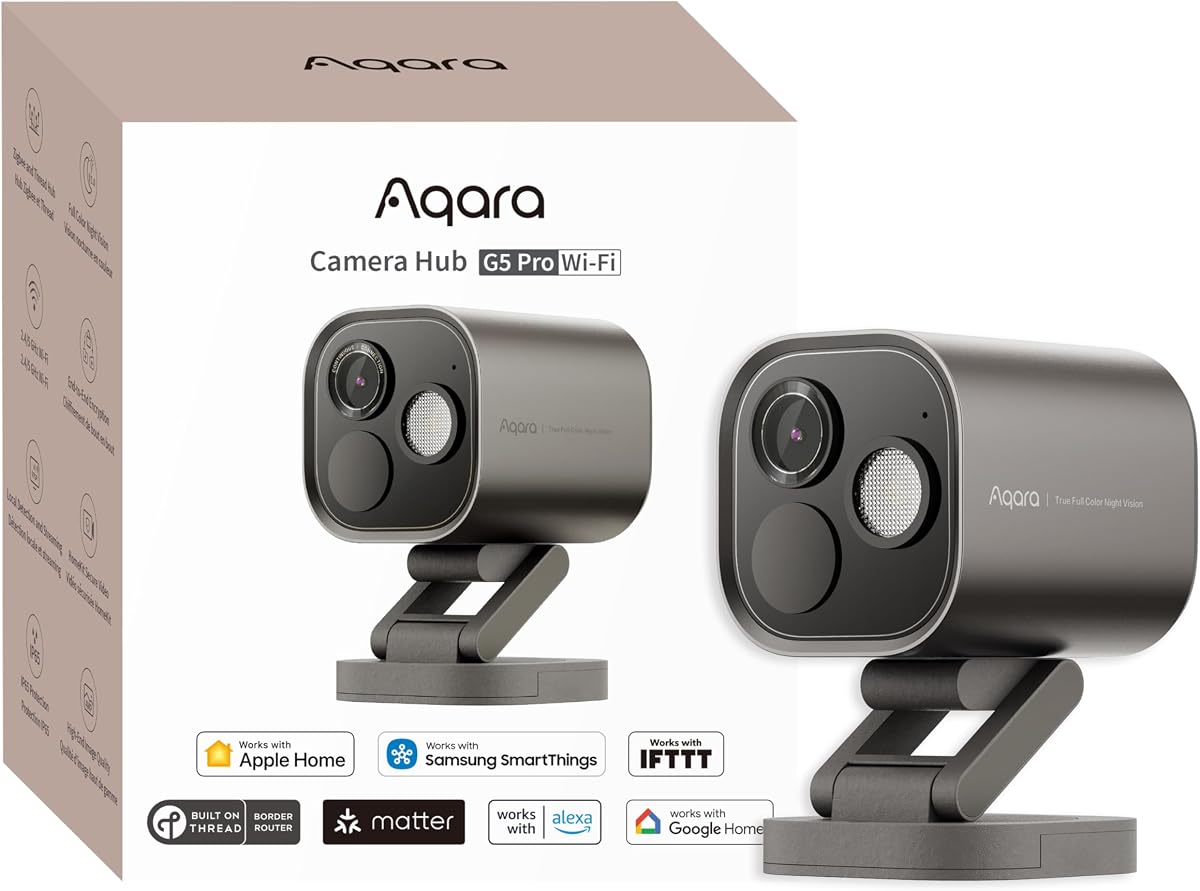
The Aqara G5 Pro WiFi combines high-quality security imaging with hub functionality for a streamlined setup. It offers True Color Night Vision that identifies intruders even in low light without infrared glow. Its built-in Neural Processing Unit enables advanced visual and sound detection locally.
We may earn a commission when you buy through this link, at no additional cost to you.
As a hub, it connects up to eighty Zigbee devices or combines Zigbee and Thread, reducing the need for separate controllers. Storage options include built-in encrypted eMMC and support for RTSP, giving you flexibility in how you archive footage. It supports dual-band Wi-Fi for stable connections.
It requires a constant power source and does not support third-party Zigbee devices directly without the hub role. Despite this limitation, its ability to bridge devices to Matter platforms like Alexa and Google Home makes it a versatile addition to mixed ecosystems.
For those needing a central hub alongside a high-res camera, the G5 Pro WiFi is a top contender. It balances privacy, connectivity, and detection capabilities, making it ideal for users looking to consolidate their smart home infrastructure efficiently.
Intruders are identified in natural colors at night using a large aperture sensor instead of infrared.
Supports both Zigbee and Thread protocols to bridge various devices into a unified Matter ecosystem.
We may earn a commission when you buy through this link, at no additional cost to you.
The Logitech Circle View is designed for easy setup and seamless Apple integration. It features TrueView technology that captures video in razor-sharp 1080p detail. The wide 180-degree optics ensure you see more of your porch or entryway without needing multiple cameras.
We may earn a commission when you buy through this link, at no additional cost to you.
Its durable weatherproof body withstands rain and dust, making it reliable for outdoor mounting. A physical tilt button lets you block the lens instantly for privacy. However, it only triggers on motion rather than continuous recording, which might be a concern for some users.
While the wide view is excellent, the lack of continuous recording means you rely solely on motion events. Also, it works exclusively with the Home app rather than Logitech apps. Despite these limits, its premium build and privacy features remain compelling for many Apple users.
If you prioritize a wide field of view and physical privacy controls in a weatherproof package, this camera is suitable. It offers solid performance for entryway monitoring, making it a dependable choice for those focused on HomeKit simplicity.
The 180-degree lens captures a broad area, reducing blind spots around your entrance effectively.
A simple press blocks the view mechanically, ensuring privacy when you are home.
We may earn a commission when you buy through this link, at no additional cost to you.
The Aqara E1 delivers crystal-clear 2K surveillance with a full 360-degree viewing angle. Its motor allows tracking of people or pets as they move through a room. It supports HomeKit Secure Video, ensuring your clips are encrypted and stored securely.
We may earn a commission when you buy through this link, at no additional cost to you.
Privacy protection is a key feature, as the camera can pivot the lens to deactivate when needed. It also supports Wi-Fi 6 for smoother live views in congested networks. The built-in NPU handles local detection tasks like audio alerts and motion filtering efficiently.
Users should note that a USB-A power supply is required but not included. Additionally, full cloud recognition features require a HomeGuardian subscription. These minor hurdles do not detract significantly from its performance as an indoor camera focused on quality and privacy.
For those seeking a reliable indoor monitor with strong HomeKit integration, the E1 is an excellent choice. It balances resolution, coverage, and privacy features effectively, making it suitable for nurseries, living rooms, or offices.
The 360-degree motion ensures you can track activity across the entire room without moving the device.
Automatically deactivate the lens to ensure privacy during private family moments or when at home.
We may earn a commission when you buy through this link, at no additional cost to you.
The eufy E30 offers 4K recording quality that captures every detail of your home. It supports Pan and Tilt with AI tracking that follows movement automatically. A key selling point is local storage, allowing you to save footage without mandatory monthly subscription fees.
We may earn a commission when you buy through this link, at no additional cost to you.
Color night vision is enabled by a built-in spotlight, providing clear views in low light. It integrates with HomeKit and Google Assistant, though HomeKit limits resolution to 1080p. This makes it versatile across different smart home platforms while maintaining privacy locally.
HomeKit resolution limits may be disappointing if you rely solely on Apple apps for viewing. However, the eufy app provides full 4K access locally. This balance offers flexibility for users who want high quality and low cost without sacrificing privacy.
If you want high-definition video and freedom from cloud subscriptions, the E30 is a strong option. It delivers reliable performance with strong AI features, making it ideal for parents or pet owners who need detailed monitoring without extra fees.
Store footage on an SD card locally, avoiding monthly fees while keeping your data private.
The integrated spotlight turns night vision into color footage, improving identification details.
We may earn a commission when you buy through this link, at no additional cost to you.
The Aqara G5 Pro PoE simplifies installation by delivering power and data through a single cable. It offers True Color Night Vision and local detection powered by a neural processing unit. This camera supports dual-band Wi-Fi, ensuring stable connectivity even in complex environments.
We may earn a commission when you buy through this link, at no additional cost to you.
Its hub capabilities allow it to connect up to forty Thread devices or eighty Zigbee devices, bridging them to Matter platforms. This reduces the need for extra controllers, centralizing control in one robust unit. Local processing keeps data private while offering advanced alerts.
To use PoE, you need a separate switch, which might add to the cost. However, the reliability of a wired connection outweighs this for many users. The USB-C port offers an alternative for non-PoE setups, adding versatility for different network needs.
For those seeking a stable, wired hub camera for security, this model is excellent. It combines high-quality imaging with network stability and smart home integration, making it perfect for permanent installations where reliability is key.
PoE technology reduces cable clutter by using a single network cable for power and data transmission.
Dual-band Wi-Fi ensures consistent performance even in areas with many connected devices.
We may earn a commission when you buy through this link, at no additional cost to you.
Selecting the right HomeKit camera involves understanding key factors that influence security, privacy, and usability.
Higher resolution like 2K or 4K ensures you capture fine details like faces or license plates. However, HomeKit Secure Video often limits streams to 1080p, so check native app capabilities for full resolution access.
Look for cameras with strong sensors and good lenses to maintain clarity in various lighting conditions.
HomeKit Secure Video provides end-to-end encryption, ensuring only you can view clips. Some models process AI detection locally, further protecting your data from cloud processing.
Prioritize cameras with physical privacy modes or local-only storage options to maximize data security.
Outdoor cameras must be weatherproof with IP65 or higher ratings to withstand rain and dust. Indoor cameras can be more compact but should still have reliable motion detection and privacy features.
Consider your placement needs before purchasing to ensure the device matches the environment requirements.
Storage options vary widely, from local microSD cards to cloud subscriptions or NAS support. HomeKit Secure Video stores clips in iCloud, requiring an iCloud+ plan for recording retention.
Choose a camera that supports your preferred storage method to avoid unexpected monthly fees or hardware constraints.
Advanced cameras distinguish between people, pets, and vehicles to reduce false alerts. Local processing ensures faster response times and keeps data private.
Look for models with customizable alerts and recognition capabilities to suit your household needs.
Some cameras act as hubs for Zigbee or Thread, allowing them to control other smart devices. This can simplify your setup by reducing the number of separate hubs needed.
Check if the camera supports Matter or specific protocols you use to ensure seamless integration with your existing home tech.
Consider how the camera is powered, whether through cables, batteries, or PoE. Connectivity options like Wi-Fi 6 or dual-band support ensure stable streaming in congested networks.
Verify power requirements and network compatibility before installation to avoid connectivity or power issues.
Night vision options include infrared, color, or spotlight-assisted modes. Color night vision helps identify details that traditional IR might miss.
Choose a camera with the night vision type that suits your security needs, such as color for visibility or IR for stealth.
Start by downloading the appropriate app for your camera brand and signing in with your Apple ID. Connect the camera to your Wi-Fi network using the app instructions, ensuring your router supports 2.4GHz or 5GHz bands as required.
Mount the camera securely using the provided brackets, testing the angle before tightening screws. Ensure the lens is clean and free of obstructions to maintain clear video quality throughout the day and night.
Regularly check firmware updates within the app to keep security patches current. Review detection settings periodically to adjust sensitivity and reduce false alarms based on actual household activity patterns.
Yes, a home hub like an Apple TV, HomePod, or iPad is required to enable HomeKit Secure Video. This hub acts as a bridge for your devices and manages recording storage securely.
Yes, an iCloud+ subscription is necessary to store recorded clips securely. Without it, you cannot retain recordings, although you may still view live feeds.
Many HomeKit cameras also support Alexa or Google Assistant for live views. However, advanced features may only work within the Apple ecosystem.
Most cameras support local storage via SD cards or NAS, so you can still record locally. Some models with onboard processing may trigger local automations offline.
Use a soft, lint-free cloth to gently wipe the lens. Avoid harsh chemicals or abrasive materials that could scratch the surface.
Battery options are limited for HomeKit Secure Video due to power requirements. Wired or PoE models are generally more reliable for continuous recording.
Wi-Fi 6 offers faster speeds and better performance in congested networks. For security cameras, this ensures smoother live views and quicker processing.
Check angles every few months to ensure nothing has shifted. Adjusting settings helps maintain optimal coverage and reduce blind spots.
We reviewed ten top cameras including the Aqara G100, Eve Cam, and TP-Link Tapo C225. Each offers unique benefits like high resolution, local processing, or hub capabilities to secure your home.
Prioritize privacy and resolution based on your specific needs. If you want full HomeKit features, ensure you have the necessary iCloud subscription and home hub.
Remember to check current prices and availability before purchasing. Technology evolves quickly, and deals may change, so verify the latest details for the best value.