
TCL NXTPAPER 11 Gen 2
4.4Editor score
NXTPAPER 4.0 Display
Real-Time Bilingual Subtitles
Circle to Search with Google
Artificial intelligence is reshaping how we interact with technology every single day. Modern tablets now integrate advanced AI tools to boost productivity, creativity, and learning experiences significantly.
We compared ten leading models based on processing power, display quality, battery life, and integrated smart features. Each device offers unique strengths tailored to different user needs and budgets.
Every pick highlights specific capabilities like transcription, drawing assistance, or search tools. Prices change frequently so check current listings before making your final purchasing decision today.
4.4Editor score

5.0Editor score

4.7Editor score
As an Amazon Associate we earn from qualifying purchases.
The following table provides a side-by-side comparison of all ten selected AI tablets. Review each specification carefully to understand how performance, storage, and display technology differ across the lineup.





This TCL tablet delivers reliable performance for students and casual users seeking an affordable AI-powered device. Its paper-like display reduces eye strain significantly during long reading sessions.
We may earn a commission when you buy through this link, at no additional cost to you.
The NXTPAPER 4.0 technology creates a matte surface feel that mimics physical paper. AI features include real-time bilingual subtitles and smart voice memos to help with meetings or lectures.
Battery life is solid thanks to the 8000mAh capacity. Reverse charging allows you to top up smaller devices like earbuds when needed during travel.
Ideal for budget-conscious shoppers who need a capable tablet for media and note-taking without breaking the bank. The included stylus adds value for quick sketches or annotations.
NXTPAPER 4.0 filters blue light and reduces glare for comfortable all-day viewing without headaches or fatigue.
Smart translation and voice memo features streamline daily communication tasks and language learning activities effectively.
We may earn a commission when you buy through this link, at no additional cost to you.
The TCL NXTPAPER 14 offers a massive 14.3-inch screen ideal for multitasking and creative work. Its 2.4K resolution ensures sharp text and vibrant colors for media consumption.
We may earn a commission when you buy through this link, at no additional cost to you.
Featuring NXTPAPER 3.0, this device provides a comfortable viewing experience that reduces eye strain. It functions well as a digital notebook or drawing pad for artists and students.
The 10,000mAh battery supports long workdays without interruption. Fast charging gets you back to full power quickly when you need a boost during busy schedules.
Perfect for professionals needing a large workspace for digital notes or creative projects. The inclusion of a T-PEN stylus makes it versatile for detailed input tasks.
Switch between Standard Color Paper and Ink Paper modes to optimize your screen for reading drawing or general productivity tasks.
Multi-window support and screen mirroring enhance workflow efficiency for complex tasks and presentations on the go.
We may earn a commission when you buy through this link, at no additional cost to you.
The Lenovo Yoga Tab AI Tablet stands out with powerful Snapdragon 8 Gen 3 processing and a stunning 3K 144Hz display. It delivers premium performance for creators and professionals.
We may earn a commission when you buy through this link, at no additional cost to you.
Included accessories like the Pro Pen and keyboard transform it into a versatile work machine. AI tools enhance productivity with features like live transcription and photo editing.
The 144Hz refresh rate ensures ultra-smooth motion for gaming and media. Wi-Fi 7 support provides fast and reliable connectivity for cloud-based tasks.
Ideal for users seeking a high-end device that balances creative tools with professional performance. The included keyboard makes typing documents comfortable during work sessions.
Enhanced photo editing and live transcription tools streamline content creation workflows and note-taking efficiency for users.
USB-C hub and Wi-Fi 7 ensure seamless connections to external monitors and peripherals for expanded workstation setups.
We may earn a commission when you buy through this link, at no additional cost to you.
Samsung's Galaxy Tab S11 combines robust build quality with advanced AI features for daily productivity. Its IP68 rating ensures protection against dust and water during use.
We may earn a commission when you buy through this link, at no additional cost to you.
The S Pen and Note Assist tools help organize ideas and summarize content automatically. This makes it excellent for students or professionals who need quick meeting notes.
Display quality is top-notch with Dynamic AMOLED technology providing rich colors. MicroSD expansion allows for extra storage space for files and media libraries.
Best for users who need a durable and smart tablet for work. The integration of Galaxy AI tools makes note-taking more efficient and organized without effort.
Note Assist summarizes long documents and meetings while Drawing Assist turns rough sketches into polished mockups easily.
The IP68 rating provides peace of mind when using the device near liquids or in dusty environments safely.
We may earn a commission when you buy through this link, at no additional cost to you.
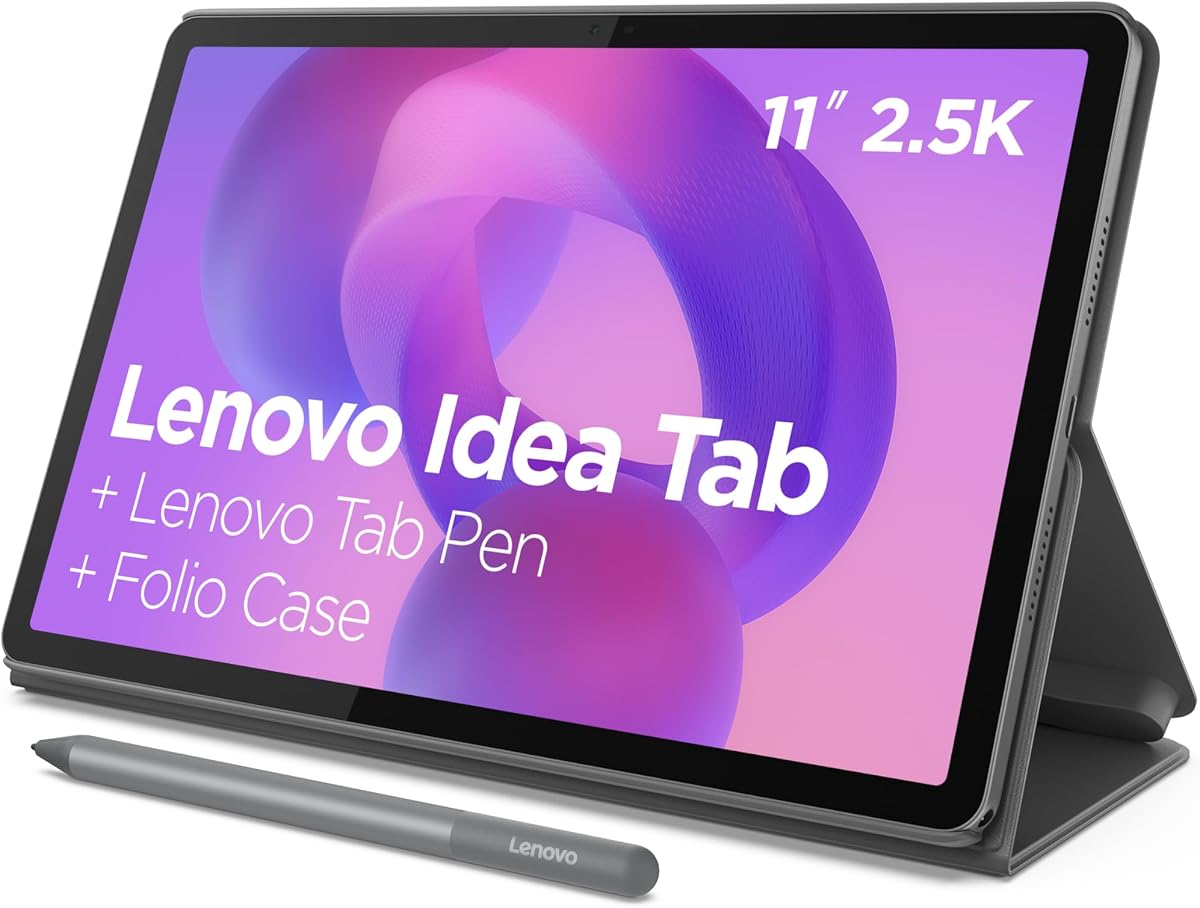
This Lenovo Idea Tab is optimized for college students with essential AI tools for study sessions. It offers good battery life and a sharp 2.5K display for reading textbooks.
We may earn a commission when you buy through this link, at no additional cost to you.
Circle to Search with Google allows quick lookups without switching apps. Built-in apps like Lenovo AI Note and Squid support organized study habits and handwritten notes.
The included folio case provides protection and stand functionality. Performance is sufficient for multitasking between study apps and streaming entertainment during breaks.
A practical choice for students needing reliable hardware without unnecessary bells and whistles. The case inclusion saves money on accessories while keeping the device safe.
Built-in learning apps help organize notes and calculations efficiently to support better academic performance over time.
A 2.5K IPS screen offers crisp text and low blue light protection for comfortable extended reading sessions.
We may earn a commission when you buy through this link, at no additional cost to you.
The Galaxy Tab S10+ Plus features a large 12.4-inch AMOLED display perfect for digital art and creative workflows. Galaxy AI tools like Sketch to Image turn rough ideas into art.
We may earn a commission when you buy through this link, at no additional cost to you.
Note Assist helps summarize lectures or meetings efficiently. This device is well-suited for creators who need high-quality visuals and powerful processing for design tasks.
SmartThings integration allows control over home devices directly from the tablet. The battery life supports long creative sessions without needing constant recharging.
Ideal for artists and designers wanting a premium screen and AI assistance. The inclusion of the S Pen makes it ready for drawing tasks straight out of the box.
Sketch to Image transforms simple drawings into detailed artwork instantly using advanced generative AI technology.
Note Assist organizes and summarizes long texts to save time and improve information retention for students and pros.
We may earn a commission when you buy through this link, at no additional cost to you.
CHUWI's Hi10 Max brings Intel Core Ultra performance to a tablet form factor. The 3:2 aspect ratio provides more vertical space for documents and coding tasks.
We may earn a commission when you buy through this link, at no additional cost to you.
It features a full array of ports including HDMI and USB-A which is rare on tablets. This makes it a great secondary device for productivity without carrying a full laptop.
AI Boost NPU helps with local AI content generation and image editing. The SSD storage ensures fast boot times and quick application launches.
Perfect for users needing a portable workstation with desktop-like connectivity. While keyboard and stylus are separate, the hardware foundation supports serious computing work.
Full-featured ports allow easy connection to monitors drives and peripherals without needing extra dongles or adapters.
Intel AI Boost NPU accelerates local AI tasks like transcription and image editing without relying on cloud servers.
We may earn a commission when you buy through this link, at no additional cost to you.
The Lenovo Idea Tab Pro integrates Google Gemini directly into its interface for smart assistance. Its 12.7-inch 3K screen delivers crisp visuals for studying and watching lectures.
We may earn a commission when you buy through this link, at no additional cost to you.
JBL speakers tuned with Dolby Atmos provide rich sound for media. The included pen and case make it ready for immediate use as a student tool.
Circle to Search with Google works seamlessly with the included pen. This helps users find information quickly without switching between multiple applications.
Great for students deeply invested in the Google ecosystem who want smart integration. The gaming certification also makes it suitable for downtime entertainment sessions.
Google Gemini acts as an AI super-assistant to help with complex tasks and provide answers instantly.
Quad JBL Dolby Atmos speakers deliver immersive sound quality for videos and music entertainment anywhere.
We may earn a commission when you buy through this link, at no additional cost to you.
Samsung's flagship S11 offers a premium experience with flagship features and durability. The AMOLED display ensures excellent brightness and contrast for viewing media.
We may earn a commission when you buy through this link, at no additional cost to you.
Galaxy AI tools provide practical utility for daily tasks like summarizing text or searching visual content. The IP68 rating adds protection against accidental spills.
It supports the S Pen for detailed writing and drawing. This makes it a strong choice for professionals needing a durable and capable device.
Best for those prioritizing build quality and screen performance. The AI capabilities enhance usability for both work and entertainment needs effectively.
Dynamic AMOLED technology delivers vibrant colors and deep blacks for an immersive viewing experience in any light.
Galaxy AI assists with complex tasks like searching and summarizing to boost daily productivity efficiently.
We may earn a commission when you buy through this link, at no additional cost to you.
This budget-friendly tablet offers impressive RAM for its price point. It runs Android 16 and includes basic AI features for daily browsing and media consumption.
We may earn a commission when you buy through this link, at no additional cost to you.
The 8000mAh battery provides decent endurance for light use. GPS and WiFi 6 ensure connectivity for travel or outdoor usage without issues.
It is a solid option for families needing secondary devices for kids or guests. The price point allows easy entry into the smart tablet ecosystem without high costs.
Perfect for users with basic needs who prioritize cost over premium features. It handles essential tasks well enough for casual entertainment and web browsing.
Generous RAM allocation helps keep apps running smoothly on a budget device for multitasking tasks.
Built-in GPS and WiFi 6 ensure reliable location services and fast internet connections on the go.
We may earn a commission when you buy through this link, at no additional cost to you.
Selecting the right AI tablet involves evaluating several critical factors to ensure it meets your specific needs for performance and features.
The processor is the brain of the tablet. For AI tasks like real-time translation or transcription, look for devices with dedicated NPUs or latest generation chips like Snapdragon 8 Gen 3 or Intel Core Ultra. These components handle complex calculations efficiently.
A strong processor ensures smooth multitasking and future-proofs your device against demanding updates and applications.
Displays vary from standard IPS to AMOLED and paper-like screens. AMOLED offers vibrant colors ideal for media, while paper-like screens reduce eye strain for reading. Consider the size based on usage; 11 inches is portable, while 14 inches offers more workspace.
Choose a display technology that matches your primary activities such as reading, drawing, or watching movies to maximize comfort and utility.
RAM determines how many apps you can run simultaneously. 8GB is standard for smooth multitasking, while 12GB offers extra headroom. Storage is crucial for media files; look for expandable options via MicroSD or USB if possible.
Prioritize at least 128GB of storage to avoid filling up quickly with apps and media files over time.
Many AI tablets come with styluses that support pressure sensitivity. Check if the stylus is included in the box or sold separately as this affects the total cost significantly.
An included stylus with AI note-taking tools is a major advantage for students and professionals taking handwritten notes.
Battery capacity varies widely from 8000mAh to 10000mAh. Fast charging support reduces downtime, allowing quick top-ups between meetings or classes.
Select a device with all-day battery life to ensure productivity does not stop due to power constraints during travel.
Look for USB-C ports that support data transfer and display output. Some tablets like CHUWI offer HDMI ports which simplify connecting to external monitors for work.
Ensure the tablet supports Wi-Fi 6 for faster internet speeds and Bluetooth 5.3 for stable connections to accessories.
Software defines the AI experience. Features like Google Gemini, Note Assist, or Circle to Search can significantly enhance daily workflows. Check which OS version is supported.
Software features should align with your specific needs such as transcription, translation, or search capabilities.
If you plan to carry the tablet frequently, check for water and dust resistance ratings like IP68. Metal bodies generally offer better protection than plastic ones.
Durability ensures your investment lasts longer, especially if used in classrooms or outdoor environments regularly.
Begin by setting up your device with the latest software updates to ensure all AI features function correctly. Connect to your accounts and configure biometric security for convenience and safety.
Use the stylus and AI note-taking tools daily to maximize efficiency. Organize your notes using built-in folders and cloud sync to keep them accessible across devices.
Maintain battery health by avoiding extreme temperatures and using the official charger provided. Clean the screen with a microfiber cloth to prevent scratches and preserve display quality.
Not all models support handwriting directly without accessories. Most premium and mid-range tablets support stylus input for notes, but basic models may require Bluetooth peripherals.
Modern tablets use local NPUs for faster tasks like transcription while relying on the cloud for complex generative tasks. This ensures privacy and speed simultaneously.
Yes, high-end models with keyboards and styluses can replace laptops for many tasks like document editing and design work effectively.
Some models like the Samsung Galaxy Tab S11 have IP68 ratings offering full protection against water and dust. Check specifications for specific protection levels.
Adjust brightness settings and close unused apps to save power. Use fast charging during short breaks and avoid leaving the device in extreme temperatures.
Most run Android with Google services. Some may support desktop modes or custom interfaces tailored for productivity and learning tasks.
Choosing the right AI tablet depends on your specific needs whether for study, work, or entertainment. The Lenovo Yoga Tab AI Tablet leads with performance, while TCL offers great value.
Prioritize display quality and battery life if you work on the go. Ensure the AI features align with your workflow to get the most out of your purchase.
Prices fluctuate frequently so verify current listings before buying. Use the comparison chart to make an informed decision that fits your budget.