
EMEET C960 4K Webcam for PC
4.5Editor score
True 4K resolution
PDAF auto focus
Dual omnidirectional mics
Streaming with a green screen requires specialized hardware to ensure clean keying and sharp visuals. Choosing the right camera involves balancing sensor size, aperture, and built-in processing features that handle background removal efficiently without overwhelming your computer.
We evaluated ten leading cameras based on their green screen performance, image quality, and ease of use. Our analysis covers dedicated streaming cameras and high-end webcams, focusing on how well they isolate subjects from chroma key backgrounds in various lighting conditions.
Each pick highlights specific strengths like autofocus speed, low-light capability, and software integration for virtual sets. Prices and availability change frequently so check the latest listings before purchasing to ensure you get the best deal for your streaming setup today.
4.5Editor score

4.2Editor score

4.3Editor score
As an Amazon Associate we earn from qualifying purchases.
The following table provides a side-by-side comparison of key specifications for all ten cameras featured in this guide to help you quickly identify which model meets your specific streaming needs and budget requirements.



The Hollyland VenusLiv Air stands out as the premier choice for green screen streaming due to its dedicated hardware features designed specifically for live production. With a rating of 4.2 stars it delivers professional quality visuals that simplify virtual set creation significantly for creators who want reliability without complex software setups.
We may earn a commission when you buy through this link, at no additional cost to you.
Its self-developed green screen keying technology separates you from the background with unmatched accuracy even preserving fine hair details that usually get lost with standard algorithms. The large aperture lens and advanced sensor ensure crisp visuals in low light while the AI tuning algorithms automate exposure and color correction for consistent results.
While the price is higher than typical webcams the included features like image overlays and skin beauty algorithms reduce the need for additional software subscriptions. The only trade-offs are the reliance on the companion app for advanced settings and the bulkier form factor compared to standard desktop cameras.
This camera is ideal for serious streamers and educators who need dependable 24/7 performance and clean keying without overwhelming their computer resources. We highly recommend it for anyone ready to invest in a dedicated solution that handles the technical heavy lifting of green screen production.
The built-in keying removes the need for external software processing allowing you to focus on content rather than technical adjustments during live broadcasts.
Unlike standard setups that overheat the VenusLiv Air features an advanced air-cooling system ensuring smooth uninterrupted streams even during marathon sessions.
We may earn a commission when you buy through this link, at no additional cost to you.
The EMEET S600 offers a compelling entry point into 4K streaming with a solid Sony sensor that produces crisp images suitable for basic green screen work. Its 4.4 star rating reflects user satisfaction with the autofocus speed and clarity making it a strong contender for budget-conscious streamers.
We may earn a commission when you buy through this link, at no additional cost to you.
Advanced PDAF autofocus ensures you stay sharp whether you are moving around or staying still which is essential for maintaining a clean key during dynamic presentations. The dual omnidirectional mics capture clear audio while the proprietary algorithm filters out background noise ensuring your voice remains the focus.
Keep in mind that while the image quality is excellent you will need to rely on external software for chroma keying rather than having it built into the camera hardware. Additionally low light performance is good but not as robust as larger sensor models in extreme darkness.
We suggest this webcam for beginners or hobbyists who want a significant upgrade from standard HD cameras without breaking the bank. It serves well for casual streams and meetings where basic green screen functionality can be handled via OBS or similar software tools.
Phase detection autofocus technology keeps you in focus instantly reducing the blur often associated with standard contrast detect systems in webcams.
Integrated noise-canceling microphones ensure your commentary is heard clearly without requiring an external mic setup for standard broadcasting needs.
We may earn a commission when you buy through this link, at no additional cost to you.
The Hollyland Lyra brings a massive 1/1.5 inch CMOS sensor to the webcam category delivering depth and clarity that rivals dedicated cameras for professional green screen setups. With a 4.3 star rating users appreciate the premium build quality and the intuitive features designed to enhance the streaming experience.
We may earn a commission when you buy through this link, at no additional cost to you.
Its self-developed cutout algorithm redefines precision in virtual production separating you from backgrounds with unmatched accuracy even preserving tiny details like hair strands. The direct wireless mic pairing capability allows you to roam freely while maintaining perfect drop-free audio making it versatile for teaching or product demonstrations.
While the software offers extensive features on PC the Mac version has limitations regarding advanced options like green screen and color correction which may be a drawback for Apple users. The price point is higher but reflects the superior hardware and unique connectivity features not found in standard webcams.
This premium webcam is best suited for professional creators who demand high fidelity video and flexible audio options in one device. It is a top recommendation for those who prioritize image quality and advanced framing tools to stand out in a crowded streaming landscape.
The large sensor captures more light and detail ensuring your subject is isolated perfectly from the background even in challenging lighting conditions.
Direct wireless mic pairing eliminates the need for extra dongles keeping your setup clean while ensuring clear communication for your audience.
We may earn a commission when you buy through this link, at no additional cost to you.
The EMEET C960 earns its spot as the best budget pick by delivering genuine 4K resolution without artificial upscaling which is crucial for maintaining clarity during green screen processing. With a 4.5 star rating it is highly regarded for its reliable focus and ease of use for everyday streaming needs.
We may earn a commission when you buy through this link, at no additional cost to you.
Equipped with PDAF autofocus technology this camera ensures clear and stable focusing in various scenarios helping to eliminate blurry interruptions during important meetings or streams. The auto light adjustment capability balances shadows and highlights effectively keeping every detail sharp and clear on screen even in low-light environments.
While it lacks the advanced built-in green screen software of premium models it performs well when paired with standard streaming applications like OBS. The only trade-offs are a more basic software experience and potential focus hunting in very dark conditions compared to larger sensor competitors.
We recommend this camera for streamers on a tight budget who still want high resolution video quality. It offers excellent value for money and provides a solid foundation for building a virtual set setup without requiring expensive additional hardware.
True 4K resolution ensures every pixel is sharp providing the necessary detail for clean chroma keying without pixelation or artifacts.
No drivers or complex software are required to get started making it easy to connect and stream immediately on any compatible computer.
We may earn a commission when you buy through this link, at no additional cost to you.
The EMEET C60E introduces a unique dual-camera design that allows streamers to switch between wide-angle and telephoto views seamlessly which can be useful for showcasing products during green screen demos. Its 4.5 star rating highlights user appreciation for the innovative features and ease of use.
We may earn a commission when you buy through this link, at no additional cost to you.
The dual camera system shares a 4K sensor enabling you to capture panoramic scenes or detailed close-ups at a recommended distance. PDAF autofocus keeps every zoom stable clear and fast ensuring smooth transitions between full-scene and close-up views without distracting focus shifts.
Note that zoom is not supported in 4K mode which is a trade-off for higher resolution needs. Additionally the RGB lighting adds visual flair but does not contribute directly to green screen performance which remains dependent on external software tools.
This camera is ideal for creators who value versatility and want a fresh look for their streaming setup. It is particularly well-suited for product reviews or tutorials where changing focal lengths adds value to the presentation without moving the camera physically.
Switching between wide and telephoto views provides flexibility to highlight both context and details without compromising image sharpness.
RGB lighting accents add a modern touch to your setup making the camera stand out as an active and personalized piece of gear.
We may earn a commission when you buy through this link, at no additional cost to you.
The EMEET PIXY kit combines a 4K main imaging camera with an auxiliary AI camera for optimized focus and exposure which supports high-quality green screen isolation. With a 4.4 star rating it is praised for its ability to keep subjects framed correctly during active movement.
We may earn a commission when you buy through this link, at no additional cost to you.
Its 3-chip smoother intelligent tracking system keeps stable framing while predicting motion and lighting for seamless adjustments. The included tripod adjusts from 6.7 to 18.5 inches allowing you to capture portrait or landscape shots depending on your streaming style or platform requirements.
While the tracking is impressive the setup can be more complex than standard webcams and the large footprint may require dedicated desk space. The advanced audio features are robust but rely on specific noise modes which may need adjustment to suit different environments.
This camera is perfect for fitness instructors or educators who move around frequently and need automatic framing to stay visible. It offers a professional PTZ experience at a consumer price point making it accessible for dynamic streaming needs.
AI tracking ensures you remain the center of attention automatically reducing the need for manual camera adjustments during active segments.
The included adjustable tripod and hardware ensure you have everything needed for a stable professional setup right out of the box.
We may earn a commission when you buy through this link, at no additional cost to you.
The Hollyland VenusLiv Air All-in-One Bundle offers a comprehensive solution for streamers who want to bypass computer dependence entirely. With direct streaming capabilities via RTMP and built-in chroma key technology it simplifies the workflow for professional content creators looking for a standalone device.
We may earn a commission when you buy through this link, at no additional cost to you.
This bundle includes essential accessories like an Ethernet cable and SD card reducing the need for additional purchases to get started. The 50MP CMOS sensor and AI image processing ensure high visual fidelity while the built-in tools help manage color correction and skin enhancement seamlessly.
While direct streaming is powerful it may limit the flexibility of overlay management compared to PC-based setups depending on the platform. Additionally as a bundle product the price reflects the included accessories which might not be necessary for those who already own the cables and cards.
We recommend this bundle for educators or businesses that need a reliable standalone streaming unit without relying on a computer. It is ideal for situations where minimal setup time and high reliability are the top priorities for daily broadcasting.
Stream directly to platforms without a computer reducing hardware costs and simplifying the technical requirements for your live production setup.
Included cables and cards ensure you have everything ready to go immediately upon arrival saving time on shopping for extra parts.
We may earn a commission when you buy through this link, at no additional cost to you.
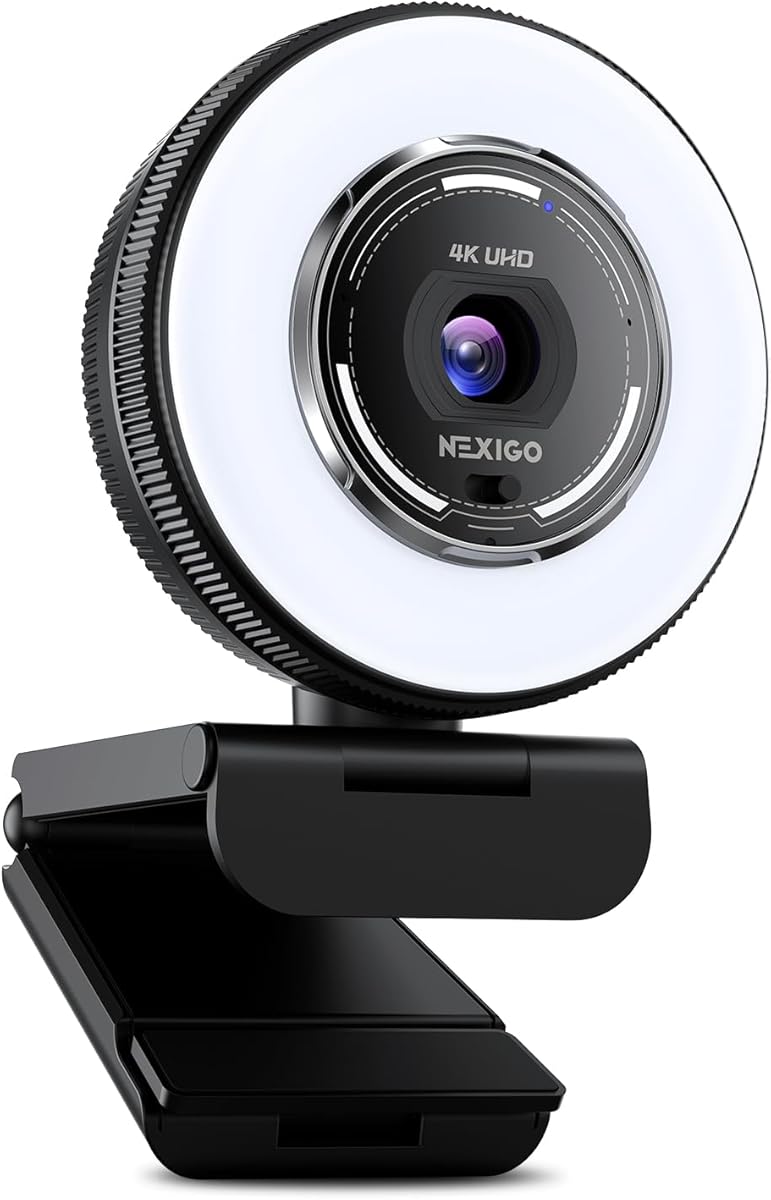
The NexiGo N680E Pro features a premium Sony sensor and an adjustable ring light which helps ensure even illumination on your subject for better green screen results. With a 4.5 star rating it is favored for its clear image quality and convenient lighting options for home studios.
We may earn a commission when you buy through this link, at no additional cost to you.
The tri-tone adjustable ring light offers three color temperature modes and stepless brightness control allowing you to match the lighting to your environment easily. This is critical for green screen work where uneven lighting can cause shadows and make keying difficult even with good software.
While it supports 1080p at 60fps for smooth video it defaults to 4K30 which might be a limitation for high-speed action. The ring light is useful but cannot fully compensate for poor background lighting so proper setup is still required for clean keying.
We suggest this camera for streamers who need reliable lighting and a quality sensor without investing in separate lights. It is a solid choice for podcasters and gamers who want consistent video quality for their virtual setups.
Integrated ring light provides even illumination directly on the subject reducing shadows that often interfere with clean background removal.
The Sony sensor delivers true-to-life video that captures clear detail essential for distinguishing between the subject and the chroma key.
We may earn a commission when you buy through this link, at no additional cost to you.
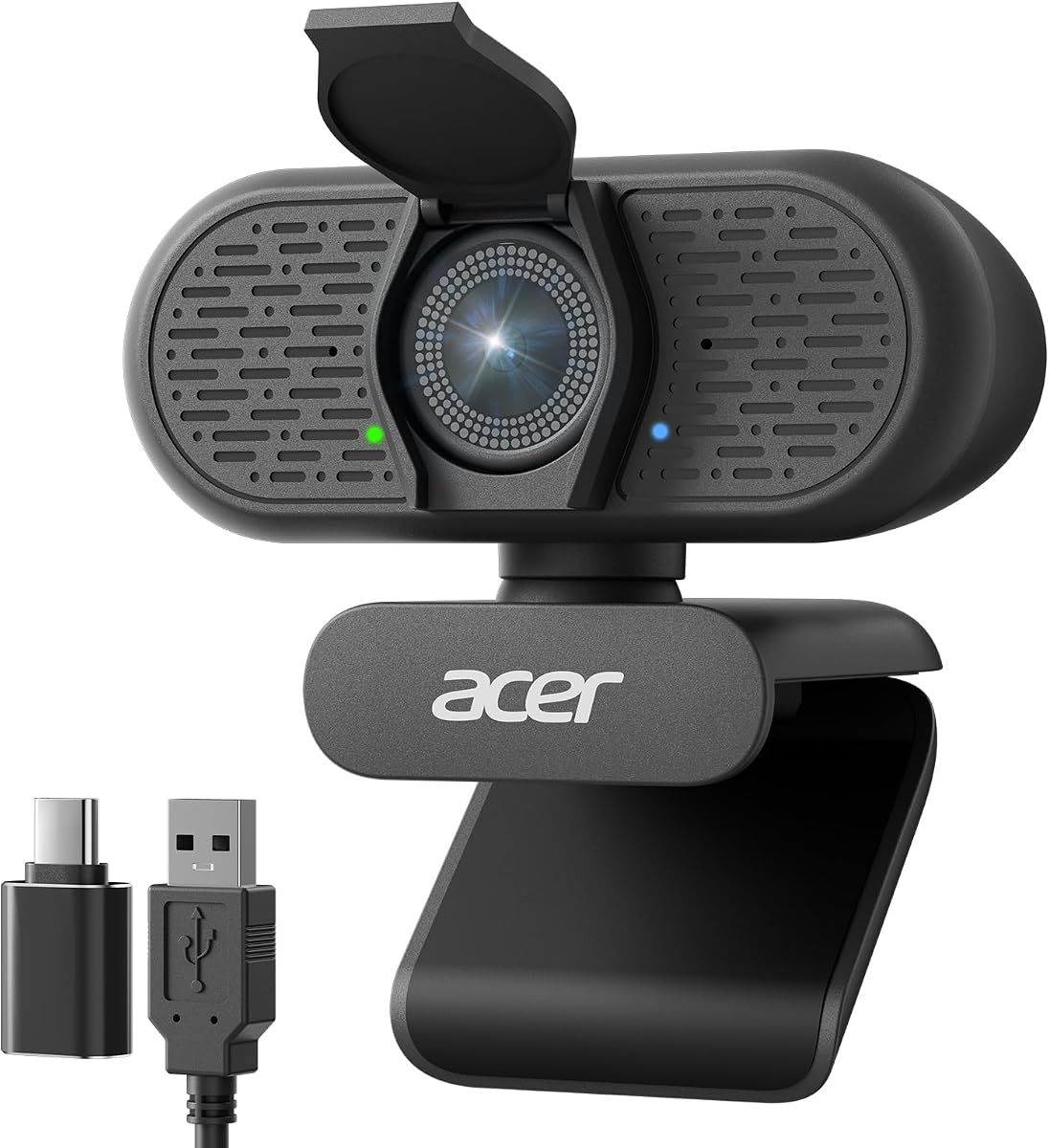
The Acer A640 is designed for simplicity and high fidelity delivering crisp video with a Sony sensor that supports 4K at 30fps. Its 4.5 star rating indicates strong user satisfaction with the image quality and ease of use for daily streaming and conference needs.
We may earn a commission when you buy through this link, at no additional cost to you.
Instant PDAF autofocus locks onto subjects instantly eliminating the focus hunting found in standard webcams for a smooth streaming experience. The AI noise cancellation ensures your voice sounds clear and professional which helps maintain the overall quality of the broadcast regardless of the video setup.
While the image quality is reliable you will need to rely on external software for green screen processing as the hardware does not include built-in chroma keying. The lack of advanced customization features in the software may be a limitation for users seeking fine-grained control.
We recommend this camera for professionals and casual streamers who want a straightforward reliable webcam that just works. It is an excellent choice for those who prioritize audio clarity and fast focus without needing advanced built-in production features.
Phase detection autofocus keeps you sharp immediately allowing for natural movement without distracting focus adjustments during your stream.
AI-powered noise cancellation filters out distractions ensuring your voice remains the focus regardless of background environment noise.
We may earn a commission when you buy through this link, at no additional cost to you.
The OBSBOT Meet 2 is a compact and lightweight webcam that combines AI features with a sleek design suitable for portable green screen setups. With a 4.4 star rating users appreciate its portability and intelligent framing capabilities that help keep the subject centered during movement.
We may earn a commission when you buy through this link, at no additional cost to you.
AI framing and auto focus dynamically adjust the composition and focus of each frame ensuring you stay in the spotlight even when moving around. Gesture control allows you to open or close AI framing with a simple hand signal making it convenient for solo creators.
Note that the 1/2 inch sensor is smaller than premium models which may affect performance in very low light compared to larger sensors. The lack of built-in green screen processing means you will need external software to achieve a virtual background effectively.
This webcam is ideal for mobile workers or streamers who need a high-quality camera that is easy to transport. It is a strong recommendation for those who value intelligent framing and ease of use in a small and affordable package.
Dynamic framing automatically keeps you centered which is essential for maintaining a clean subject separation during green screen streaming.
Weighing only 40.5 grams it is easy to carry and set up anywhere ensuring your virtual background setup travels with you.
We may earn a commission when you buy through this link, at no additional cost to you.
Selecting the right camera for green screen streaming involves understanding how hardware features interact with software to produce clean virtual backgrounds.
A larger sensor captures more light and detail which is crucial for distinguishing your subject from the background during green screen processing. Cameras with sensors like 1/1.5 inch or larger generally perform better in low light and provide the depth needed for accurate keying.
Prioritize cameras with larger sensors if you plan to stream in dimmer conditions or want the highest possible image fidelity.
The aperture controls how much light enters the camera with wider apertures like f/1.05 allowing for better performance in low light. A high-quality lens ensures sharp edges on your subject which helps prevent unwanted artifacts in the green screen cutout.
Look for cameras with wide apertures and custom lenses to ensure your subject remains sharp even when lighting is not perfect.
Some dedicated streaming cameras offer built-in chroma key technology that handles background removal internally reducing the load on your computer. This feature allows you to achieve a virtual set without relying on external software like OBS or specialized plugins.
Consider cameras with built-in green screen options if you want a simplified setup that requires less processing power from your PC.
Fast and accurate autofocus is essential for maintaining a clean key when you move around during a stream. Phase Detection Autofocus (PDAF) systems are generally faster and more reliable than standard contrast-based systems ensuring your subject stays sharp.
Ensure the camera you choose uses advanced autofocus technology to keep edges sharp and prevent focus hunting during live broadcasts.
Even lighting on the subject is vital for green screen work as shadows can make it difficult for software to separate you from the background. Cameras with built-in ring lights or strong auto-light correction can help maintain consistent exposure for cleaner results.
Evaluate whether the camera has integrated lighting tools or if you need to budget for external lights to ensure even subject illumination.
Check that the camera is compatible with your streaming software and operating system to avoid driver issues or feature limitations. Some cameras offer companion apps that unlock advanced features like skin beauty or image overlays which can enhance your green screen workflow.
Verify software support before purchasing to ensure the camera works seamlessly with your existing setup like Zoom or OBS Studio.
Clear audio is just as important as video for a professional stream so consider cameras with high-quality microphones or external mic support. Built-in noise cancellation can help filter out background noise ensuring your voice is heard clearly without distracting from the visual quality.
Look for cameras with dual or multi-mic arrays and noise cancellation to maintain high audio standards alongside your visual setup.
Prices vary widely between standard webcams and dedicated streaming cameras so determine your budget and what features are essential for your needs. Higher-end models often include software features that save money on subscriptions but may have a higher upfront cost.
Balance the initial investment against long-term savings in software or accessory costs to find the best value for your specific streaming goals.
Set up your green screen evenly lit to avoid shadows that can complicate keying. Position your lighting to illuminate the background separately from your subject to ensure a clean separation for the camera to process.
A camera good for green screen streaming has a large sensor and wide aperture to capture sharp details. It should have reliable autofocus and ideally built-in keying features to simplify the background removal process.
Not always. While many webcams rely on PC software for keying, dedicated cameras like the Hollyland VenusLiv Air can stream and key without a computer using built-in tools.
Larger sensors like 1/1.5 inch or larger are best because they capture more light and detail. This helps the camera distinguish your subject from the background more accurately during processing.
Yes, you can use a standard webcam but you will need external software like OBS to handle the keying. Look for models with PDAF focus and good resolution for the best results.
Ensure your green screen is lit evenly and you are well-lit separately. Use a camera with wide aperture and good focus to keep edges sharp for cleaner keying.
4K provides the most detail but 1080p is often sufficient. If you stream in 4K, ensure your camera and software support it for consistent keying performance.
We have reviewed ten top cameras for green screen streaming ranging from budget webcams to dedicated professional units. The Hollyland VenusLiv Air remains our top choice for its built-in keying and reliable performance.