
CORSAIR RS120 ARGB 120mm PWM Fans
4.6Editor score
Daisy chain connections
Low noise operation
Magnetic dome bearing
This guide compares the top Corsair case fans for cooling performance and lighting features to help you choose the right model for your system build.
Choosing the right cooling solution is critical for maintaining optimal system performance and longevity. Corsair offers a diverse range of case fans designed to deliver exceptional airflow and static pressure for various cooling needs.
We evaluated ten distinct models based on their airflow efficiency, noise levels, build quality, and advanced features like RGB lighting and daisy chaining capabilities. This list covers everything from budget-friendly triple packs to premium thick fans.
Each pick highlights specific strengths and ideal use cases so you can match the fan to your radiator or case requirements. Please note that availability and pricing may change frequently on retailer platforms.
4.6Editor score
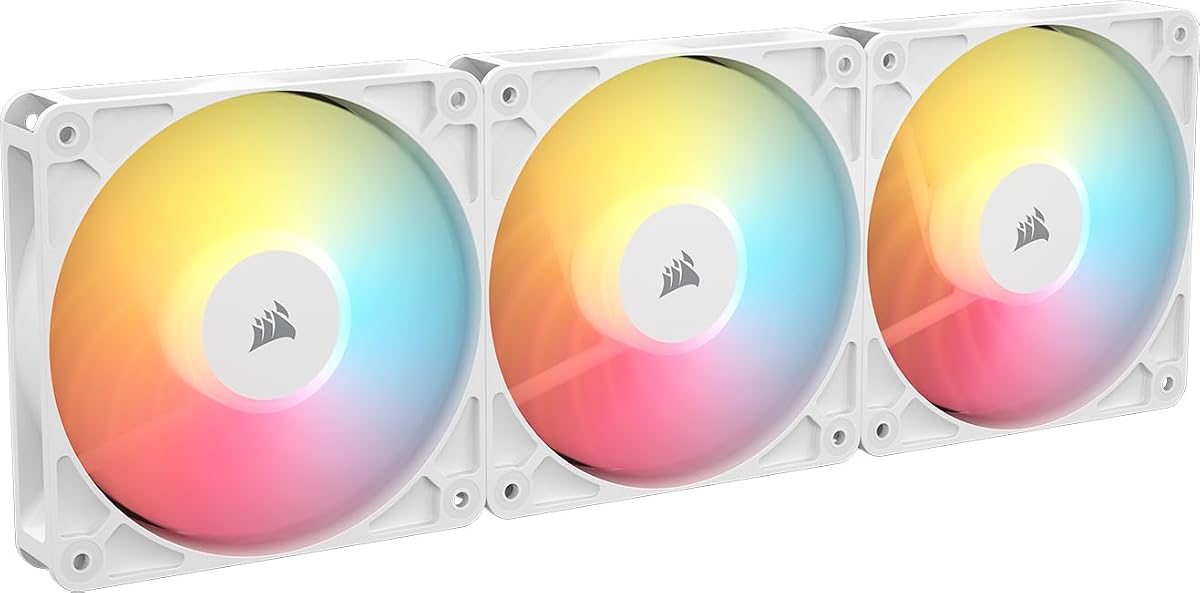
4.7Editor score

4.5Editor score
The following table provides a side by side comparison of all ten models including key specifications like size, speed, and unique technologies to help you make an informed decision.


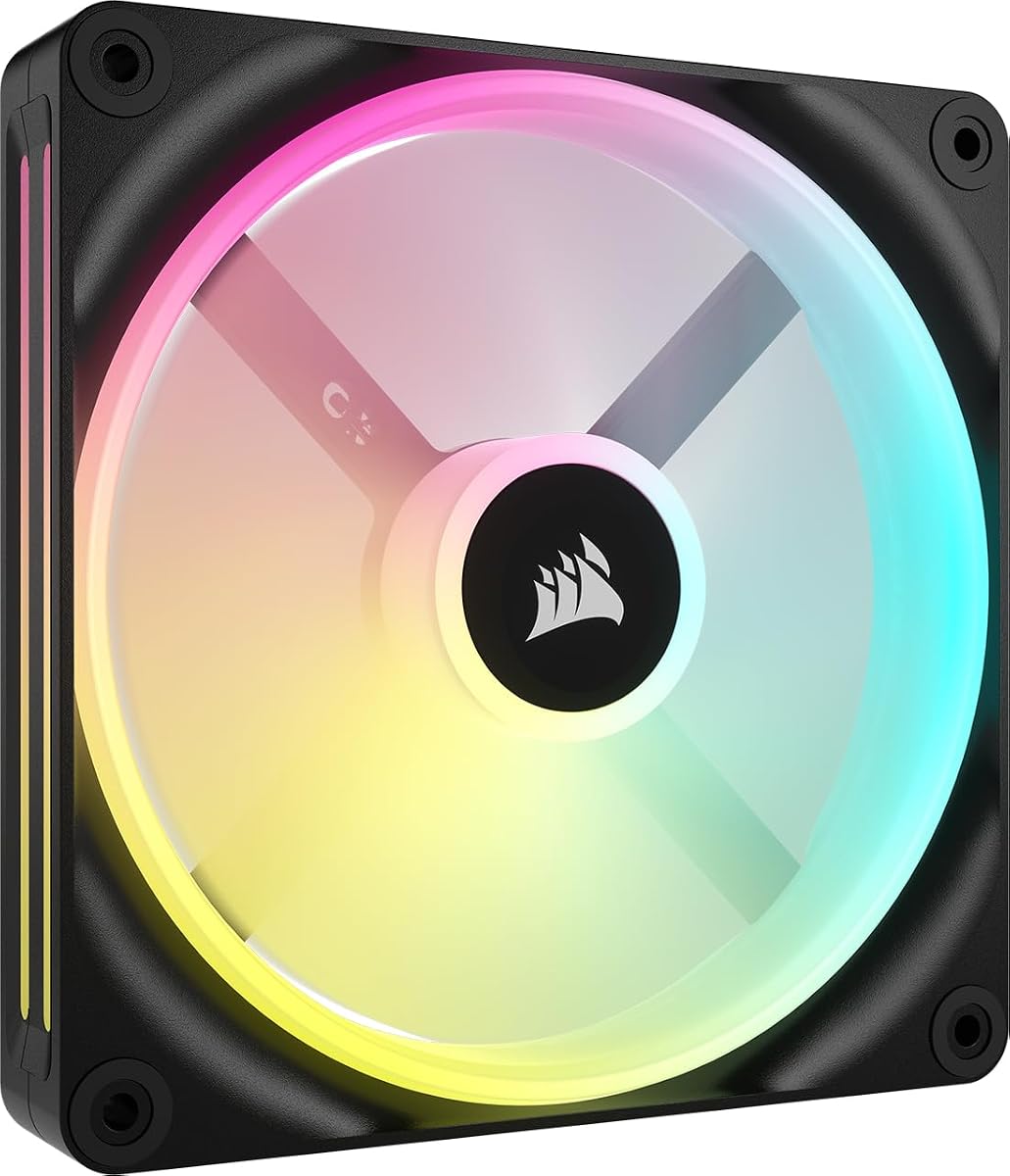


This triple pack of 120mm PWM fans offers a balance of performance and cost efficiency. With a solid 4.6 rating and robust features like AirGuide technology, it is a top choice for builders seeking value.
We may earn a commission when you buy through this link, at no additional cost to you.
The streamlined daisy-chain connection simplifies cable management by allowing control through a single PWM and ARGB connector. Each fan delivers up to 72.8 CFM airflow and 2.8mm H2O static pressure to keep components cool.
While the RGB is limited to eight LEDs per fan compared to newer models, the customization remains effective via motherboard control. The magnetic dome bearing ensures quiet operation and long term reliability for daily use.
Users building a mid range system or upgrading existing cooling will find these fans provide excellent airflow without excessive noise. This model is recommended for those who prioritize thermal performance and simplicity over advanced lighting.
Daisy chain multiple fans together and control them all through just one 4-pin PWM connector and one +5V ARGB connector.
Anti-vortex vanes direct airflow at your hottest components for concentrated cooling, pushing air in the direction you need when mounted to a radiator.
We may earn a commission when you buy through this link, at no additional cost to you.
The iCUE Link LX120 RGB pack distinguishes itself with advanced connectivity and striking dual loop lighting effects. Including the system hub, it offers a complete solution for users wanting synchronized lighting and minimal cabling.
We may earn a commission when you buy through this link, at no additional cost to you.
Performance is strong with speeds reaching 2400 RPM and impressive static pressure of 5.22mm H2O making it effective for radiator cooling. The anti-vortex vanes ensure efficient airflow while the magnetic dome bearing keeps noise low.
The inclusion of bridge connectors allows for a seamless bank of fans connected to a single cable reducing clutter significantly. While the price is higher than standard packs, the convenience and lighting customization justify the investment.
Ideal for users building a fully integrated iCUE ecosystem, this set delivers both visual appeal and cooling power. We recommend this for those who want premium features without managing individual fan cables.
18 LEDs per fan spread across an inner and outer loop enable brilliant, customizable lighting that can be synchronized with all your iCUE RGB devices.
The included iCUE LINK bridge connectors can connect your fans directly to each other, creating a seamless bank of fans all connected to the iCUE LINK System Hub.
We may earn a commission when you buy through this link, at no additional cost to you.
The RS120-R ARGB Reverse fans offer a unique advantage with their reverse rotor design ensuring the RGB lighting remains visible even when mounted as intake. This model holds a high 4.7 rating for its balance of performance and style.
We may earn a commission when you buy through this link, at no additional cost to you.
Eight LEDs per fan provide vibrant customizable lighting controlled through your motherboard. The magnetic dome bearing supports precise PWM speeds up to 2100 RPM while delivering 65.8 CFM airflow for effective system cooling.
A key feature is the Zero RPM mode which allows fans to stop at low loads for silent operation. The white color option matches many modern builds while the AirGuide technology maintains efficient airflow direction.
This set is perfect for builders who prioritize clean looks and visibility without sacrificing thermal performance. We recommend it for those seeking a premium look at a competitive price point.
Achieve your ideal aesthetic with reverse rotor fans ensuring the RGB lighting is fully visible, even when mounted as intake.
Set your fan speeds up to 2,100 RPM while providing up to 65.8 CFM airflow to your system. Set the fan speeds lower when you need them to run quietly.
We may earn a commission when you buy through this link, at no additional cost to you.
Identical to the white version this black triple pack provides the same benefits of a reverse rotor design for visible lighting. It is an excellent choice for dark themed builds requiring high quality intake fans.
We may earn a commission when you buy through this link, at no additional cost to you.
The magnetic dome bearing ensures quiet operation and longevity while the AirGuide technology focuses airflow on critical components. With up to 2100 RPM and 65.8 CFM it handles both intake and radiator tasks well.
Zero RPM mode is a valuable feature for idle silence reducing power consumption and noise. The black finish blends seamlessly into most chassis designs while maintaining the premium look of the RS series.
We recommend this for users needing reliable cooling with a dark aesthetic that matches standard PC components. It stands out as a solid value for reverse fans that do not compromise on performance.
RS-R ARGB Fans are available in black or white to suit a variety of PC builds.
RS-R ARGB fans work well cooling radiators with a static pressure of 2.81 mm H2O to push through obstructions.
We may earn a commission when you buy through this link, at no additional cost to you.
This single 140mm fan offers impressive airflow capabilities reaching 82.5 CFM with precise PWM control. The QX series is designed for users who need powerful single unit cooling or are building a modular system.
We may earn a commission when you buy through this link, at no additional cost to you.
It features exclusive Time Warp lighting mode when paired with the iCUE LINK System Hub adding unique visual flair. The bridge connectors allow for easy expansion without extra cables supporting clean builds.
The magnetic dome bearing reduces friction and noise ensuring quiet performance even at higher speeds. Zero RPM mode further enhances silent operation during light workloads making it versatile for various setups.
We recommend this for those needing a high airflow 140mm fan with premium build quality. It is ideal for cases supporting larger fans or users looking to expand their cooling with the iCUE Link ecosystem.
Equipped with 34 RGB LEDs, spread across two distinct light zones on either side, and powered by iCUE LINK for exclusive lighting modes such as the strobing Time Warp.
Chain your fan together with other iCUE LINK QX140 RGB fans without wires using the included bridge connectors, and seamlessly connect them all to an iCUE LINK System Hub.
We may earn a commission when you buy through this link, at no additional cost to you.
This kit combines the benefits of reverse rotor design with the convenience of iCUE Link connectivity for a seamless install. The inclusion of QuikTurn screws makes mounting faster and easier than traditional fans.
We may earn a commission when you buy through this link, at no additional cost to you.
It delivers 66.7 CFM airflow with 4.72mm H2O static pressure ensuring effective cooling for radiators or intake. The dual light loops offer stunning visuals that can be synchronized with other iCUE devices.
Zero RPM mode helps maintain silence during low load scenarios while the magnetic dome bearing ensures durability. The bridge connectors simplify cabling by linking fans directly to the hub with one cable.
We recommend this for users wanting the easiest install with premium aesthetics and strong performance. It is best suited for those already invested in the iCUE ecosystem or planning a full build.
Flip the script on your build with reversed rotor fans that ensure the RGB ring remains fully visible, even when mounted for intake.
Deliver superb airflow to your system with precise PWM controlled speeds up to 2,400 RPM, pushing 66.7 CFM of air.
We may earn a commission when you buy through this link, at no additional cost to you.
The RX140 MAX is engineered with a 5mm thicker blade to move more air at lower speeds for better efficiency. This results in an impressive 102.9 CFM airflow which is ideal for large radiators.
We may earn a commission when you buy through this link, at no additional cost to you.
It maintains vivid RGB lighting with a window in the frame allowing side viewing effects. The magnetic dome bearing supports quiet operation while the LINK connectivity simplifies cabling significantly.
While the RPM is lower than other models the physical size of the blades compensates with high volume airflow. The static pressure is sufficient for high density radiators making it a top choice for cooling.
We recommend this for users needing maximum airflow with minimal noise in a white chassis. It is perfect for those who can accommodate the thicker profile for better thermal performance.
A 5mm thicker fan blade enhances cooling by moving more air at the same speed as thinner fans, while reducing noise since the RX MAX can spin slower.
With 2.38mm-H2O of static pressure, the RX MAX RGB Series is great for pushing air through obstructions such as high-density radiators.
We may earn a commission when you buy through this link, at no additional cost to you.
This fan uses Liquid Crystal Polymer construction for superior rigidity and vibration reduction improving overall performance. The 30mm thickness allows for a larger blade that delivers strong airflow and pressure.
We may earn a commission when you buy through this link, at no additional cost to you.
It provides up to 72 CFM airflow with 4.2mm H2O static pressure making it suitable for radiator mounts. The PWM control allows for precise speed adjustments while AirGuide technology focuses the airflow.
The build quality is a key advantage as the material ensures longevity and quiet operation. It is designed to push air through obstructions efficiently which is crucial for tight chassis environments.
We recommend this for users needing a durable high pressure fan for a dark build. It is an excellent choice for those who prioritize build quality and reliability in their cooling setup.
Incredibly strong and durable with excellent rigidity, reducing blade vibration and increasing performance.
The RS120 MAX’s increased thickness results in 4.2mm-H2O of static pressure, perfect for pushing air through obstructions such as high-density radiators.
We may earn a commission when you buy through this link, at no additional cost to you.
This RX series fan delivers exceptional airflow of 95.7 CFM at moderate speeds of 1700 RPM for quiet efficiency. The white finish complements modern aesthetic builds while the LINK technology simplifies wiring.
We may earn a commission when you buy through this link, at no additional cost to you.
It features a window design for side lighting effects and AirGuide technology to direct airflow precisely. The magnetic dome bearing supports smooth operation and the static pressure is solid for radiators.
Bridge connectors are included to chain fans seamlessly to a hub with just a single cable. This design reduces clutter and makes maintenance easier for complex cooling systems.
We recommend this for those needing a reliable white 140mm fan with high volume output. It is a great fit for users seeking efficient cooling with premium visual integration.
Set precise fan speeds up to 1,700 RPM while providing up to 95.7 CFM airflow to your system.
Eight RGB LEDs display vivid lighting effects, with a window built into the frame to enable viewing of your lighting from the side.
We may earn a commission when you buy through this link, at no additional cost to you.
This kit offers a cost effective entry into the iCUE ecosystem by including the required system hub with two fans. The renewed condition often provides significant savings while maintaining functionality.
We may earn a commission when you buy through this link, at no additional cost to you.
The QX140 fans deliver solid cooling performance with the convenience of bridge connectors for simple cable management. This makes it an attractive option for users wanting to upgrade their cooling without buying components separately.
Users should note that renewed items may have cosmetic signs of wear but are tested for performance. The white finish ensures it fits bright chassis designs and the included hub is a major bonus.
We recommend this for budget conscious builders needing a complete hub and fan solution. It is best for those willing to accept minor cosmetic issues for a lower price point.
Double Fan Starter Kit with iCUE LINK System Hub providing a full solution in one package.
Renewed items are tested for functionality and provide a savings for those not concerned about perfect aesthetics.
We may earn a commission when you buy through this link, at no additional cost to you.
Selecting the right case fan involves considering several technical factors to ensure they fit your build and meet cooling requirements.
Corsair offers fans in 120mm and 140mm sizes. You must check your case specifications to ensure clearance for the diameter and depth. Most cases support 120mm as standard while 140mm may require larger chassis.
Always measure your case before buying to avoid incompatibility issues. The size will determine airflow capacity and fit in intake or exhaust slots.
Airflow measured in CFM is important for general intake and exhaust while static pressure is critical for radiators. Fans designed for radiators usually have higher static pressure to push air through dense fins.
Choose high static pressure fans for radiators and high airflow fans for unobstructed case positions. This distinction ensures maximum cooling efficiency for your specific components.
Corsair fans feature standard 5V ARGB or proprietary iCUE Link systems. ARGB requires a motherboard header while iCUE Link uses a hub for unified control. Decide if you want motherboard control or a hub for simplicity.
Consider the complexity of your setup. iCUE Link offers easier cabling but requires additional hardware. Standard ARGB is cheaper but relies on your motherboard capabilities.
Fan bearings like magnetic dome ensure longevity and quiet operation. Noise levels can be influenced by speed and blade design. Look for fans with RPM limits that match your noise tolerance.
Lower RPM fans are generally quieter but may provide less cooling. If silence is a priority prioritize models with Zero RPM mode to stop fans when not needed.
Modern fans like those in the iCUE Link series offer daisy chaining or bridge connectors. These reduce cable clutter by allowing multiple fans to connect to one port. It is a significant convenience for cable management.
Check if the pack includes the necessary connectors or hubs. Standard fans require separate PWM cables while iCUE fans simplify the process with bridge hardware.
Fans are available in black or white to match your case aesthetics. White fans are often preferred for bright builds while black blends into dark interiors. This choice is purely visual but important for appearance.
Ensure the fan color matches your case and other components. Mismatched colors can detract from the overall look of your build.
Pricing varies by feature set and packaging. Triple packs usually offer better value than single fans. Consider the cost per fan and the added value of features like included hubs.
Determine your budget range and prioritize essential features. A mid range fan often provides the best balance of performance and cost for typical builds.
Install the fans securely using the provided screws or QuikTurn screws to prevent vibration. Ensure the direction of airflow is correct for intake or exhaust positions to maintain positive pressure.
Connect the fans to your motherboard or iCUE Link hub according to the manual. Use the software to set up RGB effects and speed curves based on system temperature monitoring.
Regularly clean dust from the blades and frames to maintain airflow efficiency. Use compressed air or a soft brush to remove buildup that may affect performance or noise.
Most Corsair fans use standard 4-pin PWM and 5V ARGB connectors which are widely supported. However, iCUE Link fans require a specific hub for their proprietary connection. Always check your motherboard specifications before purchasing to ensure compatibility.
140mm fans move more air at lower speeds which typically results in better noise performance for the same cooling. 120mm fans are more common and fit in tighter spaces. The choice depends on your case design and airflow needs.
Reverse rotor fans hide the motor and wires on the back making the RGB ring fully visible when mounted as intake. Many users find this provides a cleaner look without visible cables blocking the lights.
No you can control ARGB fans via your motherboard header. However the hub is required for the proprietary iCUE Link features and seamless cable management. Standard RGB fans do not need the hub to function.
Look for fans with high static pressure measured in mm H2O. High static pressure fans push air through dense fins more effectively. Models like the RS MAX or RX series are designed for these tasks.
You can mix models but ensure the speeds and lighting systems are compatible. If using iCUE Link ensure all fans connect to the hub. Using standard PWM fans requires matching headers on your motherboard.
We reviewed ten top models ranging from budget triple packs to premium thick fans to help you find the right cooling solution. Each offers unique features like AirGuide technology or LINK connectivity to suit different needs.
When deciding prioritize airflow performance for your specific case layout and consider whether you need integrated hubs for cable management. Matching the fan size and color to your build is also essential for a cohesive look.
Please check current availability and pricing as these values change regularly. We hope this guide helps you upgrade your system with reliable cooling that keeps temperatures low and performance high.