
Entina Tina2C 3D Printer
4.4Editor score
Start in 8 Mins
App Control
Auto Leveling
This guide compares the top easy to use 3D printer models for beginners and experts, focusing on calibration, speed, and reliability.
Finding an easy to use 3D printer can transform your creative projects into reality without the usual technical headaches. Modern machines now feature auto calibration and intuitive interfaces that make printing accessible to everyone.
We evaluated ten top models based on setup time, calibration ease, speed, and reliability. Each entry in this list offers a distinct balance of features suited for different skill levels and home environments.
Every pick below highlights key strengths and potential trade-offs to help you decide. Keep in mind that prices and stock fluctuate frequently, so check current listings before making your final purchase decision.
4.4Editor score

4.7Editor score

4.5Editor score
This side-by-side comparison highlights the unique strengths of each model. From compact starters to high-speed powerhouses, find the right fit for your specific printing needs.




The Bambu Lab A1 is a standout in the realm of easy to use 3D printers. With a 4.7 rating, users praise its plug-and-play setup and reliable performance right out of the box.
We may earn a commission when you buy through this link, at no additional cost to you.
Its standout feature is the full-auto calibration system. You never need to manually adjust the bed or nozzle height. Active flow rate compensation ensures smooth prints every time, reducing failure risks significantly.
While it excels in speed and quality, note that multi-color printing requires an AMS lite unit sold separately. Also, its size may require more desk space than smaller starter models.
This printer is perfect for beginners who want professional results without the hassle. If you value time-saving tech and reliable output, the A1 is a top-tier choice for home use.
The printer handles all leveling and calibration tasks automatically. This removes the guesswork and ensures a perfect first layer every single time without manual tinkering.
Active motor noise canceling keeps the environment peaceful. High acceleration allows rapid printing, meaning you can finish projects in half the time of traditional machines.
We may earn a commission when you buy through this link, at no additional cost to you.
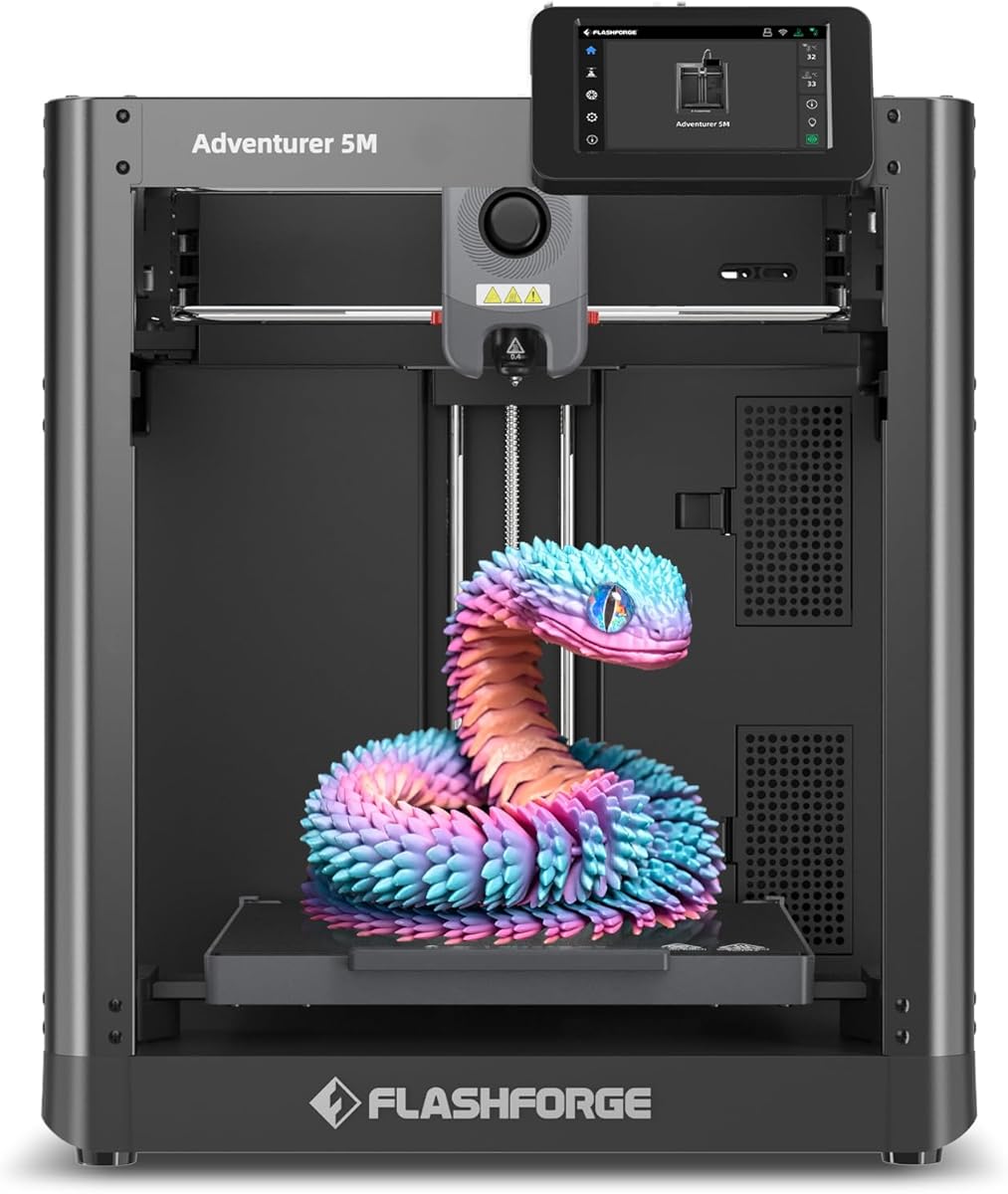
The Adventurer 5M combines high speed with user-friendly features. Its CoreXY structure allows travel speeds up to 600mm/s. This is great for rapid prototyping and quick daily prints.
We may earn a commission when you buy through this link, at no additional cost to you.
One-click automatic printing removes the hassle of manual leveling. The 3-second detachable nozzle makes swapping parts fast. Smart app monitoring lets you track progress remotely without being near the machine.
Some users report mixed experiences with setup consistency. The smaller build volume may limit larger projects. Overall, it offers high potential if you enjoy tweaking settings for peak performance.
Ideal for those wanting high-speed efficiency at home. If you prioritize speed over massive print volume, this model provides a strong balance of performance and ease of use.
The dual-sided PEI platform ensures easy removal. Vibration compensation improves quality even at high speeds, making it reliable for detailed miniatures or functional parts.
The Flash Studio app allows real-time monitoring. You can adjust settings remotely and receive alerts if an issue arises, ensuring you never miss a print failure.
We may earn a commission when you buy through this link, at no additional cost to you.
The A1 mini brings premium features to a tiny footprint. With its LED Lamp Kit, you can start creating functional decor immediately. It simplifies 3D printing from day one with zero fuss.
We may earn a commission when you buy through this link, at no additional cost to you.
Automatic calibration and easy setup are key selling points. The Bambu ecosystem offers a huge library of ready-to-print models. This reduces the learning curve for new users significantly.
While the bed is small, it is perfect for most hobbyist needs. Some advanced features require add-ons, but the base unit is capable and reliable for everyday creativity.
Perfect for students or those with limited space. If you want quality without sacrificing desk room, this mini printer delivers professional results in a friendly, approachable package.
The included LED Lamp Kit lets you print models that light up. This adds immediate utility and fun to your prints, encouraging daily use and exploration.
Access MakerWorld models via the app. You can find tested designs instantly, reducing failures and ensuring successful prints on your very first try.
We may earn a commission when you buy through this link, at no additional cost to you.
The P1S combines speed with a fully enclosed body. This design allows printing of advanced materials like ABS and ASA. It is robust, reliable, and ready for serious creative projects.
We may earn a commission when you buy through this link, at no additional cost to you.
Auto bed leveling makes setup incredibly easy. You can be printing within 15 minutes of unboxing. High acceleration ensures fast production, making it ideal for prototyping or small businesses.
While it costs more, the performance and material versatility justify the investment. Multi-color requires an AMS, but the base machine supports a wide range of filaments out of the box.
Best for those needing a versatile, high-performance machine. If you want to print everything from toys to engineering parts without swapping machines, the P1S is a solid premium choice.
The enclosure improves temperature stability. This ensures consistent results with harder plastics that warp easily, expanding your material options beyond basic PLA.
Designed for hassle-free assembly. You spend more time printing and less time building, making it perfect for users who want instant gratification.
We may earn a commission when you buy through this link, at no additional cost to you.
This printer brings AI tools to home 3D printing. Children can create custom models using voice or images without design skills. It turns a toy factory into an educational creative hub.
We may earn a commission when you buy through this link, at no additional cost to you.
AI Doodle and MiniMe features transform ideas into 3D assets. One-tap printing simplifies the process. The enclosed design ensures safety, keeping fingers away from hot parts during operation.
The included kit has 8 filament rolls, saving early costs. However, it only supports single-color printing. Multi-color designs require assembling separate parts, which adds steps for complex projects.
Ideal for families wanting a safe, creative gift. If you want your child to learn tech while making toys, this model offers unmatched educational value and ease of use.
Turn photos into cartoon figures or draw with voice prompts. This removes the need for modeling software, making 3D printing accessible to kids without coding experience.
Built-in camera lets parents watch progress. Time-lapse videos capture the journey from idea to object, making it easy to share and celebrate achievements.
We may earn a commission when you buy through this link, at no additional cost to you.
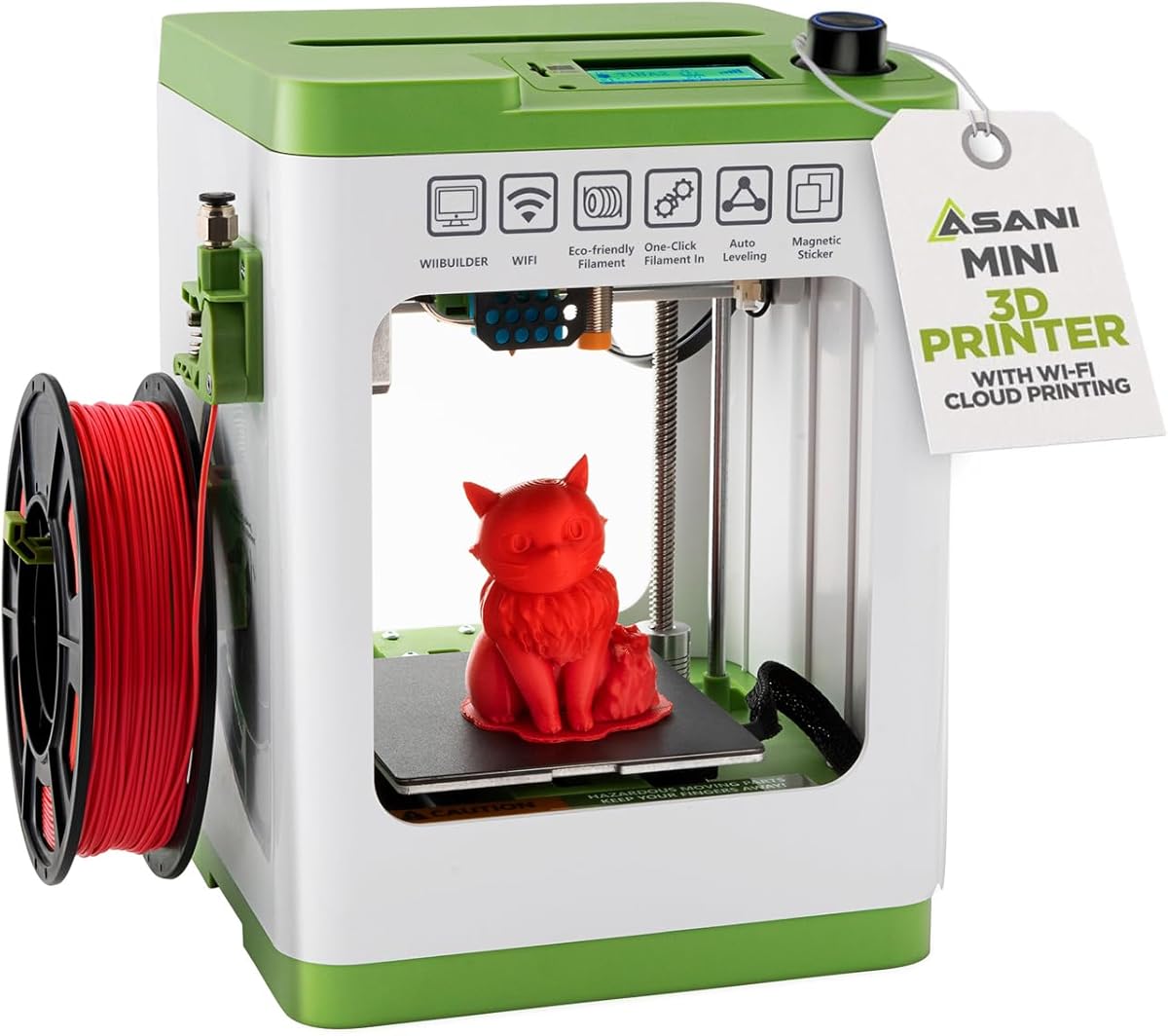
The Tina2C is designed for first-time users who want simplicity. Fully assembled, you can start printing in 8 minutes. This eliminates complex assembly tasks and reduces setup frustration.
We may earn a commission when you buy through this link, at no additional cost to you.
Auto leveling ensures consistent first layers. The Poloprint Cloud app offers STEM courses and design tools. Kids can learn while creating, making it a great educational investment for the home.
Its compact size fits anywhere but limits large prints. While it uses standard software, some features rely on its proprietary app. For basic learning, it is robust and easy to manage.
Perfect for classrooms or family projects. If you want a safe, educational starter printer that requires no technical knowledge, the Tina2C offers excellent value and ease of use.
The app includes interactive STEM learning courses. Users can access photo-to-print features and search for models, turning printing into a structured learning activity.
Designed to reduce clogs and maintenance. This keeps the printer running smoothly, ensuring fewer failures and more time spent on creative projects.
We may earn a commission when you buy through this link, at no additional cost to you.
The AD5M blends speed with durability. Its CoreXY structure ensures smooth movement. One-click leveling removes manual adjustments. This allows users to focus on design rather than mechanical tweaking.
We may earn a commission when you buy through this link, at no additional cost to you.
Tool-free nozzle swaps take seconds. Power loss recovery saves your work during outages. These features ensure reliability and convenience for daily use. The Orca flashforge slicer enables efficient management.
While powerful, it requires some technical familiarity. Smaller build volume limits large items. Still, for prototyping and detailed work, it offers high value and performance at a reasonable price point.
Great for hobbyists needing reliable speed. If you want professional features without the high-end price tag, the AD5M provides a strong balance of quality and ease of use.
If electricity fails, it saves the layer and resumes later. This prevents wasted material and time, ensuring long prints finish successfully even if power fluctuates.
Flash Maker app allows remote monitoring. Manage multiple printers and adjust parameters anywhere, making it easy to track progress without constant physical checks.
We may earn a commission when you buy through this link, at no additional cost to you.
The TINA2S comes with everything you need. Included filament and pre-installed models mean you can print immediately. It is designed for kids and beginners with a focus on simplicity.
We may earn a commission when you buy through this link, at no additional cost to you.
Auto leveling and a dual Z-axis rail improve precision. One-touch filament loading simplifies maintenance. Compatible with standard slicing software, it offers flexibility for learning and customization.
Ensure you use the correct magnetic plate. Non-magnetic plates cause sensor issues. While minor, this requires attention. For most users, the kit approach makes it the easiest path into 3D printing.
Ideal for educational environments. If you want a plug-and-play solution that includes all accessories, the TINA2S reduces friction and helps you start creating immediately.
Load filament with a button press. This removes the manual threading struggle, making it easy for children to manage their own projects safely.
Works with Cura and Simplify3D. This flexibility lets you explore various settings and models, expanding your creativity beyond the included starter kit.
We may earn a commission when you buy through this link, at no additional cost to you.
The Ender 3 V3 SE brings auto leveling to budget buyers. Setup is straightforward. CR Touch calibration ensures a reliable first layer. This simplifies the experience for new users.
We may earn a commission when you buy through this link, at no additional cost to you.
Sprite direct drive extruder handles flexible filaments well. A 32-bit silent mainboard keeps noise low. It supports high-speed printing while maintaining steady performance on compatible materials.
While affordable, it lacks advanced features like remote monitoring. The build volume is modest. Still, its cost-effectiveness and ease of use make it a strong contender for entry-level printers.
Perfect for tight budgets. If you want reliable auto leveling and good quality without breaking the bank, this model offers the best value for basic 3D printing needs.
Supports smooth feeding of TPU and other flexible materials. This expands your material options and ensures consistent flow even for complex printing tasks.
Quiet mainboard reduces noise significantly. This makes it suitable for shared spaces like bedrooms or offices where loud machinery would be disruptive.
We may earn a commission when you buy through this link, at no additional cost to you.
The Kobra X simplifies multi-color printing. It comes with native 4-color capability built-in. LeviQ 3.0 auto bed leveling ensures 100% bed flatness. This reduces setup time significantly.
We may earn a commission when you buy through this link, at no additional cost to you.
High speed and vibration compensation ensure smooth layers. The top-mount spool holder saves space. Remote monitoring via app allows you to check status from anywhere without physical access.
Filament is sold separately, adding initial cost. Multi-color is limited to four at once. Despite this, the convenience of built-in color switching is a major advantage for creative projects.
Great for those wanting color without complex add-ons. If you want vibrant prints without separate modules, the Kobra X offers a unique, easy-to-use path into multicolor 3D printing.
Uses 49-point calibration for precision. This ensures every print bed is perfectly flat, leading to successful first layers and higher quality results consistently.
Features spaghetti detection and alerts. This helps you catch errors early before wasting material, ensuring efficient use of time and resources.
We may earn a commission when you buy through this link, at no additional cost to you.
Selecting the right 3D printer involves evaluating speed, ease of setup, build size, and safety. Use this guide to find the perfect match for your home or business.
Look for models with auto-leveling and auto-calibration. These features remove manual adjustments, ensuring a perfect first layer every time. Fully assembled units reduce initial friction significantly.
Prioritize printers with automatic leveling to avoid frustrating setup. Easy setup is the cornerstone of a truly user-friendly experience.
Speed impacts productivity and project turnaround. Modern easy to use 3D printers offer speeds up to 600mm/s. Higher acceleration means faster prints without compromising detail or quality.
High-speed printers allow more experimentation. Faster turnaround ensures you stay motivated and productive with your creative projects.
Consider the size of objects you want to print. Compact models suit small hobbies. Larger beds accommodate bigger projects but may require more space and careful leveling.
Match the build volume to your needs. Small machines save space while large ones handle detailed, ambitious projects effectively.
Safety is key for home use. Enclosed bodies protect users from hot parts. Pinch-resistant designs ensure safe operation around children and pets without physical risk.
Choose models with safety certifications. Safe operation ensures peace of mind during all stages of printing.
Check supported filaments. PLA is beginner-friendly. Advanced options like ABS need enclosed bodies. Versatility expands your creative possibilities beyond simple plastic parts.
Ensure the printer supports your desired material. Versatile machines unlock broader application and more professional results.
User-friendly apps simplify control. Look for remote monitoring and slicing tools. Integrated libraries offer ready-to-print models to reduce setup steps and trial and error.
Robust software reduces learning curves. Easy access to models and controls ensures a smooth workflow.
Quiet operation is vital for shared spaces. Look for motors with noise canceling or silent boards. Low noise allows printing without disruption in living or office environments.
Prioritize silent operation for comfort. Quiet machines ensure you stay focused on your work without distraction.
Check for community support and spare parts availability. Easy access to nozzles, fans, and beds reduces downtime. Open-source options allow greater customization if needed.
Strong support ensures longevity. Reliable parts and community help keep your machine running for years.
Always start by leveling the bed using the auto settings. Clean the build surface with alcohol to ensure proper adhesion and prevent warping of printed models.
Maintain the printer by wiping the nozzle and lubricating rods monthly. Replace worn parts like belts or fans as needed to keep performance consistent over time.
Store filament in dry containers to prevent moisture damage. Dry and store materials carefully to ensure smooth extrusion and high-quality results every time.
Yes, many modern models are designed for kids with enclosed bodies and pinch-resistant features. Always supervise operation and choose certified safe filaments to ensure a secure creative environment for children.
Most printers come with a recommended app, but they are compatible with popular slicers like Cura. These tools allow you to customize settings and prepare models for successful 3D printing.
PLA is the best starting material due to its ease of use and low odor. It prints reliably and does not require high temperatures, making it ideal for new users learning the basics.
Most easy to use 3D printers feature quiet motors and boards to reduce noise. This allows them to operate in living spaces without causing significant disturbance to others around them.
Many modern machines are fully assembled and take less than 15 minutes to set up. Auto-calibration ensures you are printing quickly without needing extensive technical adjustments beforehand.
Yes, some models support multicolor printing either through built-in systems or add-on modules. This allows you to create vibrant, detailed prints without manual color swapping during the process.
Regular cleaning of the nozzle and lubricating the rods ensures consistent performance. Checking belts and replacing worn parts as needed will keep your machine running smoothly for years.
Compact models fit easily on standard desks. Larger units may require more space. Measure your area before buying to ensure the printer fits comfortably without restricting workflow.
The Bambu Lab A1, Entina Tina2C, and Bambu Lab P1S lead this list with outstanding ease of use. Whether you want budget value or premium performance, these models provide reliable experiences.
Focus on auto-calibration and safety if you prioritize simplicity. Consider speed and build volume if you plan larger projects. Match the features to your specific creative goals.
Prices fluctuate frequently, so check current listings before purchasing. Ensure the model you select fits your workspace and skill level for the best 3D printing experience.