
10Gb PCIe NIC Network Card Intel 82599EN SFP+ X520-DA1 Compatible
4.5Editor score
Genuine Intel 82599EN Silicon
No vendor lock on SFP+ cage
Plug and play on Proxmox
Full-height and low-profile brackets
This guide compares the top ten Fiber Optic Network Interface Card options for servers and PCs to help you choose the right high speed networking solution for
Fiber optic network interface cards provide critical connectivity for modern data centers and high performance computing environments requiring reliable high speed data transmission over long distances.
We evaluated ten leading models based on chipset performance compatibility with various operating systems ease of installation and overall value to determine which options deliver the best results.
Each product overview includes detailed specifications real world performance insights and potential limitations so you can make an informed decision while keeping in mind that prices fluctuate frequently.
4.5Editor score
4.9Editor score

5.0Editor score
The following comparison table provides a concise overview of the key specifications and features for each of the ten fiber optic network interface cards reviewed in this guide to assist you in quickly identifying the model that best fits your specific networking requirements and infrastructure constraints.


The CX4121A adapter stands out as the top choice for professionals seeking high performance networking capabilities with its dual 25Gb/s SFP28 fiber ports delivering unmatched data throughput for demanding environments.
We may earn a commission when you buy through this link, at no additional cost to you.
Powered by the Mellanox ConnectX-4 Lx EN controller this card supports advanced features like RDMA over RoCE and SR-IOV making it ideal for virtualization and storage servers requiring low latency connections.
While it requires specific SFP28 transceivers and cables which can add to the initial setup cost the performance gains and flexibility it offers justify the investment for serious network upgrades.
This adapter is best suited for data centers and high performance computing setups where maximum bandwidth and efficient data handling are critical for maintaining optimal system performance and reliability.
The dual 25GbE ports provide massive bandwidth allowing for simultaneous high speed data transfers without bottlenecking your system resources or network infrastructure.
With support for SR-IOV and other virtualization technologies this card ensures efficient resource allocation across multiple virtual machines for improved overall system efficiency.
We may earn a commission when you buy through this link, at no additional cost to you.
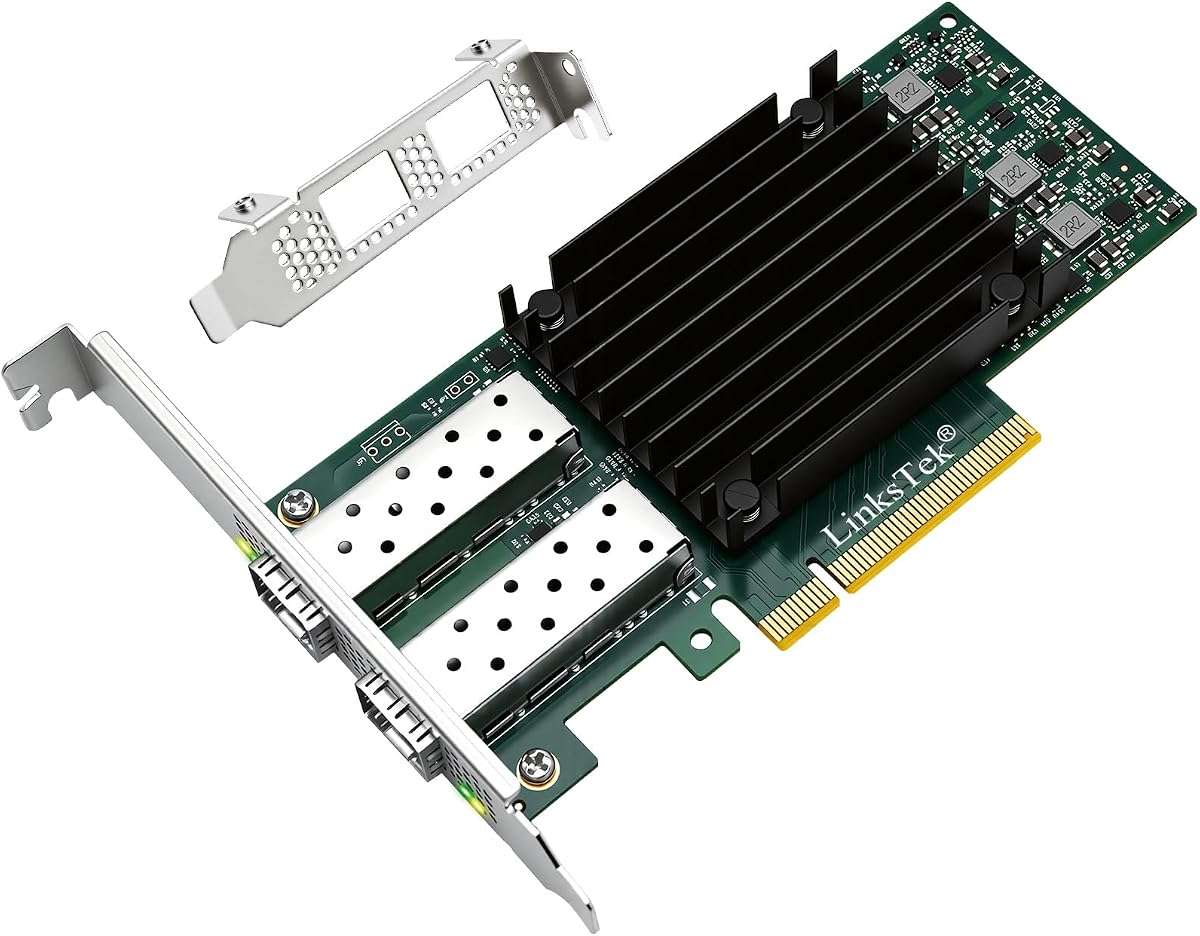
This 10Gb PCIe NIC offers an exceptional balance of performance and affordability making it a top contender for users needing reliable gigabit connectivity without breaking the bank.
We may earn a commission when you buy through this link, at no additional cost to you.
Featuring the genuine Intel 82599EN silicon it delivers sustained 10Gbps throughput suitable for NAS transfers and iSCSI storage while maintaining compatibility with a wide range of third party optics.
The lack of vendor lock on the SFP+ cage allows you to use various DAC twinax AOC and fiber optics giving you flexibility to choose components that fit your budget.
Ideal for home labs and small office setups this card provides professional grade performance at a consumer friendly price while ensuring stable connectivity for your network storage needs.
Unlike branded Intel cards this adapter accepts third-party modules and cables allowing you to choose cost-effective optics without risking compatibility issues.
Works seamlessly with Proxmox TrueNAS Unraid and ESXi as well as Linux distributions making it versatile for various server operating system environments.
We may earn a commission when you buy through this link, at no additional cost to you.
The StarTech 2-Port GbE SFP network card is a premium choice for enterprise environments requiring reliable dual port connectivity with extensive management features and robust build quality.
We may earn a commission when you buy through this link, at no additional cost to you.
Built around the Intel I350 series chipset it supports advanced offloading and virtualization technologies while providing two unlocked SFP slots for maximum compatibility with fiber or copper modules.
Its thoughtful design includes a built-in heatsink for thermal management and LED indicators for easy troubleshooting ensuring consistent performance even under sustained workload conditions.
Best for IT professionals and server administrators this card delivers exceptional reliability and manageability for networks prioritizing stability and ease of maintenance over maximum speed.
Supports PXE boot VLAN tagging and 9K jumbo frames for efficient network management and reduced packet overhead in complex enterprise environments.
The built-in heatsink keeps the controller chip at optimal temperatures ensuring sustained performance during long periods of intensive network activity.
We may earn a commission when you buy through this link, at no additional cost to you.
This adapter is designed for users who need stable 10GbE connectivity for gaming storage and virtualization tasks without the complexity of enterprise grade network configurations.
We may earn a commission when you buy through this link, at no additional cost to you.
Featuring the Intel 82599ES controller it provides reliable LAN and SAN connectivity with support for iSCSI and FCoE protocols making it versatile for diverse storage needs.
While drivers are required for Windows 10 and 11 once installed it offers seamless performance with advanced features like traffic management and virtualization support built-in.
Suitable for power users and small businesses this card balances performance and ease of use ensuring smooth high speed data transfer for local storage and network tasks.
Supports Intel Virtualization Technology including VMDq and SR-IOV for efficient resource allocation across multiple virtual machines.
Compatible with DAC AOC and fiber optic transceivers offering flexible connection options to match your existing network cabling infrastructure.
We may earn a commission when you buy through this link, at no additional cost to you.
Asus delivers a reliable 10Gbps adapter that combines high performance with effective thermal management ensuring consistent speeds even during intensive data transfer sessions.
We may earn a commission when you buy through this link, at no additional cost to you.
The built-in aluminum heatsink keeps the card cool during high performance tasks while the SFP+ cage supports both fiber optic and direct attach copper connections for flexibility.
Automatic prioritization technology boosts bandwidth for important streams or games which is especially useful for users sharing bandwidth across multiple network activities.
Recommended for desktop users seeking to upgrade to 10G fiber connectivity this card offers solid performance and reliable cooling in a compact stylish design.
The stylish aluminum heatsink dissipates heat effectively ensuring the adapter maintains optimal operating temperatures during extended usage periods.
Built-in QoS technology ensures critical traffic receives priority bandwidth for smoother performance on demanding applications like gaming and streaming.
We may earn a commission when you buy through this link, at no additional cost to you.
This adapter features a high quality original Intel 82599EN controller ensuring stability and reliable performance for server environments needing consistent 10GbE connectivity.
We may earn a commission when you buy through this link, at no additional cost to you.
Supporting both full and low profile brackets it offers flexible installation options for various chassis sizes from standard towers to compact form factor systems.
Although Windows 11 requires correct driver setup it provides full compatibility with Linux VMware and server operating systems essential for enterprise and virtualization deployments.
A practical choice for IT professionals this card delivers stable performance and solid warranty support for organizations prioritizing reliable network infrastructure components.
The original Intel controller ensures consistent performance and compatibility for stable server operations and efficient virtual machine management.
Includes both full and low profile brackets making it easy to fit into different case sizes from ATX towers to low-profile server racks.
We may earn a commission when you buy through this link, at no additional cost to you.
Powered by the Realtek RTL8127 controller this modern adapter supports up to 10Gb/s speeds with enhanced stability and diagnostics functionality for reliable daily professional network use.
We may earn a commission when you buy through this link, at no additional cost to you.
The PCIe Gen4 x1 interface ensures wide compatibility across various slots while both full height and low profile brackets make it easy to install in different system configurations.
Supports essential network protocols like VLAN tagging and jumbo frames allowing it to adapt seamlessly to complex network environments requiring advanced traffic management capabilities.
A solid option for users needing modern connectivity this adapter delivers stable performance and easy driver installation via QR code for streamlined setup and quick network integration.
Exclusive RealWoW technology and high stability controller ensure reliable data transmission and diagnostics for consistent network performance over time.
Full compatibility with PCIe Gen4 and backward compatibility with PCIe x1 x4 x8 x16 slots ensure it works with most standard computer motherboards.
We may earn a commission when you buy through this link, at no additional cost to you.
This network card features the stable 82599EN chip and gold-plate fingers for reliable contact and reduced hardware faults ensuring efficient and consistent network connectivity.
We may earn a commission when you buy through this link, at no additional cost to you.
Its ability to offload TCP/UDP/IP checksum reduces CPU usage freeing up resources for other applications which improves overall system performance and throughput significantly.
Compatible with Windows Linux and various server operating systems it serves well for industrial PCs workstations and servers requiring dependable high speed optical connectivity.
The included multimode optical module adds immediate value allowing users to start using the card right away without purchasing additional components separately for setup.
Gold-plate fingers provide effective antioxidant protection ensuring more reliable contact and reducing sudden disconnection problems over time.
TCP segmentation and checksum offloading free CPU resources improving system efficiency and allowing applications to run smoothly without network overhead.
We may earn a commission when you buy through this link, at no additional cost to you.
The TX401 uses 10GBase-T technology to deliver extreme speeds over standard copper Ethernet cables making it a convenient upgrade path without replacing all existing infrastructure.
We may earn a commission when you buy through this link, at no additional cost to you.
Backwards compatible with multiple data rates it automatically negotiates the best connection speed ensuring seamless integration with existing network switches and devices.
Including a 1.5m CAT6A cable rated for 10Gbps adds immediate value and ensures optimal performance right out of the box without needing additional purchases.
Recommended for users upgrading from Gigabit this card offers simple plug and play convenience with industry leading support and warranty coverage for peace of mind.
Uses standard RJ45 connectors eliminating the need for specialized fiber optic modules and making setup easier for typical office environments.
Quality of Service technology prioritizes gaming and critical data streams to avoid network congestion and ensure smooth performance on shared connections.
We may earn a commission when you buy through this link, at no additional cost to you.
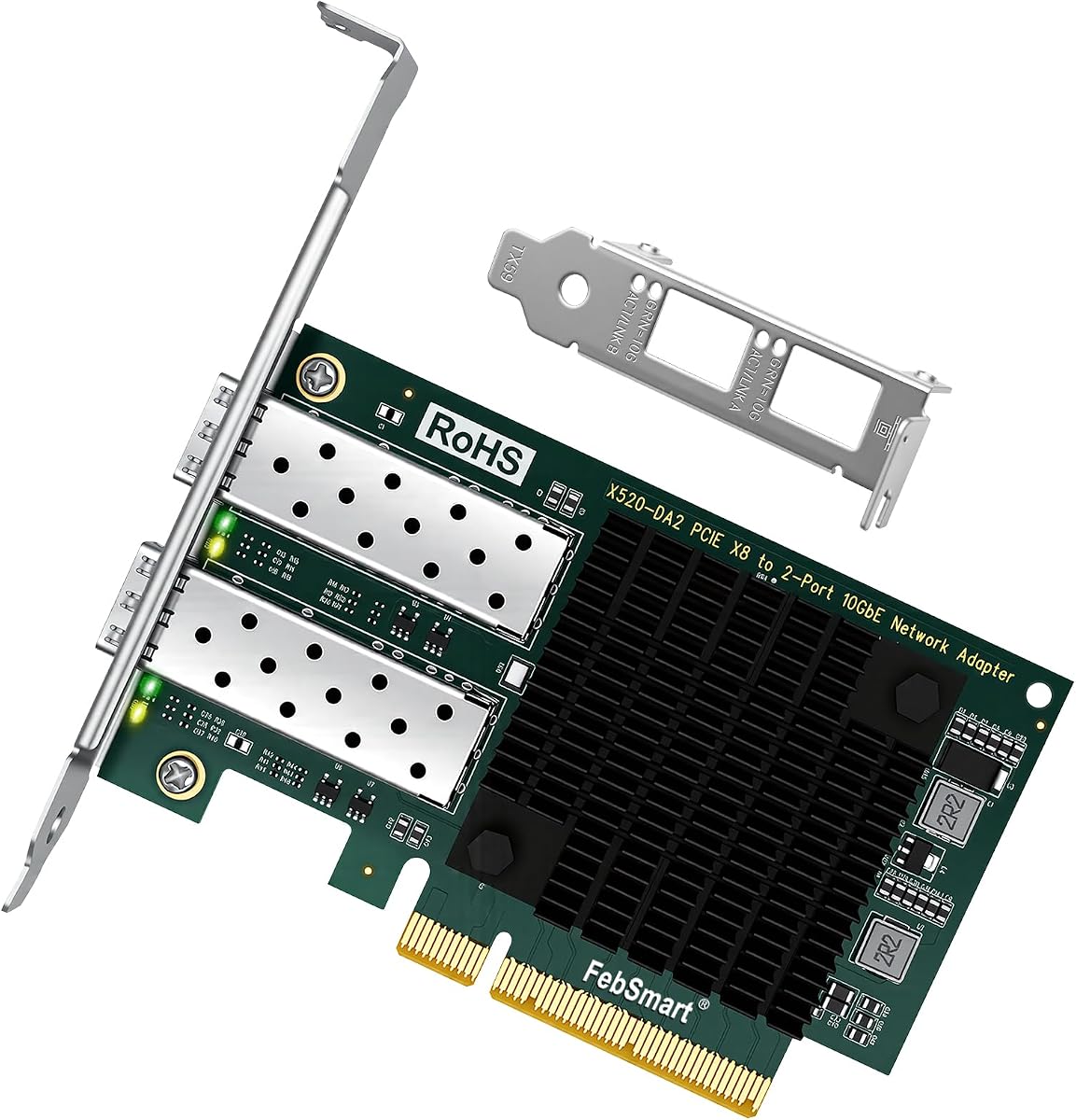
This dual port adapter delivers stable 10Gb/s connectivity for both LAN and SAN making it ideal for virtualization and storage-intensive environments needing redundant connections.
We may earn a commission when you buy through this link, at no additional cost to you.
Powered by the Intel 82599ES controller it supports advanced offloads and virtualization technologies ensuring efficient data handling across multiple network protocols.
Compatible with various operating systems from Windows to Linux and VMware it provides flexibility for diverse server desktop and NAS configurations and use cases.
Users requiring dual 10GbE connections will find this adapter delivers robust performance and redundant link options for improved reliability in critical network setups.
Dual 10GbE ports allow link aggregation or failover configurations ensuring high availability and improved bandwidth for demanding network applications.
Supports Intel Virtualization Technology and SR-IOV enabling efficient resource allocation and improved performance across multiple virtual machines.
We may earn a commission when you buy through this link, at no additional cost to you.
Selecting the right fiber optic network interface card requires understanding your network requirements compatibility needs and performance expectations to ensure optimal connectivity.
Evaluate whether your infrastructure needs 1Gbps 10Gbps or 25Gbps speeds as higher speeds provide better future-proofing but often require more expensive transceivers and cabling upgrades.
Choose a speed that matches your switch capabilities and actual usage needs to avoid overspending on unnecessary bandwidth that won't improve your performance.
Verify whether you need SFP SFP+ or SFP28 connectors since these determine which fiber modules and cables are compatible with the card and your existing network hardware.
Ensure the card supports the same fiber optic standards such as single-mode or multimode as your current cabling infrastructure to maintain seamless connectivity without extra adapters.
Check compatibility with your operating system including Windows Linux or macOS since driver availability can vary significantly between different network card models and manufacturers.
Select a card with native driver support for your OS to simplify installation and reduce potential connectivity issues that require technical troubleshooting expertise.
Determine the PCIe lane requirement such as x1 x4 x8 or x16 since cards needing more lanes may not fit in systems with limited expansion slots or specific slot configurations.
Confirm your motherboard has the correct PCIe slot type and available bandwidth to ensure the card can deliver full performance without limiting throughput speeds.
For virtual environments look for support of SR-IOV VLAN tagging and jumbo frames to maximize virtual machine performance and reduce network overhead across server systems.
Enterprise features enable more efficient traffic management and security policies making them essential for businesses running complex network architectures with multiple users.
Consider the total cost including transceivers and cables not just the card price since fiber optics and connectors can add significantly to your overall investment for the project.
Balance performance needs against budget constraints by selecting cards that offer the best value for your specific use case without unnecessary features you won't use.
Choose products from reputable brands with solid track records and reliable warranty support to ensure long-term reliability and access to technical assistance when problems occur.
A good warranty protects your investment and provides peace of mind especially if you deploy multiple cards across critical servers and network infrastructure components.
Consider the physical dimensions and bracket types available as some systems like mini-ITX or rack-mounted servers require low-profile brackets that standard cards may not include by default.
Check if mounting hardware and installation instructions are included since these details can affect how quickly you can integrate the card into your existing server or PC setup.
Install the card into an available PCIe slot on your motherboard ensuring it is securely seated and properly connected to your system's power supply if additional connectors are required for operation.
Install the appropriate drivers for your operating system either from the manufacturer's website or through automatic OS updates to ensure the card is recognized and configured correctly for your network.
Connect your fiber optic cables to the SFP ports using compatible transceivers that match the network standards and verify the link status LEDs indicate proper connection and data transfer activity.
Many fiber cards support direct attach copper DAC cables that use the same SFP ports providing a cost-effective copper solution without needing transceivers but check specific product specifications for compatibility.
SFP supports 1Gbps speeds while SFP+ supports up to 10Gbps but both use similar form factors so verify your needs match the card's speed capabilities before purchasing transceivers.
Most modern fiber cards use standard Linux drivers built into the kernel but some models may require additional software installation so check compatibility before purchasing for your distribution.
High speed network cards generate heat especially under load so ensure adequate case airflow and consider cards with built-in heatsinks or fan mounts for sustained performance without throttling.
Yes many fiber cards fit in standard desktops with PCIe expansion slots but verify physical dimensions and bracket types match your case requirements for successful installation.
Incorrect transceivers may be rejected by the card or switch causing link failures so ensure modules match the card vendor requirements and your network cabling standards.
Many models support NAS systems with proper drivers but some require manual configuration or specific OS versions so check NAS compatibility before installation.
Ensure both your switch and card support 10G and use certified cables and transceivers since mismatched components or older switches may limit speeds to 1G automatically.
The ten fiber optic network interface cards reviewed offer diverse options for different needs from budget 10G solutions to high performance 25G dual port models.
Prioritize compatibility with your existing infrastructure operating system requirements and budget when selecting the model that will best serve your specific networking demands.
Remember to check current prices and product availability before purchasing since these details change frequently and may affect your final choice and budget.