
HP OmniBook 3 14 inch
4.1Editor score
2K OLED Display Panel
Snapdragon X Processor Chip
Up to 41 Hours Battery
Laptops with OLED Displays offer stunning visual fidelity that transforms how you work and create. These screens provide deep blacks, vibrant colors, and high contrast ratios that make content pop on the screen.
We evaluated ten leading models based on performance, display quality, battery life, and build durability. Our selection covers diverse needs from budget-friendly options to high-end professional machines.
Each pick highlights specific strengths and trade-offs to help you choose wisely. Prices and availability change frequently, so verify current details before making your final purchase decision online.
4.1Editor score

4.0Editor score

5.0Editor score
As an Amazon Associate we earn from qualifying purchases.
This side-by-side comparison highlights key specifications across all ten selected laptops to help you quickly identify the model that best fits your workflow and budget requirements.


The Lenovo IdeaPad Pro 5 stands out with its powerful combination of display quality and performance. It carries a solid rating from users who appreciate its vivid visuals and responsive processing capabilities.
We may earn a commission when you buy through this link, at no additional cost to you.
Its standout feature is the 16-inch 2.8K OLED panel with a 120Hz refresh rate. This screen delivers deep blacks and vibrant colors perfect for creative workloads and media consumption. The AMD Ryzen AI 7 processor ensures smooth multitasking and handles content creation efficiently.
While the performance is excellent, the battery life depends on usage intensity. High-performance tasks will drain power faster than typical productivity work. The premium materials and build quality justify the investment for professionals.
This laptop suits creatives and power users who need reliable performance on the go. Its port selection and durable design make it a versatile tool for various workflows. We recommend it for those prioritizing display fidelity and processing power.
The OLED display provides true-to-life colors essential for design and video editing. It supports high resolution and refresh rates for smooth visual experiences.
The Ryzen AI processor integrates dedicated hardware for accelerated tasks. This enhances everyday computing and supports complex workflows efficiently.
We may earn a commission when you buy through this link, at no additional cost to you.
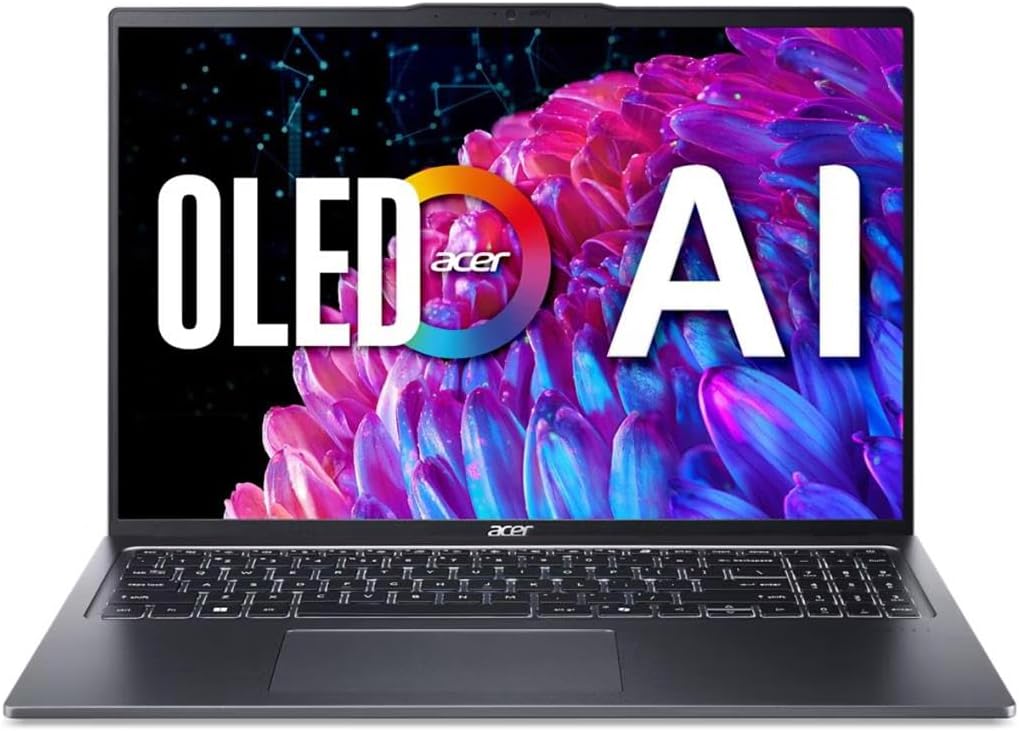
The Acer Swift Go 16 offers a compelling balance of display quality and mobility. It is rated well for its visual fidelity and efficient performance across standard tasks.
We may earn a commission when you buy through this link, at no additional cost to you.
Its 3.2K OLED display delivers stunning visuals with high brightness and color accuracy. The Intel Core Ultra 5 processor optimizes battery efficiency while supporting intelligent multitasking. Thunderbolt 4 ports enable fast data transfers and versatile connectivity.
The main limitation is the 8GB memory which may restrict heavy multitasking. Users requiring extensive virtual machines or large datasets should consider upgrades. The chassis remains sleek and professional for daily use.
This model fits professionals who need a portable machine for content editing and travel. Its certified features ensure reliable performance and security. We recommend it for balanced daily workflows without demanding heavy loads.
The OLED panel offers deep blacks and vivid colors for professional work. Eye comfort certification helps reduce fatigue during long usage sessions.
Thunderbolt 4 support enables high-speed data transfers and multi-monitor setups. This ensures seamless connection to external devices and peripherals.
We may earn a commission when you buy through this link, at no additional cost to you.
The ASUS Vivobook S16 delivers exceptional endurance and memory capacity for its class. It earns strong reviews for its Copilot+ capabilities and immersive OLED visuals.
We may earn a commission when you buy through this link, at no additional cost to you.
It features a 16-inch OLED display that provides deep contrast and vivid detail. The 32GB RAM ensures smooth multitasking for demanding applications. Copilot+ support brings advanced AI features directly to the device without cloud dependency.
Battery life is impressive reaching up to 21 hours on playback. This reduces charging anxiety during travel. However the display resolution is lower than some competitors. The slim design makes it easy to carry anywhere.
This laptop suits professionals who value memory and battery life over maximum resolution. Its security features and port selection add to its versatility. We recommend it for productivity-focused users seeking AI integration.
The high-capacity battery supports extended use without plugging in. Fast charge options ensure quick recovery when outlets are available.
Copilot+ features enable efficient on-device tasks and intelligent assistance. This improves workflow efficiency and security for sensitive data.
We may earn a commission when you buy through this link, at no additional cost to you.
The HP OmniBook 3 delivers affordability without compromising on display quality. It is rated positively for its visual output and impressive battery longevity.
We may earn a commission when you buy through this link, at no additional cost to you.
Its 2K OLED display offers rich colors and crisp visuals suitable for daily tasks. The Snapdragon processor provides efficient power management and essential AI capabilities. Fast charge technology restores significant power in under an hour.
The main limitation is the 256GB storage which may fill quickly with media files. Users needing large local storage should consider external drives. The lightweight design makes it easy to carry everywhere.
This model fits students and casual users who prioritize battery life and visual clarity. It offers a budget-friendly entry point into OLED technology. We recommend it for standard productivity and media consumption.
The Snapdragon architecture optimizes energy usage for extended battery life. It handles standard workflows smoothly without overheating.
The OLED panel provides deep blacks and vibrant colors. It ensures clear viewing angles for presentations and media.
We may earn a commission when you buy through this link, at no additional cost to you.
The ASUS Vivobook S16 with Intel Core Ultra 9 offers robust performance for demanding workflows. It is recognized for its build quality and efficient battery management.
We may earn a commission when you buy through this link, at no additional cost to you.
Its OLED display delivers deep contrast and vivid detail ideal for creative work. The 32GB RAM ensures smooth multitasking for heavy applications. MIL-STD 810H testing guarantees durability during travel and daily use.
The display resolution is lower than some premium options but remains sharp. The 25-hour battery life supports extended productivity sessions. The lightweight build makes it easy to carry daily.
This laptop suits power users needing reliability and performance on the move. Its integrated audio and security features add value. We recommend it for professionals who prioritize endurance and durability.
Military-grade testing ensures resistance to shocks and harsh conditions. This protects investment during frequent travel and daily use.
Dolby Atmos and high contrast OLED create immersive media experiences. Audio boosts clarity for calls and entertainment.
We may earn a commission when you buy through this link, at no additional cost to you.
The HP OmniBook 5 combines touchscreen utility with excellent battery longevity. It is highly rated for its visual quality and efficient daily operation.
We may earn a commission when you buy through this link, at no additional cost to you.
Its 2K OLED touchscreen offers responsive interaction and rich visuals for content. The Snapdragon processor optimizes power usage for all-day endurance. The privacy camera ensures secure video calls without concerns.
While the battery life is impressive the performance is best for standard tasks. The touchscreen adds versatility for presentations and notes. Wi-Fi 6E ensures fast connectivity in crowded networks.
This laptop suits travelers and presenters needing touch interaction and endurance. Its lightweight design and battery efficiency make it portable. We recommend it for daily workflows that benefit from touch.
The OLED touchscreen offers precise input for creative notes and interaction. It enhances productivity for presentations and media control.
Fast charge capabilities restore half power in thirty minutes. This ensures minimal downtime during busy schedules.
We may earn a commission when you buy through this link, at no additional cost to you.
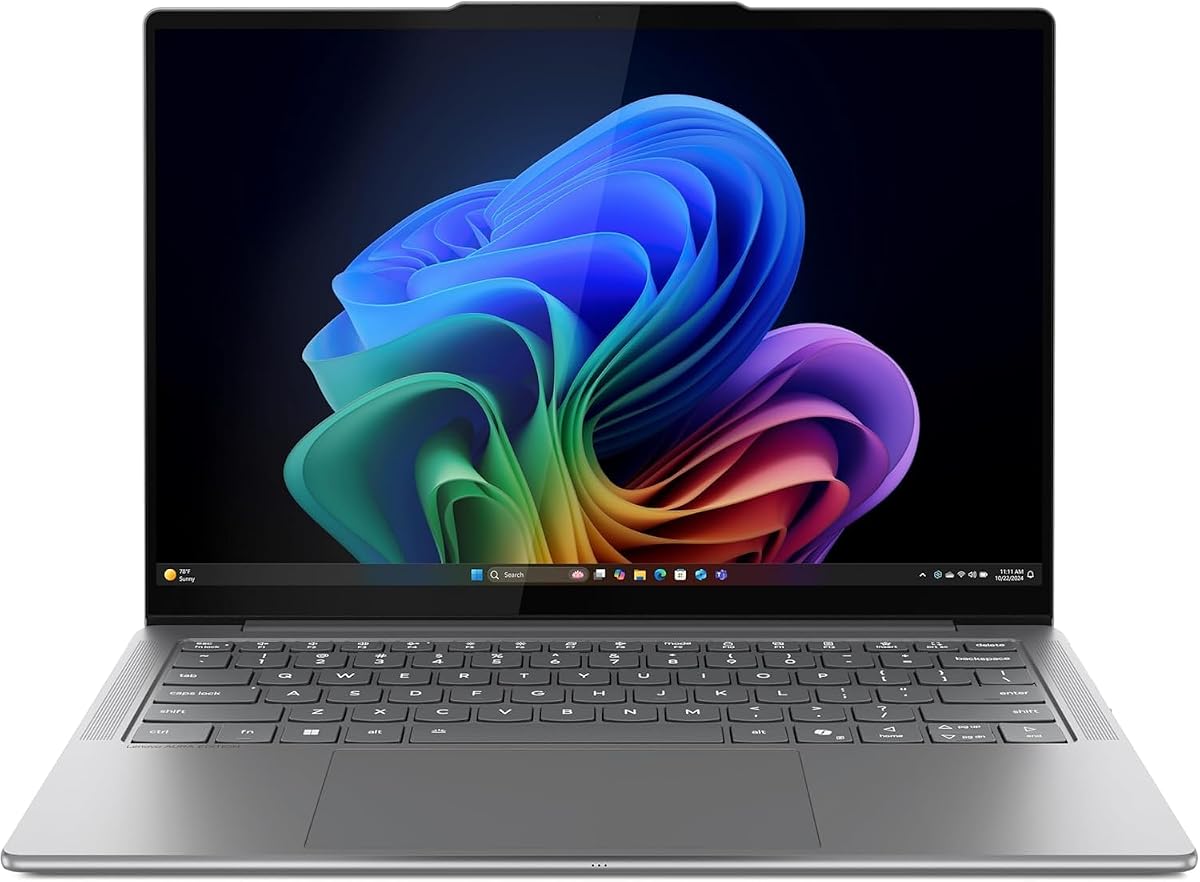
The Lenovo Slim 7i is designed for creators who need power in a compact form. It is recognized for its slim profile and vibrant display quality.
We may earn a commission when you buy through this link, at no additional cost to you.
Its OLED touchscreen delivers accurate colors and responsive touch. The 32GB RAM supports demanding apps and multitasking without slowdown. The aluminum chassis provides a premium feel and durability.
The smaller 14-inch screen may limit workspace compared to larger models. However the portability compensates for frequent travelers. Battery life supports full workdays without interruptions.
This laptop suits mobile professionals and creatives prioritizing weight and memory. Its quad speakers enhance media consumption and calls. We recommend it for those needing high memory in a light chassis.
The slim aluminum chassis fits easily into small bags. It balances durability with minimal weight for travel.
High memory capacity ensures smooth operation with multiple open apps. This supports complex workflows efficiently without delays.
We may earn a commission when you buy through this link, at no additional cost to you.
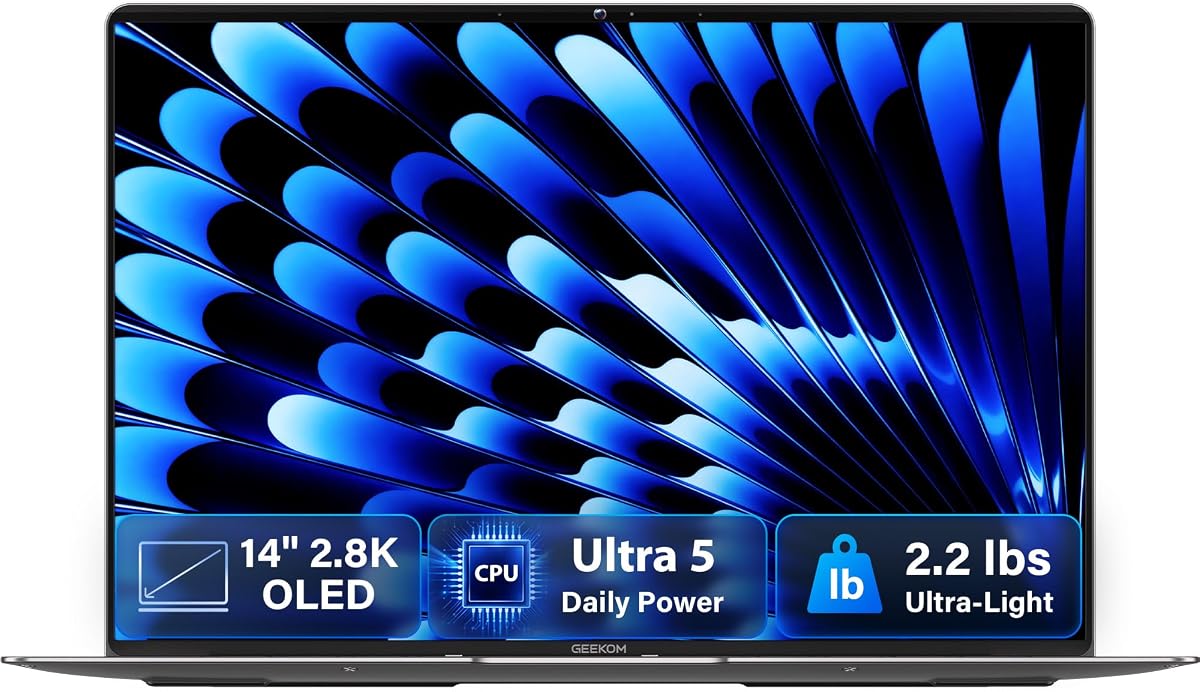
The GEEKOM GeekBook X14 Pro offers an incredibly lightweight option without sacrificing display quality. It is well-rated for its build and visual clarity.
We may earn a commission when you buy through this link, at no additional cost to you.
Its 2.8K OLED display provides stunning clarity and vibrant colors. The magnesium alloy chassis ensures durability despite the low weight. USB4 ports enable fast connectivity and external monitor support.
The 14-inch screen limits workspace compared to larger laptops. Users needing full spreadsheets may prefer bigger models. Battery life supports full workdays for standard usage.
This laptop suits travelers and commuters prioritizing minimal weight. The premium feel and audio enhance daily productivity. We recommend it for users valuing portability and screen sharpness.
Aerospace grade materials reduce weight while maintaining strength. This ensures durability during daily transport.
The 2.8K OLED panel offers sharp text and vivid colors. It supports creative tasks with excellent pixel density.
We may earn a commission when you buy through this link, at no additional cost to you.
The Lenovo Legion 5a brings OLED technology to high-performance gaming. It is highly rated for its visual speed and processing power.
We may earn a commission when you buy through this link, at no additional cost to you.
Its 165Hz OLED display ensures smooth motion and vivid colors during play. The RTX 5060 GPU handles demanding graphics and rendering tasks. Wi-Fi 7 provides low latency networking for seamless connectivity.
The laptop is heavier than standard ultrabooks and less portable. It is best for stationary or occasional travel setups. The RGB keyboard and battery capacity suit immersive sessions.
This laptop suits gamers and creators who need speed and vivid visuals. Its cooling system maintains performance during intense use. We recommend it for users prioritizing display refresh and GPU power.
The 165Hz OLED panel delivers fluid motion and deep blacks. It enhances realism in modern gaming and video.
High-end GPU and CPU support complex rendering and multitasking. This ensures smooth operation under heavy workloads.
We may earn a commission when you buy through this link, at no additional cost to you.
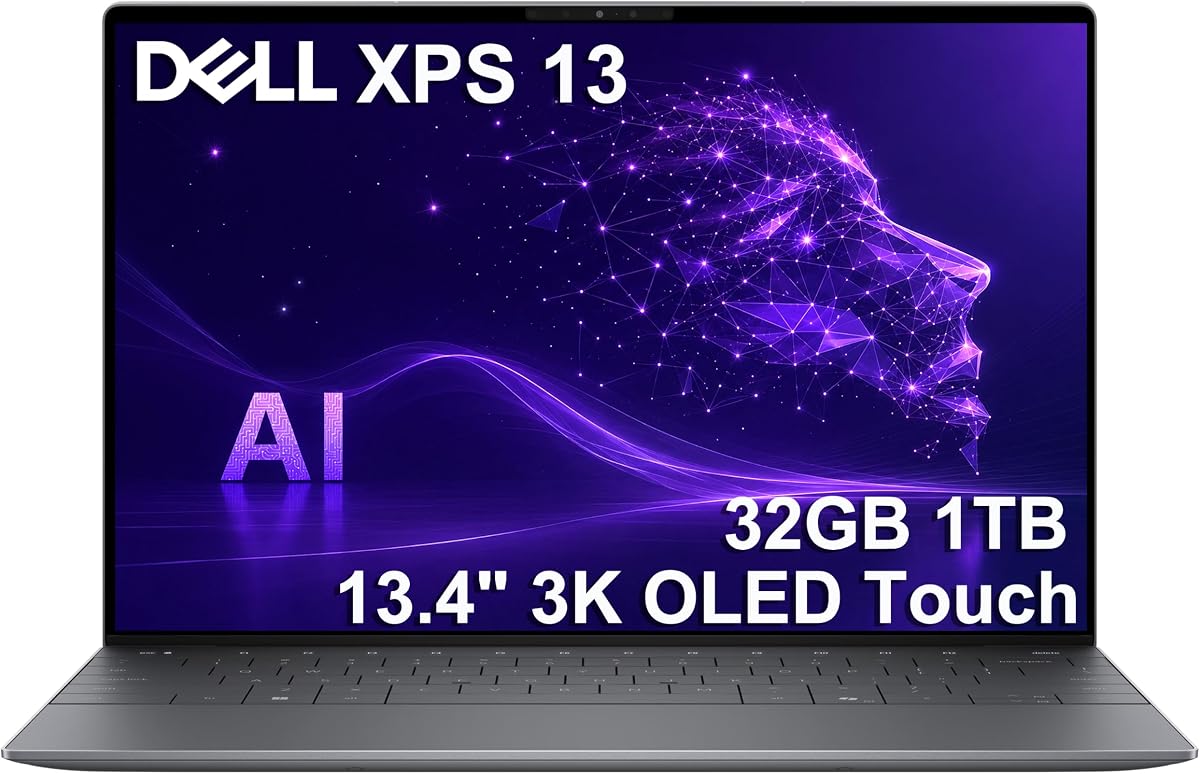
The Dell XPS 13 9345 offers premium compactness with strong AI capabilities. It is recognized for its endurance and high-resolution display.
We may earn a commission when you buy through this link, at no additional cost to you.
Its 3K OLED touchscreen provides exceptional clarity and responsive touch. The Snapdragon X Elite ensures efficient performance and long battery life. 32GB RAM supports demanding workflows on the go.
The premium price and limited USB ports may be barriers. USB4 connectivity compensates for most external needs. The slim design maximizes portability for professionals.
This laptop suits executives and creatives needing high-end visuals and endurance. Its security features enhance enterprise readiness. We recommend it for premium compact mobile work.
The 3K OLED resolution offers exceptional text clarity and color. It supports detailed design and creative tasks.
Up to 27 hours of life reduces charging frequency. This enables uninterrupted work during long travel.
We may earn a commission when you buy through this link, at no additional cost to you.
Selecting the right laptop with an OLED display requires balancing visual quality with performance and budget. This guide outlines essential factors to consider.
Resolution defines the clarity of your visuals. Higher resolutions like 3K provide sharper text and more detailed images compared to standard WUXGA panels. Size should match your portability needs; 13 to 14 inches are lighter while 16 inches offer more workspace.
Choose higher resolution for creative work and standard resolution for general use.
Refresh rate measures how quickly the screen updates images. A 120Hz or 165Hz panel provides smoother motion during scrolling and gaming. Standard 60Hz panels are adequate for document work.
Prioritize high refresh rates for gaming and media consumption.
Color accuracy ensures that your content appears as intended. Look for panels with 100% DCI-P3 coverage for professional creative work. This range covers a wide spectrum of colors used in modern media.
Select high coverage for editing and standard for browsing.
Processors drive the laptop's overall speed. Modern AI-focused chips like Intel Core Ultra or AMD Ryzen AI provide efficient multitasking. Memory is critical for heavy applications; 16GB is standard while 32GB is recommended for professionals.
Invest in more RAM for complex workflows.
Battery life determines how long you can work unplugged. OLED screens can be power-hungry so efficiency is key. Models offering 20 hours or more provide peace of mind during travel.
Prioritize battery for mobile workflows.
Build quality protects your investment. Chassis made from aluminum or magnesium alloy offer better resistance to wear. MIL-STD ratings indicate tested durability for rough handling.
Choose rugged builds for travel and field work.
Ports affect how easily you connect external devices. USB4 and Thunderbolt 4 provide fast data transfer and multi-monitor support. Ensure the laptop has enough USB-A or HDMI ports for your peripherals.
Check port availability to avoid needing dongles.
Price varies widely based on components. High-end models cost more but offer better long-term value. Determine your budget and prioritize features that directly impact your daily work.
Balance cost with essential performance needs.
Avoid static images on the screen for long periods to prevent burn-in. Use dark mode or dim the brightness when possible.
Clean the OLED panel with a soft dry cloth to avoid scratches. Do not use harsh chemicals or abrasive materials on the screen surface.
Keep the laptop in a cool dry place to protect the battery and display. Avoid extreme temperatures that could damage internal components.
While older OLED panels were prone to burn-in modern laptops include pixel shifting and screen refresh technologies to mitigate this risk. Using dark mode and avoiding static images for hours reduces potential issues.
OLEDs can be more power efficient when displaying dark content due to individual pixel lighting. However bright full-screen content may consume more power than LCDs. Battery life depends heavily on usage habits.
Yes many gaming laptops feature OLED displays for deep blacks and vivid colors. Models with high refresh rates like 120Hz or 165Hz provide smooth motion essential for competitive gaming.
Use a protective screen cover if available and avoid placing heavy objects on the lid. Keep the display clean with soft materials to prevent scratches and chemical damage.
The best size depends on portability needs. 13-inch models are highly portable while 16-inch models provide better workspace. Choose based on how often you travel versus use it at a desk.
Many modern OLED laptops offer touchscreen options for interactive use. Check product specifications if you require touch input for presentations or creative work.
Our selection includes top models ranging from budget-friendly to high-end professional tools. The Lenovo IdeaPad Pro 5 stands out for balanced performance while the HP OmniBook 3 offers value.
Prioritize display resolution and battery life based on your primary workflow. Gamers and creators will appreciate high refresh rates and color accuracy for their daily tasks.
Prices and specs may fluctuate so verify current details before purchasing. Ensure the chosen model meets your specific performance and portability needs.