
Razer Viper V4 Pro Wireless Esports Gaming Mouse
4.6Editor score
49 g ultra-lightweight
8000 Hz polling
180 hour battery life
Compare the top 10 lightweight gaming mice under 60 grams for FPS in October 2026 to find the perfect balance of speed, precision, and comfort.
In the fast-paced world of competitive FPS gaming, every gram matters. A lightweight mouse under 60 grams allows for quicker flicks, reduced arm fatigue, and enhanced control during extended sessions. Players seek precision engineering that supports rapid movements without sacrificing stability or durability.
We have rigorously evaluated the market to bring you this curated selection of ten top-tier gaming mice. Our comparison focuses on sensor accuracy, build quality, battery life, and ergonomic design. Each model has been chosen for its ability to deliver pro-level performance for serious gamers.
This guide breaks down the strengths and weaknesses of each option to help you decide. You will find detailed specs, pros and cons, and buying advice tailored to different hand sizes and grip styles. Remember that product prices and availability change frequently, so check current listings before purchasing.
4.6Editor score

4.5Editor score
4.4Editor score
This table provides a side-by-side overview of the ten selected mice. It highlights key specifications like weight, sensor type, connectivity options, and battery life. Use this reference to quickly identify which model aligns with your specific gameplay needs and budget constraints.



The Logitech G PRO X Superlight 2 continues the legacy of one of the most successful gaming mice ever. It weighs exactly 60 grams and delivers championship-winning performance in competitive titles. Its HERO 2 sensor offers unmatched precision for FPS players.
We may earn a commission when you buy through this link, at no additional cost to you.
This mouse features an 8 kHz polling rate which significantly reduces input latency. The LIGHTFORCE hybrid switches provide tactile clicks that are consistent over time. Zero-additive PTFE feet ensure smooth gliding across various mouse pad surfaces without resistance.
While it lacks RGB lighting to save weight, the design is sleek and professional. The USB-C charging ensures modern compatibility and fast power replenishment. It works with POWERPLAY for wireless charging which is a nice future-proof feature.
If you seek the gold standard in competitive gaming mice this is it. It suits palm claw grips well for most hand sizes. We highly recommend it for serious players willing to invest in top-tier gear.
The HERO 2 sensor tracks over 500 IPS with up to 40,000 DPI. It uses zero smoothing so your raw movement translates directly to in-game action for pure control.
Despite being 60 grams the shell does not flex under pressure. The internal reinforcement maintains structural integrity while keeping mass low for rapid flicks.
We may earn a commission when you buy through this link, at no additional cost to you.
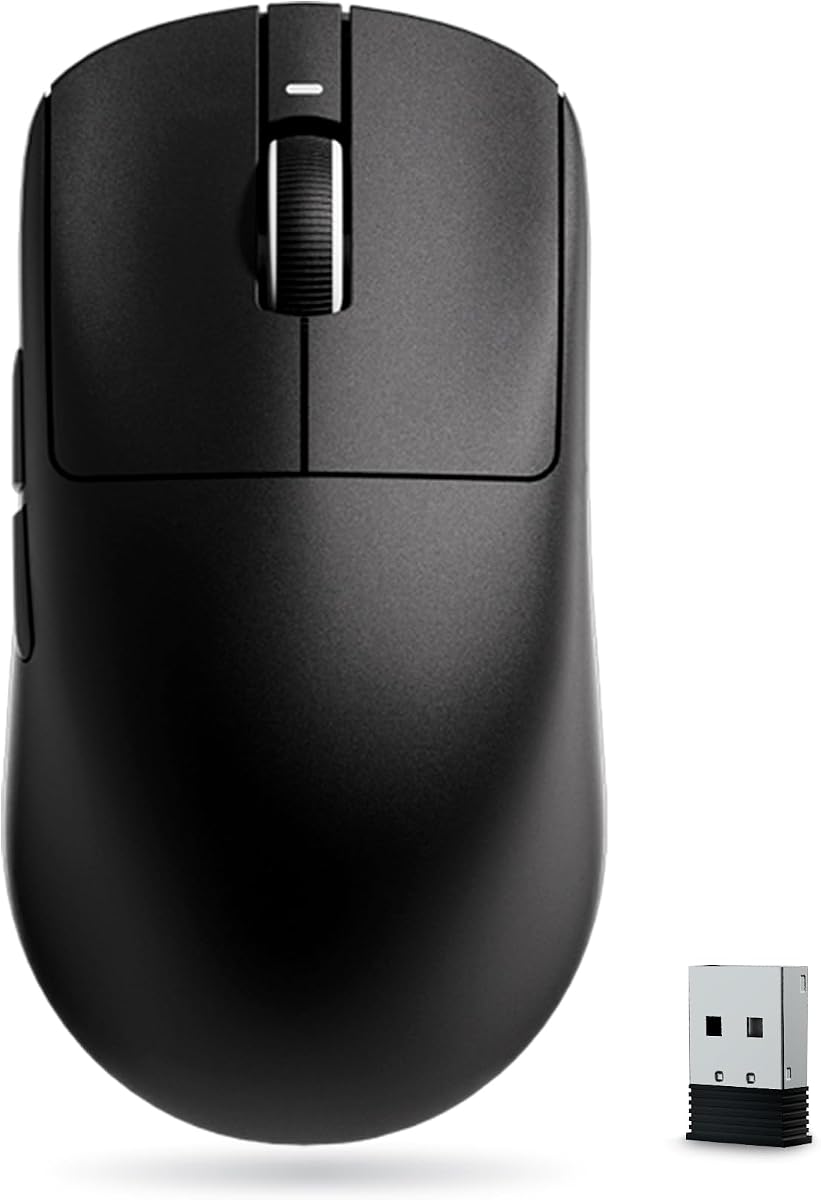
The Razer Viper V4 Pro pushes the boundaries of lightweight gaming mice. Weighing just 49 grams it feels almost weightless during fast movements. It includes the Focus Pro 50K optical sensor for maximum tracking accuracy and speed.
We may earn a commission when you buy through this link, at no additional cost to you.
This model features HyperSpeed Wireless Gen-2 for true 8000 Hz polling with low latency. The optical scroll wheel provides consistent tracking without mechanical slippage. Optical switches Gen 4 offer a tactile feel with 100 million click lifespan.
Battery life is exceptional at up to 180 hours at 1K polling. Even at 8K polling it lasts 45 hours which is impressive for such speed. Synapse 4 software allows deep customization of sensitivity and DPI steps.
This is a top choice for pros needing the absolute fastest response times. It excels in fast-paced shooters where milliseconds matter. We recommend it for those prioritizing speed above all else.
The optical scroll wheel uses light beams for actuation instead of mechanical parts. This ensures every scroll step is detected consistently and increases durability over time.
Frame Sync aligns sensor data with the PC frame rate to reduce latency. This results in ultra precision responsive control that competitive players expect in high FPS titles.
We may earn a commission when you buy through this link, at no additional cost to you.
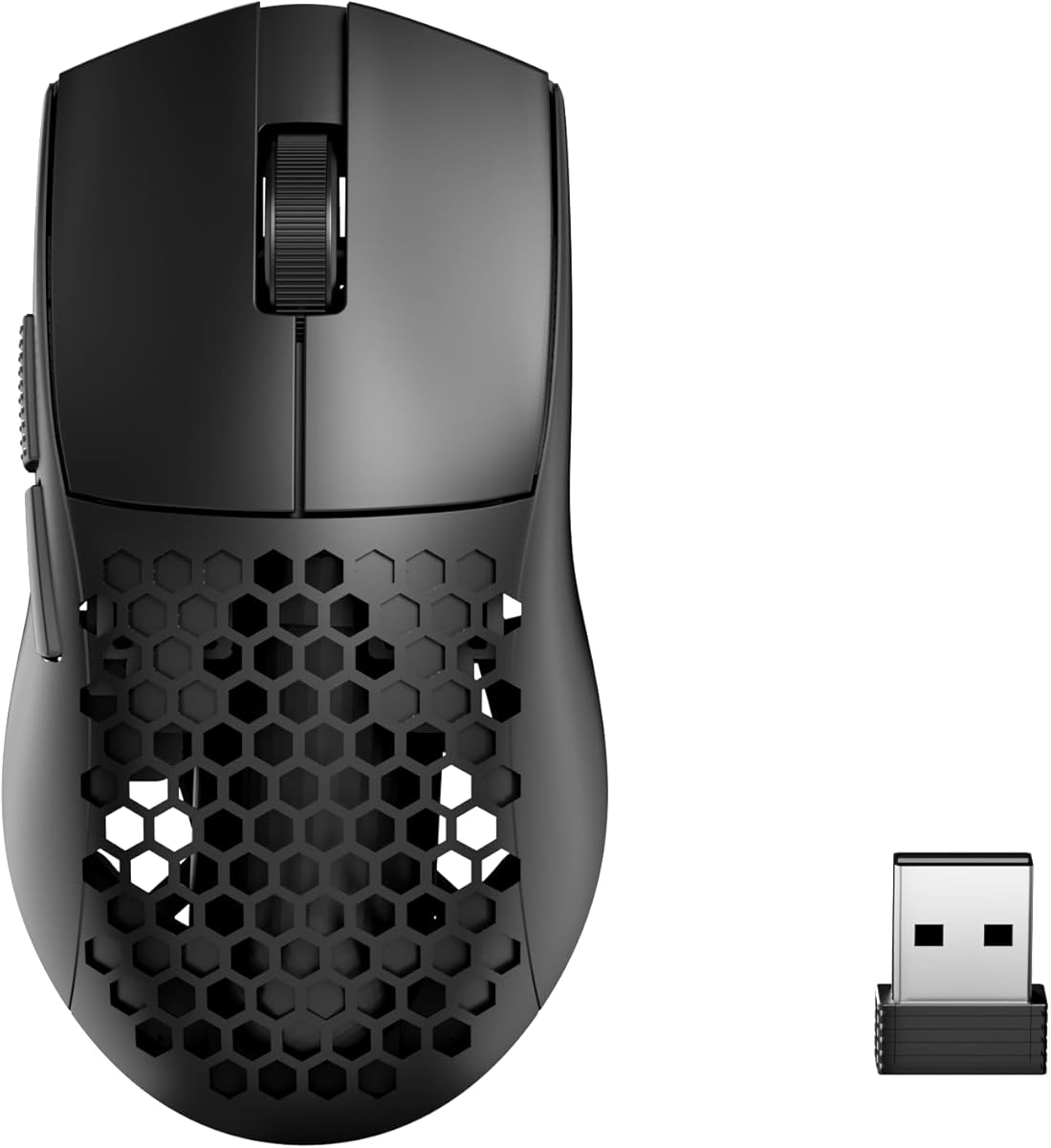
The Redragon M725 brings lightweight FPS performance to a budget-friendly price. It weighs only 49 grams thanks to its honeycomb shell which cuts unnecessary mass. The symmetrical design fits most grip styles comfortably without strain.
We may earn a commission when you buy through this link, at no additional cost to you.
It features three connectivity modes including wired Bluetooth and 2.4 GHz wireless. You can switch seamlessly between devices for multitasking needs. The 8000 DPI sensor allows precise aiming adjustments on the fly.
Five programmable buttons give you quick access to macros and hotkeys. The software lets you customize these for work or gaming scenarios. It includes two side buttons which are great for weapon switching.
If you want performance without spending hundreds this is an excellent pick. The honeycomb design keeps airflow high and hands dry during sessions. We recommend it for gamers seeking value and speed.
The hollow shell design significantly reduces weight while enhancing air circulation. This keeps your hands dry and reduces arm fatigue during long gaming marathons.
The three-mode connection lets you use one mouse across multiple devices. Switching between 2.4 GHz for gaming and Bluetooth for work is easy and efficient.
We may earn a commission when you buy through this link, at no additional cost to you.
The Razer Orochi V2 is designed for travel and extended gaming sessions. It weighs under 60 grams excluding battery making it very light. The battery lasts up to 950 hours on Bluetooth which is unmatched in class.
We may earn a commission when you buy through this link, at no additional cost to you.
It uses Razer HyperSpeed Wireless for competitive play with low latency. The 18K DPI sensor ensures accurate tracking for fast games. The hybrid battery slot accepts AA or AAA batteries for weight balancing.
The switches are rated for 60 million clicks ensuring long-term reliability. It offers a compact form factor that fits small hands or pocket storage. This makes it ideal for LAN parties or travel.
Gamers who prioritize battery life and portability will love this mouse. It offers a great balance of performance and endurance. We suggest it for mobile setups or backup options.
With up to 950 hours of Bluetooth usage you rarely need to charge. This allows you to game work and travel with fewer interruptions.
The hybrid slot lets you choose between AA or AAA batteries. This allows you to tune the weight distribution for your preferred feel.
We may earn a commission when you buy through this link, at no additional cost to you.
The ASUS ROG Harpe Ace Mini is co-developed with pro FPS players. It weighs 49 grams and fits fingertip and claw grips perfectly. The AimPoint Pro sensor delivers 42000 DPI for pixel-perfect accuracy in games.
We may earn a commission when you buy through this link, at no additional cost to you.
ROG SpeedNova wireless ensures ultra-low latency and reliable performance. The Omni Receiver links multiple devices through one USB receiver for ease. The track-on-glass technology allows use on reflective surfaces without issues.
This mouse is compact but refined for competitive desktop or laptop setups. It offers up to 105 hours of battery life in wireless mode. Connectivity includes wired 2.4 GHz and Bluetooth options for versatility.
For small-handed gamers wanting pro-grade performance this is a standout choice. It offers a unique shape that differs from standard symmetrical mice. We recommend it for competitive FPS players with smaller hands.
The AimPoint sensor supports tracking on glass and reflective surfaces. This removes the need for specific mouse pads for accurate tracking.
The Omni Receiver lets you link multiple ROG devices to one dongle. This frees up USB ports and reduces clutter on your desk.
We may earn a commission when you buy through this link, at no additional cost to you.
The ZORNHER X Mloong MX301 PRO stands out with a carbon fiber finish. It weighs 60 grams and feels stable without being heavy. The PAW3315 sensor offers reliable tracking for work and FPS gaming needs.
We may earn a commission when you buy through this link, at no additional cost to you.
The texture enhances grip and reduces the cheap plastic feel. It includes anti-slip grip tape for customization. The TTC switches provide crisp tactile feedback with responsive control.
This mouse uses a lightweight web-based driver avoiding bulky software. It comes as a gift-ready set with a case and cable. This makes it a great ready-to-use option out of the box.
If you want a tactile feel with reliable performance this is it. The weight is balanced for control rather than ultra-flicking. We recommend it for gamers seeking grip and value.
The carbon fiber-inspired texture delivers a unique tactile feel. It enhances grip during intense moments to reduce accidental slips.
The simple web-based driver customizes settings without system load. This keeps your PC clean while still allowing essential adjustments.
We may earn a commission when you buy through this link, at no additional cost to you.
The INPHIC IN10P Superlight offers advanced tech at a moderate price. It weighs 60 grams with a solid shell design that prevents dust buildup. The PAW3395 sensor ensures accurate tracking up to 26000 DPI.
We may earn a commission when you buy through this link, at no additional cost to you.
It supports an 8000 Hz polling rate in wireless mode for zero lag. The switches are rated for 100 million clicks for high durability. A 400mAh battery gives up to 120 hours of use.
Tri-mode connectivity lets you switch between PC laptop and tablet. The RGB indicator doubles as a low-power warning and DPI color. It is fully programmable via custom driver software.
This mouse suits those wanting modern features without honeycomb drawbacks. It is ideal for gamers prioritizing stability and high polling rates. We recommend it for practical and powerful daily use.
The solid shell keeps dust out and protects internal components. This ensures long-term protection and cleaner internals compared to perforated mice.
Up to 8000Hz polling rate keeps you ahead of the competition. It provides super-smooth tracking and razor-sharp accuracy for split-second actions.
We may earn a commission when you buy through this link, at no additional cost to you.
The Redragon M916 is one of the lightest Redragon mice. It weighs 49 grams and uses a Nordic flagship chip for low consumption. The 4000Hz report rate offers precise tracking and fast movement.
We may earn a commission when you buy through this link, at no additional cost to you.
It features 5 redefinable DPI levels defaulting to 1000 to 26000. This covers various game needs without needing constant adjustments. The natural human hand shape helps avoid fatigue during long sessions.
Five programmable buttons allow customizable tactical keybinds. The software lets you edit hotkeys and DPI settings easily. It supports BT and 2.4 GHz nano receiver for stable connections.
If you want a natural grip and good speed this is strong. The weight reduction helps fast swipes and clean control. We recommend it for budget-friendly FPS performance.
The 4K transmission tech unleashes precise tracking and low latency. It ensures stable performance even during intense battle scenarios.
The shape follows the natural structure of the human hand. This allows easier handling for extended play or overtime work.
We may earn a commission when you buy through this link, at no additional cost to you.
The ATK VXE Dragonfly R1 SE+ features a 55g ultra-light body. It fits medium and small hands well with comfortable click switches. The PAW3395 SE sensor offers adjustable DPI up to 18000.
We may earn a commission when you buy through this link, at no additional cost to you.
Huano Blue Glow V2 switches avoid double-click malfunction with crisp rebound. The BEKEN chip with Smart Speed X ensures stable signal and low latency. It supports wired and dual 1K polling rates.
Triple connection modes include wired 2.4G and Bluetooth. You can switch seamlessly between devices for office and esports use. The battery lasts up to 70 hours at 1K polling.
This is a solid choice for comfort and smooth body feel. The weight reduces hand fatigue during long gaming and work. We recommend it for daily use.
The Huano Blue Glow V2 switches offer outstanding durability. This avoids double-click malfunctions that can ruin gaming performance.
Smart Speed X transmission technology provides stable signal. It ensures ultra-low latency which is ideal for all esports titles.
We may earn a commission when you buy through this link, at no additional cost to you.
The GLORIOUS Model O Eternal is a 55g ultralight wired mouse. It uses a signature honeycomb shell to reduce weight without durability loss. The symmetrical design ensures a secure natural grip for any style.
We may earn a commission when you buy through this link, at no additional cost to you.
Dual-zone RGB lighting adds vibrant color to the side panels. The 80-million-rated mechanical switches deliver crisp clicks without issues. You can map 6 buttons via Glorious CORE software.
The 12K DPI sensor tracks movements precisely for fast-paced games. The braided cable reduces drag for smoother movement. It is compatible with PC and Mac systems.
This is a top pick for those preferring wired zero latency. The lightweight build makes swipes easy without battery worry. We recommend it for wired FPS players.
The honeycomb shell reduces weight by up to 35 percent. This enables faster swipes and precise stops without compromising comfort.
Dual RGB zones flood the flared side panels with vibrant color. This offers more customization than just a logo on the back.
We may earn a commission when you buy through this link, at no additional cost to you.
Selecting the right lightweight mouse involves more than just checking the weight. You must consider ergonomics, sensor quality, and connectivity options to ensure it fits your playstyle and setup.
Weight under 60 grams is crucial for reducing fatigue. However, the balance matters just as much. A well-balanced mouse feels stable during flicks and tracking.
Look for a mouse where the center of gravity aligns with your grip.
A high-end sensor ensures accurate tracking at high speeds. Look for models with top-tier sensors like HERO or PAW3395. These prevent spinouts during fast movements.
Always check the IPS tracking speed to ensure it matches your playstyle.
Wireless technology has improved drastically. Look for low-latency 2.4 GHz modes for competitive play. Tri-mode mice offer flexibility for work and gaming.
Ensure the battery life meets your needs if choosing wireless.
Symmetrical mice suit claw and fingertip grips best. Ergonomic mice support palm grips. Choose a shape that matches your hand size to avoid strain.
Hand shape determines comfort more than weight in the long run.
Switches must handle millions of clicks. Optical switches reduce double-click issues. Mechanical switches offer tactile feedback.
Choose switches based on your preference for feel and reliability.
For wireless mice, battery life is vital. Aim for over 70 hours to avoid frequent charging. Fast charging features are a bonus.
Ensure the charging cable is included in the package.
Software allows DPI and macro customization. Look for lightweight drivers that do not bloat your system. Avoid bloatware that slows down PC performance.
Check if the software supports RGB or profile management.
Lightweight mice often sacrifice durability. Look for reinforced shells that do not flex. Honeycomb shells reduce weight but collect dust.
Read reviews to confirm structural integrity before purchasing.
Proper grip is essential. Hold the mouse lightly to prevent tension. Relax your wrist to allow free movement across the pad.
Clean the feet regularly to maintain smooth gliding. Use a microfiber cloth to wipe the sensor for accurate tracking.
Store the mouse in a cool dry place. Avoid dropping it to prevent internal damage. Update drivers to keep performance optimal.
A lightweight mouse reduces arm strain and allows faster flicks. It improves reaction times by removing resistance. This is crucial for high-level competitive play.
Modern wireless tech like 2.4 GHz has minimal latency. In competitive games, 8K polling ensures zero lag. Wired options are only better for absolute lowest latency.
Most pros prefer 40 to 60 grams. Anything under 50 grams allows quick movement. However, too light may feel unstable for some users.
Wipe the feet with alcohol. Clean the sensor gently with a brush. Do not submerge the mouse. Use compressed air to remove debris.
They save weight but collect dust easily. If you play in clean environments they are fine. Otherwise, solid shells are more practical for daily use.
PAW3395 and HERO are top choices. They offer high IPS and DPI. These sensors ensure consistent tracking without acceleration issues.
Varies by model. Most last 70 to 100 hours. Some high-end models offer up to 180 hours with efficient tech.
Yes, they are comfortable for long periods. The reduced weight lowers strain. However, ensure it has good ergonomics for typing.
We have reviewed ten excellent mice for FPS gamers. The Logitech G PRO X Superlight 2 leads with precision and reliability.
Prioritize sensor accuracy and ergonomic fit over raw weight. A mouse that feels right in your hand will perform better than a lighter one.
Check current prices before purchasing as deals change often. Find the model that matches your budget and grip style.