
VSD Mini Macro Pad
4.1Editor score
6 customizable LCD keys
Compact mini design
USB powered operation
Discover the top macro pads for streaming in October 2026. This guide compares features, compatibility, and performance to help creators optimize their live
Streaming requires precise control over software and audio during live broadcasts. A macro pad for streaming offers dedicated keys to manage scenes, alerts, and transitions without interrupting your content. These devices streamline workflows for gamers, educators, and professionals alike.
We evaluated ten leading macro pads based on key customization, software integration, and build quality. Our analysis focuses on models that support OBS, Twitch, and YouTube seamlessly. Each product was reviewed for ease of setup, visual feedback options, and overall value.
This guide highlights the strengths and weaknesses of each model to help you choose the right tool for your setup. Product specifications and availability change frequently. Please verify current pricing and stock levels before making your final purchasing decision online.
4.1Editor score

4.4Editor score

4.8Editor score
This section provides a side-by-side comparison of the ten macro pads featured in this guide. Each entry includes key specifications to help you identify the model that best fits your specific streaming needs.


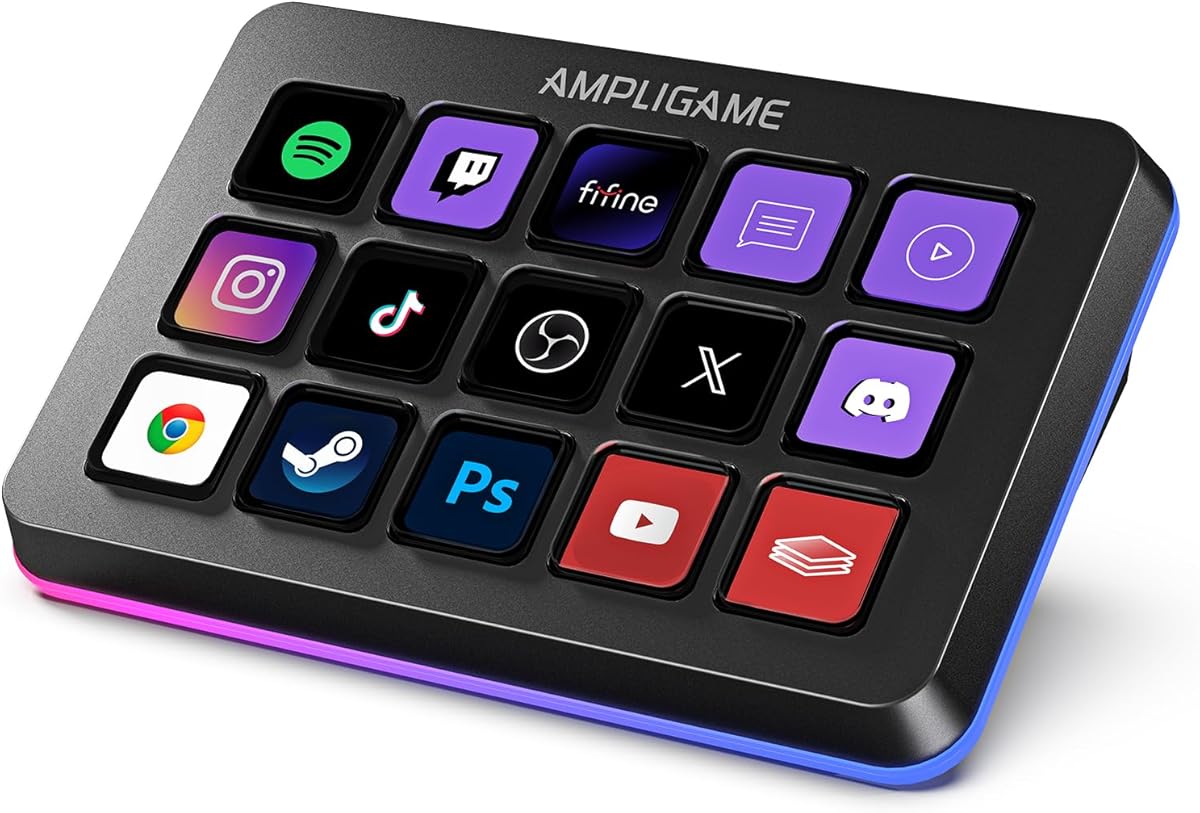


The VSD M18 Macro Pad is a powerful tool for streamers needing extensive control over their broadcast software. With a rating of 4.4 stars, it offers a robust combination of physical and visual programmable keys. Its standout quality lies in the ability to assign complex macro sequences to individual buttons.
We may earn a commission when you buy through this link, at no additional cost to you.
This deck features 18 programmable keys, including 15 LCD visual keys and 3 physical buttons. Users can program single actions or multi-step sequences for daily operations. The keys support in-game combos, app launches, and media playback control. Each LCD key accepts JPG, PNG, and GIF images and animations to mark separate functions clearly.
A unique feature is the operation Follow function, which runs multiple macro steps in a custom order or simultaneously. This is ideal for content creators managing video editing or music production workflows. The adjustable RGB surround light ring adds visual flair to dim gaming setups. However, Linux users will not find native plug-and-play support.
The VSD M18 is highly recommended for gamers and professionals who need to execute tasks quickly and accurately. It is compatible with mainstream software including OBS, Streamlabs, and Discord. The solid construction ensures stable long-term operation. If you need a versatile macro pad for streaming, this model delivers excellent value.
The LCD keys allow you to personalize each button with images and animations. This makes it easier to identify functions quickly during live streams without memorizing key positions.
Multi-shortcut macro programming simplifies complex inputs. You can trigger pre-set macros with a single tap, significantly reducing the time spent navigating menus on your main monitor.
We may earn a commission when you buy through this link, at no additional cost to you.
The Stream Dock N1 stands out for its vertical space-saving design, which is rare in the macro pad market. With a high rating of 4.7 stars, it appeals to users with limited desk space. It adopts a unique layout that saves valuable desktop real estate while expanding shortcut keys significantly.
We may earn a commission when you buy through this link, at no additional cost to you.
It comes with three practical switchable modes: an ergonomically shaped left-hand shortcut keyboard mode, a calculator mode, and a numeric keypad mode. Users can drag files, browsers, apps, images, and videos to its 15 LCD keys for one-click access. You can customize each key with images, screenshots, and GIFs for unique visual styles.
The application space offers hundreds of plugins, including schedule reminders, weather, and calendars. There are 60 icon packs available for download to suit your needs. The product warranty period is 24 months from the date of purchase, providing peace of mind. Customer support is available through tutorial videos or direct contact.
This macro keyboard is compatible with both Windows and macOS, working seamlessly with popular software like OBS and Adobe Premiere Pro. It is a perfect desktop companion for those who need efficiency in their workflow. The combination of versatility and space efficiency makes it a strong contender for modern setups.
The calculator mode is usable without opening any software, saving time on quick math tasks. The numeric keypad mode complements tenkeyless mechanical keyboards effectively.
The SPACE STATION plugin market offers ready-made plugins to easily control mainstream apps. This greatly boosts efficiency by optimizing your workflow with minimal setup effort.
We may earn a commission when you buy through this link, at no additional cost to you.
The VSD M18 Stream Controller is designed for efficiency and visual recognition. It shares many features with its sibling but focuses heavily on visual feedback through its customizable LCD keys. With a 4.5 rating, it is a reliable choice for content creators who value aesthetics and function.
We may earn a commission when you buy through this link, at no additional cost to you.
The heart of this Streaming Deck lies in its 18 customized macro keys, consisting of 15 visual LCD and 3 buttons. These keys allow you to assign individual or a series of actions to streamline your workflow. You can personalize each LCD key with different images and animations for enhanced recognition and memorization.
Efficiency is at your fingertips with the one-touch operation, allowing you to launch macros or switch scenes in OBS instantly. The Operation Follow feature allows you to execute multiple macro operations simultaneously or in a specific sequence. The surrounding RGB light ring creates a visually stunning atmosphere that enhances your overall experience.
It is built with high-grade materials and undergoes rigorous quality control to support long-lasting performance. The VSDinside PC controller dock comes with versatile plugins like weather and calendar modules. This model is perfect for users across different platforms needing a high-tech productivity tool.
One-touch operation ensures you do not miss critical moments during live streams. Instantly launch macros or input text without breaking focus on your content.
The RGB light ring supports automatic color cycling and custom RGB colors. This adds a touch of style and ambiance to your setup for night streaming sessions.
We may earn a commission when you buy through this link, at no additional cost to you.
The VSD Mini Macro Pad is an ideal choice for streamers on a budget or with limited desk space. Despite its smaller size, it retains full macro customization functions. With a rating of 4.1 stars, it offers significant value for beginners and professional users alike.
We may earn a commission when you buy through this link, at no additional cost to you.
Equipped with 6 fully customizable LCD visual keys, this stream controller deck acts as a compact macro keypad and programmable keyboard. You can freely set custom images, JPG, PNG, and GIF animations on each LCD key for easy recognition. It allows you to assign single or serial shortcut commands to simplify daily operations.
It features dual side custom RGB light bars on the left and right sides. These support automatic color cycling and personalized RGB color customization. The sleek side light bars add stylish desktop ambiance while keeping a minimalist compact design. It is powered directly via USB cable connected to your computer USB port.
Linux users can realize personalized adaptation by programming with the official open-source SDK files. It requires installing the exclusive VSD Craft software for full function setup. It comes with free software updates and professional customer service, delivering value for both beginner and professional users.
The mini portable size saves desk space while retaining full macro customization functions. It is perfect for small desks or portable streaming setups.
The open-source SDK allows for deep customization if you are tech-savvy. This extends the potential of the device beyond the basic software settings.
We may earn a commission when you buy through this link, at no additional cost to you.
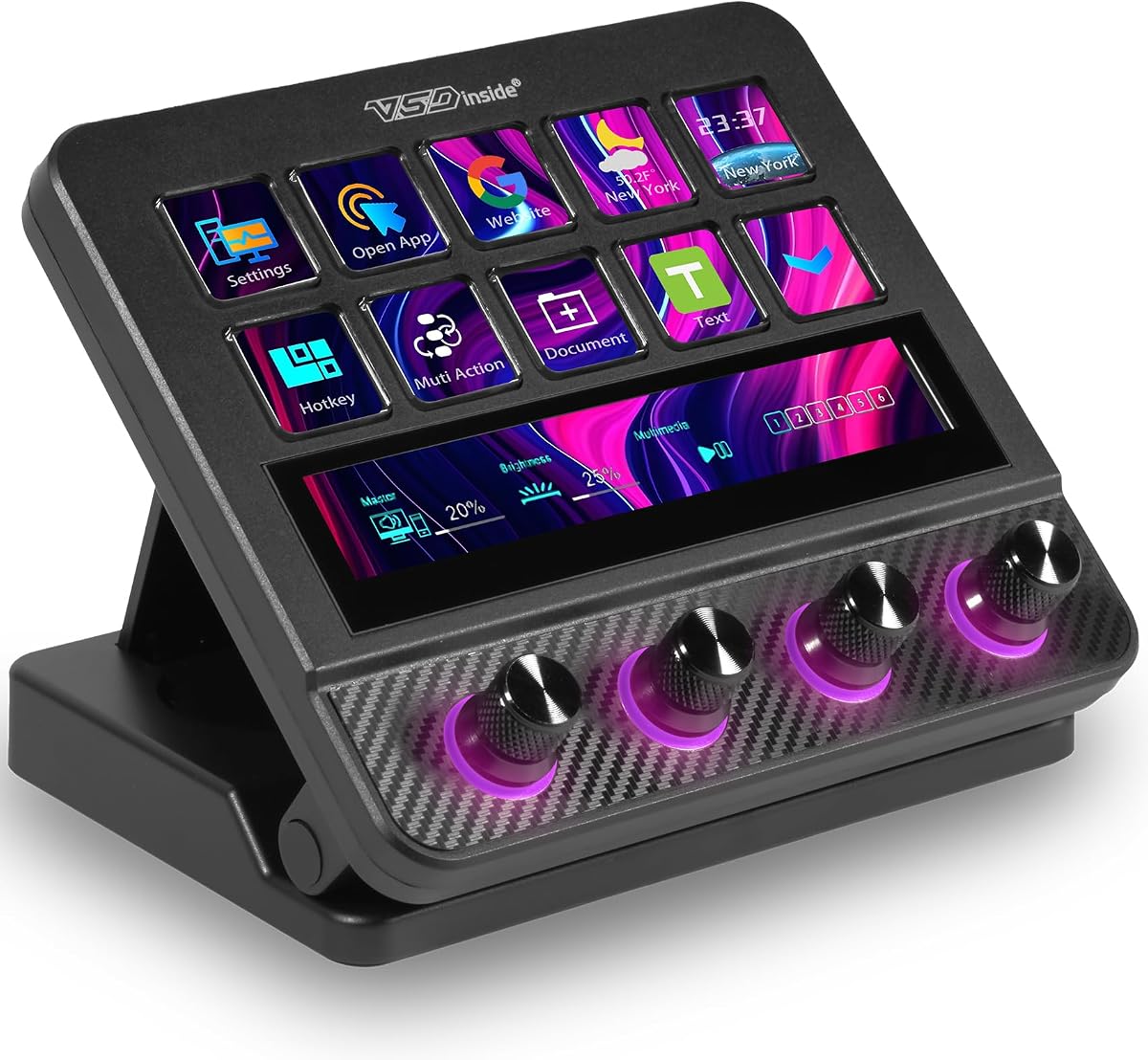
The VSD N4 Pro is tailored for content creation and gaming with advanced audio features. It offers fully configurable hotkeys and multi-scene modes. With a rating of 4.4 stars, it supports complex workflows involving audio adjustments and media control.
We may earn a commission when you buy through this link, at no additional cost to you.
It features 10 LCD keys, 4 RGB knobs, and an interactive touch bar. You can set single commands or multi-step chained operations. It stores unlimited independent scene presets for streaming, editing, gaming, and office use. The device converts complex repeated operations into one-tap triggers without coding needed.
As a professional USB soundboard, you can trigger sound effects and adjust audio atmosphere with one tap. It supports dynamic RGB visuals and comes with a foldable 60-degree ergonomic stand. The built-in passive USB dock adds extra ports for mice, keyboards, and storage drives.
This deck is ideal for users needing precise adjustments like volume and microphone levels. It works seamlessly with Windows 10+ and macOS 11.0+. The carbon-fiber panels and switchable haptic keys let you customize typing feedback. It is a premium choice for those demanding high-quality audio control.
The 4 RGB knobs allow you to assign volume or timeline adjustments directly. More control stays directly at your fingertips for complex production tasks.
Designed for long streaming sessions, the ergonomic stand ensures comfortable viewing angles. This reduces strain during extended editing or gaming marathons.
We may earn a commission when you buy through this link, at no additional cost to you.
The fifine D6 macro-Keyboard is a versatile tool for multi-tasking scenes. It features a total of 15 customizable macro keys, allowing you to create and assign different operations. With a rating of 4.6 stars, it appeals to users looking for vivid visual effects and ease of use.
We may earn a commission when you buy through this link, at no additional cost to you.
It works with OBS Studio, Streamlabs, Twitch, and YouTube. You can drag-and-drop icons and download from the console's store. The vivid RGB lighting offers 9 different controllable modes. This brightens your gaming setup and gives your viewers a more vivid game impression.
The visual operation keypad allows you to see the application on the touchscreen and press to control directly. You do not need to open plenty of windows on your PC screen one by one. It streamlines your workflow and improves work efficiency with visual feedback.
This versatile streaming equipment is applied in photography, graphics design, video editing, and office work. You can also create folders to generate different programs for independent processing. It is a reliable controller for content creators who want to customize their setup effortlessly.
The LCD keys show the application directly. This eliminates the need to toggle between screens during critical moments of a stream.
The store offers a very large number of plugins and icons to fill your streaming needs. This makes it easy to integrate various tools into your workflow.
We may earn a commission when you buy through this link, at no additional cost to you.
The TreasLin N1 stands out for its ability to support dynamic animated icons. While most stream decks are limited to static images, this model breaks new ground. With a rating of 4.4 stars, it offers unlimited personalization possibilities and transforms your desktop into a highly efficient tool.
We may earn a commission when you buy through this link, at no additional cost to you.
It features 18 macro keys, consisting of 15 visual LCD buttons, 2 clickable buttons, and 1 rotary knob. By pressing and turning the knob, you can switch between shortcut key mode, calculator mode, and numeric keypad mode. This provides flexibility for left-hand operations and mathematical calculations.
The VSDinside marketplace offers thousands of free and premium options, including 200+ plugins. You can create dedicated shortcut scenarios like Daily mode, Work mode, and Live Streaming mode. Dynamic icons allow you to use favorite animations to create custom animated icon scenes for your device.
This deck works seamlessly with PC, Windows, and macOS. The USB-C connection makes it easy to get up and running in seconds. It includes easy-to-install software and extensive technical support. If you use Spotify, note you need an active Premium account for integration.
Using favorite animations to create custom animated icon scenes transforms your interface. It changes a dull static interface into something vibrant and full of personality.
The rotary knob allows quick switching between different functional modes. This saves space and simplifies the user experience for different tasks.
We may earn a commission when you buy through this link, at no additional cost to you.
The Streonor S15 stream controller provides 15 customizable LCD keys for everyday control. It distinguishes itself with 3 non-touch status display panels for real-time information. With a rating of 4.6 stars, it is practical for streaming, video editing, and daily productivity tasks.
We may earn a commission when you buy through this link, at no additional cost to you.
The status panels display data such as weather, time, CPU temperature, GPU status, and memory usage. You can stay informed while working, streaming, editing, or gaming. It includes preset control pages for different scenarios like streaming, editing, office, and gaming.
You can build action flows that trigger multiple commands with one key. The software offers 100+ plugins, icon packs, GIF icons, scenes, and tutorials. Linux is not supported. For a smoother setup, uninstall similar controller software to avoid conflicts.
Designed for Win 10 and macOS Big Sur, this model is reliable for mainstream systems. You must download the latest software from the official website before setup. It is a solid choice for those needing system monitoring alongside macro control.
The status display panels keep you informed about CPU temperature and system performance. This is crucial for preventing overheating during intense gaming or rendering sessions.
Action flows allow complex sequences to be triggered with one key. This reduces repetitive steps and keeps important tools accessible during demanding sessions.
We may earn a commission when you buy through this link, at no additional cost to you.
The Streonor S10 Pro macro pad deck is a flagship model for demanding workflows. It brings together 10 customizable LCD keys, an integrated touchscreen, and 4 programmable rotary knobs. With a rating of 4.9 stars, it is designed for streamers and creators who need instant commands and precise adjustments.
We may earn a commission when you buy through this link, at no additional cost to you.
Use the LCD keys for shortcuts and app actions. Access supported information and controls through the touchscreen. Assign the knobs to volume, microphone levels, and timeline adjustments. It helps reduce repetitive steps across complex projects by assigning multiple actions to one key.
The S10 Pro works as a central stream controller that reduces window switching. It creates dedicated profiles for OBS, Twitch, and video editing. Access 100+ plugins, icon packs, GIF icons, and scenes through the software store. Linux is not supported, so check compatibility before purchasing.
This console is ideal for multitaskers who need precision. It keeps important tools accessible during demanding sessions. The combination of a touchscreen and physical knobs offers a balanced interface. It is a premium solution for those with extensive audio and production needs.
The touchscreen allows access to supported information and controls. This adds an extra layer of interaction beyond standard physical buttons.
It reduces window switching during live production. Keeping tools accessible minimizes interruptions and maintains focus on the stream.
We may earn a commission when you buy through this link, at no additional cost to you.
The Elgato Stream Deck MK.2 is a standard in the industry with 15 customizable LCD keys. It allows you to instantly control your apps, tools, and platforms. With a rating of 4.8 stars, it offers visual feedback to confirm that your command has been executed.
We may earn a commission when you buy through this link, at no additional cost to you.
You can trigger single or multiple actions with one touch. This includes launching social posts, adjusting audio, muting the mic, and turning on lights. It features powerful plugins for 4KCU, OBS, Twitch, YouTube, Twitter, Discord, Spotify, Philips Hue, and many more.
The device streamlines your film editing, music production, and photography workflows. It is known for its stability and extensive plugin support. The visual feedback ensures you know exactly when a task has been completed. This reduces errors during critical live broadcasts.
While it carries a premium price, the reliability and ecosystem justify the cost for many. It is highly compatible with major services and applications. If you need a proven tool with minimal friction, this model is an excellent choice for professional setups.
The wide range of plugins allows integration with many services. This includes smart home devices and major social media platforms for complete control.
Visual feedback confirms that your command has been executed. This feature is vital for avoiding mistakes during high-pressure streaming moments.
We may earn a commission when you buy through this link, at no additional cost to you.
Selecting the right macro pad involves evaluating several factors that impact your workflow efficiency. This section outlines the most important aspects to consider before purchasing.
The number of keys on a macro pad determines how many actions you can map without switching profiles. Models range from 6 keys for basic tasks to 18 keys for complex setups. If you manage multiple scenes or need frequent access to different apps, a higher key count offers greater flexibility and reduces the need to toggle between layouts.
LCD keys provide visual feedback through customizable icons, images, and animations, which aids in quick identification during a stream. Physical buttons offer tactile feedback that some users prefer for typing. Many modern devices offer both, combining visual clarity with tactile confirmation for a versatile user experience.
Ensure the macro pad supports your operating system and streaming software. Most devices work with Windows and macOS, but Linux support varies significantly. Additionally, check if the software allows for deep customization or if it is limited to simple key assignments. Robust software ensures the hardware is as flexible as your needs.
A strong plugin ecosystem extends the functionality of the macro pad beyond basic key presses. Look for devices that support plugins for OBS, Discord, and social media tools. Some models offer markets where you can download pre-made widgets or custom plugins to automate complex tasks effortlessly.
Streamers often use their macro pads for hours at a time, so build quality is crucial. Look for sturdy materials and ergonomic designs that fit your desk layout. Some models feature vertical designs to save space or adjustable stands for comfortable viewing angles during long sessions.
RGB lighting is primarily aesthetic but helps define your setup visually on camera. Some pads offer customizable RGB rings or side bars that match your stream branding. While not essential for function, it adds immersion and visual style to your workspace.
USB-C connections are becoming standard for faster data transfer and power. Some models include built-in USB docks for additional ports. Ensure the cable length is sufficient for your desk layout and that the device can be easily unplugged or reconfigured if needed.
Prices vary widely from budget models to premium options. Consider what features are truly necessary for your workflow before paying extra for unnecessary bells and whistles. A mid-range model often provides the best balance of performance and cost for most streamers.
To get started, connect the macro pad to your computer via USB and install the provided software. Open the application and assign your desired actions to each key. You can drag and drop images or GIFs to personalize the LCD keys for better visibility.